
During a buoy deployment or maintenance, the tools required will vary based on the buoy accessories purchased with the order, including beacons, sensors, and sensor mounts. However, a host of tools will be necessary across nearly all data buoy platforms. Any technician responsible for a buoy deployment or maintenance should bring the following tools to […]
Articles Tagged: Knowledge Base
Tag new knowledge base for search
General Data Buoy Maintenance
The following practices should be carried out for general CB-Series data buoy maintenance during normal operation. As a general practice, measurement data should regularly be inspected, and Quick Alerts or Alarms should be configured in WQData LIVE to detect any anomalies which may indicate that maintenance is required. Immediate Steps for Buoy Maintenance Monitor the […]
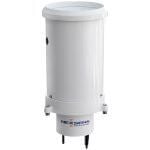
Replace G2-RAIN Siphoning Bucket
The G2-RAIN has two versions of the siphoning bucket depending on the time of purchase. For all models purchased before 2021, the G2-RAIN will have the siphoning bucket manufactured by the Rickly Hydrological Company. Newer G2-RAIN models have the siphoning bucket manufactured by Hyquest Solutions. In the instance of a bucket replacement, follow the steps […]
Turner Submersible Fluorometers X-Series Integration Guide
Real-Time Water Quality Measurements The Turner Designs C3 and C6P Submersible Fluorometers are designed to incorporate 3 & 6 optical sensors, respectively, ranging from the ultraviolet to the infrared spectrum. The fluorometers are compatible with NexSens X-Series data loggers via the Modbus-RTU communication protocol and the RS-232 sensor interface. A user-generated script can be created […]
NexSens RTU-C Remote Telemetry Unit
The NexSens RTU-C Remote Telemetry Unit acts as the main cellular or iridium telemetry device for X2 data loggers, while allowing for a fallback to the internal data logger telemetry. RTU-C units are watertight and able to operate in extreme environments. The internal settings allow users to adjust transmission settings via the embedded Wi-Fi. The […]
Generate a Generic GSI Script
Sensors utilizing serial communication that are not already listed in the X2 sensor script library can be configured to communicate with the X2 by generating a Generic General Serial Interface (GSI) script. Note: The X2 data logger only supports the RS-232 and RS-485 serial communication protocols. This utility requires a CONNECT firmware version of V2.22.7.2 […]
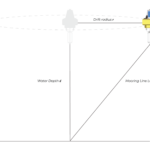
Planning a Medium-Deep Water Mooring for Small Data Buoys
Note: NexSens Technology supplies mooring hardware to support user-designed systems but does not endorse any particular mooring strategy for any specific application and does not take responsibility for mooring performance or damage resulting from mooring failure. Medium-Deep Water Deployment Considerations While many medium-deep water (>100m depth up to approx. 1000m depth) monitoring projects require large […]
Set Up a NexSens Radio Network
Each XBEE radio module that ships with a NexSens radio X2 has a unique identifier. Both the base and field nodes use this identifier to establish connections throughout the radio network. All field radios in the network must have the identifier information for the base station as a destination for their logged data. An RF […]
Performing a Measurement System Power Budget
Analyzing a measurement system power budget is a useful practice to help ensure that a proposed system design will meet the monitoring objectives and reliably deliver data. To aid with this, NexSens has developed a power budget tool which can quickly estimate the expected power performance of systems using the most common NexSens buoy platforms, […]
Data Export: GLOS API
Using the GLOS API option in the Data Export tool, users can share their project data directly with the Great Lakes Observing System (GLOS) in the format recognized by GLOS. Saving/memorizing a template allows WQData to send data automatically at a specified interval. General To create a Data Export with the GLOS API: Navigate […]