
Articles Tagged: Knowledge Base
Tag new knowledge base for search
Modem AT Command Descriptions
The following ‘AT’ commands are utilized in the CONNECT software to communicate directly with the internal modem. These commands can be used to setup and troubleshoot the internal modem settings. Review the following article to establish communication with the internal modem and send the proper commands for setup: CONNECT Cell Terminal AT Command Description Example […]
CB-Series Data Buoy Deployment Tips
NexSens Technology supplies mooring hardware to support user-designed systems but does not endorse any particular mooring strategy for any specific application and does not take responsibility for mooring performance or damage resulting from mooring failure. NexSens CB-Series Data Buoys The NexSens CB-series data buoys contain several mooring eyes on the underside of the buoy hull […]
Access the RTU SD card in an X2-SDL data logger
Follow the article below to access the RTU SD card within an X2-SDL data logger. Caution!!!- Be sure to statically ground yourself prior to touching any of the electronics inside the X2-SDL logger or the SD card itself Tools Required: – 3/16″ Ball-Point Hex Driver (included in logger maintenance kit) -3/16″ Nut driver -Phillips Screw […]
Communicate Directly with an SDI-12 Sensor
In CONNECT’s X2 Diagnostic feature, users can communicate with and send commands directly to a connected SDI-12 sensor (V2.22.03.03 or later firmware). Direct communication is critical for confirming sensor transmission, determining the sensor’s SDI-12 address, and reviewing the parameter output. Communicate with an SDI-12 sensor through common SDI-12 protocol commands by following the process below. […]
Configuring the mV-RS485 Adapter for Li-COR sensors
The mV-RS485 Adapter must be configured for the specific sensor before data can be properly displayed. For LI-COR sensors the Certificate of Calibration shipped with the sensor will be required. This certificate can also be downloaded from the LI-COR website using the sensor serial number. Open iChart Select Advanced | T-Node FR/mV-RS485 Adapter | Setup… […]
Solu-Blu Dissolved CO2 Probe X2 Integration Guide
Real-Time Dissolved Gas Measurements The Pro-Oceanus Solu-Blu Dissolved CO2 Probe measures dissolved CO2 in natural waters. The sensors are compatible with NexSens X-Series data loggers via the Modbus-RTU communication protocol and the RS-232 sensor interface. A pre-defined script on NexSens X-Series data loggers is able to detect, log, and transmit all available parameters. Parameter data is […]
Vaisala GMP252 Carbon Dioxide Probe X2 Integration Guide
The Vaisala GMP252 Carbon Dioxide (CO2) Probe measures atmospheric CO2 concentrations (ppm) in agriculture, refrigeration, greenhouses, and demanding HVAC applications. The probe is compatible with the X2 data logger using the Modbus-RTU communication protocol and the RS-485 sensor interface. A pre-defined script on X-Series data loggers is able to detect, log and transmit all parameters from […]
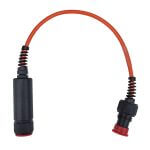
mV-RS485 Adapter Modbus-RTU Register Information
The following Modbus register information can be used to read/write the Modbus address, read the mV values from a connected sensor, and read/write the calibration values within the mV-RS485 adapter. Read Input Registers Read Current Address Using Universal Address The mV-RS485 adapter is programmed such that any sensor will respond to Modbus address 251. […]
Read the mV value from a mV-RS485 Adapter in iChart
The current measured mV value can be read at any time from the mV-RS485 adapter using the iChart T-Node FR/mV-RS485 adapter interface. Connection Directly to a PC A mV-RS485 adapter can be directly connected to a PC using a NexSens RS-485 UW Sensor USB Adapter. This adapter provides the ability to check sensor functionality […]