
Datasheet Bid Specs Drawings Quick Start Guide User Guide FAQ
Articles Tagged: Legacy
Convert PSI Pressure Output to Level Output in Feet in iChart
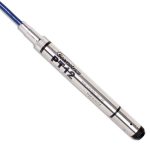
The Seametrics PT-12 Submersible Pressure Sensor records the pressure exerted on its internal diaphragm from the surrounding environment and can convert this signal into a level measurement. The X2 data logger script has a built-in conversion factor that outputs the data in both pressure (PSI) and level (ft.) However, for the iSIC and iSIC-V2 data […]
X2 Modbus Output
The X2 Modbus Output tool is designed specifically for applications utilizing a Programmable Logic Controller (PLC) with the Modbus communication protocol (RS-232 or RS-485). The connection from the X2 to the PLC will include a NexSens plug cable (UW-FLx) to one of the X2’s sensor ports, along with a variety of other connection options for […]
Reprogram a Data Logger with an Existing iChart Project
Open the iChart project. Before reprogramming, ensure the desired logger has the correct Communication Properties in iChart by right-clicking on the logger and selecting Property. Ensure the iSIC address is correct. If a direct connection is applied, change the Connect Through option to Direct. If the connection is over cellular, change the Connect Through to Internet […]
Temporarily Set iSIC Logger Secondary Baud Rate
The iChart software contains a terminal emulator used to communicate with sensors via serial output. Follow the process below to temporarily change the terminal, or secondary, baud rate to communicate with a wide range of sensors through an iSIC data logger. WARNING: This procedure should only be conducted while in direct connection with the iSIC data […]
Generate Generic NMEA 0183 Script
NMEA 0138 sensors not already listed in the X2 sensor script library can be configured to communicate with the X2 by generating a generic NMEA 0138 script. Connect the X2 logger to a PC and launch the CONNECT software. Test connection by reading the RTC clock of the logger in the CONFIG tab. On the […]
Which X2-Configured Airmar Parameters Require a Satellite Connection?
The following Airmar WX-Series parameters require a satellite connection to record measurements on the X2 data logger. (Read the Airmar X2 Integration Guide article to learn about the Airmar WX-Series parameters available for the X2.) NMEA 0183 Message Description X2 Parameters $GPGGA NMEA 0183 standard GPS Fix Data UTC Time (hhmmss) Latitude (Degree) Longitude […]
Checking Sensor Parameter Readings Using SDI-12
If iChart ever reads data input by a sensor as “-100000” it will be necessary to verify if the sensor is reading incorrectly. The problem may be elsewhere and completing these steps may rule out sensor failure and save on costly repairs. Make sure the sensor is connected and adequate power is applied to the […]
Replace a Desiccant in a G2-RAIN Data Logger
Each G2-RAIN ships with a bag of desiccant placed underneath the data logger circuit boards. This desiccant bag should be replaced whenever: The G2-RAIN-RTU enclosure is opened. The Internal Humidity diagnostic parameter reads 40% or greater. Any appropriately sized desiccant pack (the included pack is 2.8″x 1″ for reference) can be used as a replacement. […]
G2-RAIN Storage Requirements
The following practices should be carried out when storing a G2-RAIN data logger for an extended period of time: (Use the diagram below for reference) Remove the antenna or ensure no tension is placed on the antenna resulting in curvature or breakage. Rotate the antenna counter-clockwise to remove. Use the NexSens […]