
Articles Tagged: Legacy
AT&T 4G Cellular Telemetry Update Notification
Notice Below is important information for any NexSens customers who have purchased an AT&T 4G LTE cellular modem with 3G fallback for an X2 data logger. AT&T has announced their 3G (UMTS/HSPA) network will be discontinued beginning in February 2022. Current 4G LTE devices in the field may experience incorrect functioning after this date. To […]
X2-CBMC Buoy-Mounted Data Logger User Guide
System Power Apply Power to the X2-CBMC UW-6 Universal Pinout Buzzer Indicator Power Budget Calculation Establish Communication X2 Data Flow Cellular Setup a 4G Cellular Account SIM Card Installation Configure Network APN Iridium Setup a Gmail Account to Allow WQData LIVE Access Setup Iridium SBD Data Account and Activate on WQData LIVE Setup Iridium Logger […]
X2-CBMC Resource Library
Datasheet Bid Specs Drawings Quick Start Guide Cellular Iridium Radio User Guide FAQ
X2-SDL Submersible Data Logger User Guide
General X2-SDL Body Tag Identification Depth Rating System Power Battery Selection Apply Power to the X2-SDL Installing Batteries UW-6 Universal Pinout Buzzer Indicator Power Budget Calculation Establish Communication X2 Data Flow Wi-Fi Setup Wi-Fi Network Configuration Cellular Setup a 4G Cellular Account SIM Card Installation Configure Network APN Iridium Setup a Gmail Account to Allow […]
X2-CB Buoy-Mounted Data Logger User Guide
System Power Apply Power to the X2-CB UW-6 Universal Pinout Buzzer Indicator Power Budget Calculation Establish Communication X2 Data Flow Cellular Setup a 4G Cellular Account SIM Card Installation Configure Network APN Iridium Setup a Gmail Account to Allow WQData LIVE Access Setup Iridium SBD Data Account and Activate on WQData LIVE Setup Iridium Logger […]
X2 Environmental Data Logger User Guide
General Overview X2 Body Tag Identification Powering Up Apply Power to the X2 UW-6 Universal Pinout Data Logger Status LEDs Establish Communication X2 Data Flow Wi-Fi Connect to an X2 via Wi-Fi Setup Wi-Fi Network Configuration Cellular Setup a 4G Cellular Account Configure Network APN Iridium Setup Iridium Logger Through CONNECT Iridium Transmission Delay Radio […]
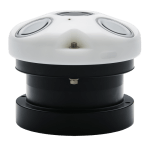
Nortek AWAC Current Profiler X2 Integration Guide
The following article provides information on the proper settings required for communication between a Nortek AWAC Current Profiler and an X2 data logger. Advanced information describes the NMEA messages and parameters recorded from the sensor by the X2 and includes troubleshooting procedures for common error codes. Nortek AWAC Current Profiler Setting Requirements […]
X2-SDLMC/X3-SUB Port Pinout
The X2-SDLMC & X3-SUB data loggers include a series of ports with MCIL connectors. The port pinout information is given below. 8-Pin Sensor Port Signal Information Note: All splitter extensions contain the same pinout and signal configuration; however, only one 232 sensor can be connected to each splitter/port. The arrow on the 2-way […]
X2-CBMC Port Pinout
The X2-CBMC data logger includes a series of ports with MCIL connectors. X2-CBMC port pinout information is given below. 8-Pin Sensor Port Signal Information Note: All splitter extensions contain the same pinout and signal configuration; however, only one 232 sensor can be connected to each splitter/port. The arrow on the 2-way splitter and […]