
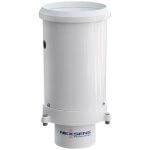
The siphoning tipping bucket forces rainfall to flow directly onto the tipping apparatus, which allows for accurate precipitation measurements. Follow the subsequent steps to remove the tipping bucket: Remove the siphoning tipping bucket from the G2-RAIN-RTU by using the 9/64” hex wrench to loosen the (3) bolts that are connecting the bucket and the […]
Articles Tagged: Legacy
Identify G2-RAIN via Body Tag
Each G2-RAIN logger has a body tag etched into the bottom of the bulkhead containing the G2-RAIN-RTU. This number is incorporated into the default name of the device on WQData LIVE and will often be requested by a technical support specialist in the event remote troubleshooting is required or if NexSens-supplied data services require activation […]
G2-RAIN Logger Diagnostic Readings
All G2-RAIN data loggers have an internal set of sensors that measure important factors of system health. A total of (10) G2-RAIN Meta Parameters are collected. Cell Module Power An adequate voltage supply is necessary to turn on the G2-RAINs cell module for data transmission to WQData LIVE. Values at or slightly above 5V […]
Buzzer Indicator for G2-RAIN Data Logger
G2-RAIN data loggers are equipped with an onboard buzzer to provide audible system status feedback to the user. G2-RAIN Buzzer Indicator Status Lookup Event Beep Type Status When power is applied Short beep System boot successful During telemetry connection Two short beeps Connection successfully established During telemetry connection Three short beeps No signal/connection failed […]
X-Series Logger Supported Sensors
All X-Series data logger systems incorporate multiple waterproof UW sensor ports with available sensor interfaces including SDI-12, RS-485 and RS-232. This allows for compatibility with a wide range of sensors and data transmission protocols such as SDI-12, NMEA0183 and Modbus. Many compatible sensors can be automatically detected by X-Series loggers, while others require custom configurations […]
X2 SD Card Utility
The X2 SD Card Utility in CONNECT allows users to perform the following actions without needing to physically access the micro-SD card inside the X2 data logger: Send a file to the SD Card Transfer a file from the SD Card to the PC Delete a file off of the SD Card Access X2 […]
X2 Diagnostics
The X2 Diagnostics utility in CONNECT software enables users to perform the following functions: Read the logger’s diagnostic sensor suite Toggle sensor port power on/off Enable/disable on-board Wi-Fi Access X2 Diagnostic Utility Connect the X2 logger to a PC and launch the CONNECT software. Test connection by reading the RTC clock of the logger […]
Generate Generic Modbus Script
Modbus sensors not already listed in the X2 sensor script library can be configured to communicate with the X2 by generating a generic Modbus script. Connect the X2 logger to a PC and launch the CONNECT software. Test connection by reading the RTC clock of the logger in the CONFIG tab. On the CONFIG tab, […]
Update Logger IP Address
In the iChart project, locate the Navigation Panel located to the left of the data readout. Locate the data logger in question, right click on it, and select Property. The Communication Properties menu for the logger will appear showing the currently utilized communication method, data logger and IP address information. Make the […]
Adjust RTC Clock Sync Schedule
To prevent the data logger clock from drifting over time, the RTC Sync Schedule should be enabled for each data logger within an iChart project. Note that this does not apply to 6100-iSIC (Iridium satellite) units which can only be synced with a direct cable manually. Within the iChart project select the Schedule button below […]