
The minimum and maximum flash brightness settings of a M550 beacon are dependent on the configured flash code. For the 066 flash code typically set on NexSens-supplied beacons, the maximum effective intensity that can be set is 20cd as demonstrated by Carmanah’s table below. A complete listing of Flash Codes is available in Carmanah’s manual […]
Articles Tagged: Knowledge Base
Tag new knowledge base for search
M550 Marine Light – FAQ
How to Install a 4G Modem in a 3100-iSIC
Prior to installation, be sure that the new 4G cellular modem has a SIM card installed and its account is active. 1. Open up the 3100-iSIC enclosure and remove both fuses by pressing down on the holder cap and turning it counterclockwise. 2. Use a large Phillips screwdriver to remove the four primary mounting […]
G2-Rain Data Logger Maintenance
Periodic maintenance of a G2-RAIN Alert system includes the following items: Clearing debris out from inside the siphoning bucket receiver and drain holes Replacement of the internal lithium battery pack when the reported system voltage drops to 6.2V or below Note this does not apply for externally powered G2-RAIN systems using an AC wall adapter […]
Replace RF-Cable Assembly
In the event of damage, the RF cable assembly on the X2 data logger can be replaced. Caution!!!- Be sure to statically ground yourself prior to touching any of the electronics inside the X2 logger! Tools Required: Phillips Head Screwdriver 3/16″ Hex Driver or Adjustable Wrench 5/8″ Socket Instructions Locate the green plastic wire […]
WXT510-M Resource Library
Quick Start Guide Warranty Service Request
M-ARM Resource Library
Quick Start Guide Warranty Service Request
Manually Update X2 RTU Firmware
Caution!!!- Be sure to statically ground yourself prior to touching any of the electronics inside the X2 logger Instructions Remove Power from the X2 by disconnecting any cable connected to the center 6-pin port. Locate the green plastic wire from its track in the base of the X2’s aluminum housing. Slide tweezers […]
Remove the Main SD Card in a Pole Mount X2 Data Logger
In the event of an SD card failure, the user may be required to physically remove the main SD card from the X2. It is imperative to perform this operation indoors in a dry environment. Caution- Be sure to statically ground yourself before touching any of the electronics inside the X2 logger. SD Card […]
Install an External Power Adapter Cable
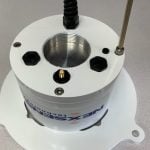
Tools Required 3/16″ hex key 5/16″ hex key small adjustable wrench Small Flat head screwdriver Tweezers (recommended) Procedure 1) Remove the G2-Rain from its mounting pole and invert. 2) Use a small flat head screwdriver and turn the power switch counter-clockwise to remove internal power. 3) Use a 5/16″ hex key to remove the […]