
In the event of an SD card failure, the user may be required to physically remove the main SD card from the X2. It is imperative to perform this operation indoors in a dry environment. Caution- Be sure to statically ground yourself before touching any of the electronics inside the X2 logger. SD Card […]
Articles Tagged: Legacy
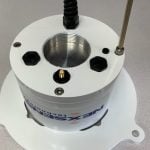
Install an External Power Adapter Cable
Tools Required 3/16″ hex key 5/16″ hex key small adjustable wrench Small Flat head screwdriver Tweezers (recommended) Procedure 1) Remove the G2-Rain from its mounting pole and invert. 2) Use a small flat head screwdriver and turn the power switch counter-clockwise to remove internal power. 3) Use a 5/16″ hex key to remove the […]
Calibrate a G2-RAIN
The G2-RAIN’s included rain gauge comes factory calibrated. However, to ensure the most accurate measurements this calibration should be verified regularly. Note: There are two versions of the G2-RAIN, one with a HyQuest Solutions tipping bucket and the other manufactured by Rickly. Rickly Tipping Bucket HyQuest Solutions Tipping Bucket Rickly Tipping Bucket Calibration Remove the […]
No Rain Response from G2-RAIN Data Logger
If a deployed G2-Rain does not appear to be registering any precipitation during an event, check the following: Verify that the siphoning bucket is clean. Leaf-matter, spider nests, and other debris can obstruct water flow and prevent it from reaching the tipping arm. Remove the bucket and verify that the rubber band affixed to […]
Check/Replace a Reed Switch
If a G2-Rain system appears to be reporting less than the expected rainfall (or none at all) it is possible the magnetic switch responsible for registering the tipping arm movement is intermittent or non-functional. Reference the following steps to confirm the Reed switch status and install a replacement as necessary. Testing a Reed Switch Remove […]
X-Series Data Logger Grounding
Grounding a data logger is critically important to ensure measurement accuracy and prevent damage to a data logging system. Damage can either occur acutely or manifested through intermittent hardware problems that are difficult to diagnose and can result in an eventual failure. While lightning strikes are an obvious source of power surges that can damage […]
Operating Temperatures
X3 Logger: -40°C to 70°C X2 Logger: -20°C to 70°C SP-Series Solar Regulator: -40°C to 50°C (-40°C to 70°C for SP35) SP-Series Solar Panel: -40°C to 85°C SP-Series SLA Battery: -20°C to 50°C
Configure X2 Base Radio Local Alarm
The CONNECT X2 base radio utility can monitor the status of configured alarms on a WQData LIVE project. When the base radio utility is enabled, a base radio X2 can optionally be tasked to trigger a local alarm in the event that traditional methods of notifications (SMS or email) are not available. This works by […]
Configure X2 Base Radio Data Collection
The majority of X2-Series Radio Systems will arrive pre-configured. Aside from establishing power and sensor connections, users utilizing an X2 PC base radio station for communication will need to load and configure the CONNECT software to begin acquiring data via WQData LIVE. Note: An active internet connection on the PC running the CONNECT software is […]
Replace G2-RAIN Internal Battery Pack
The G2-RAIN battery pack should be replaced once the reported system voltage drops to 6.2V or below. Battery packs for the G2-RAIN (G2-BAT-2D) are typically in stock and will ship the same day as they are ordered. Life expectancy for the batteries ranges from 1-3 years depending on the data logging interval, transmission interval, and […]