
The battery compartment of the X2-SDL data logger accommodates (16) D-Cell Alkaline batteries for system power. These batteries should be replaced once the reported secondary power falls to 8V to avoid data collection interruption. Locate the white battery lid at the top of the X2-SDL. Rotate the lid counter-clockwise to remove it. Note: Due to […]
Articles Tagged: Knowledge Base
Tag new knowledge base for search
RAIN-RS485 Adapter Resource Library
Quick Start Guide Warranty Service Request
Adjust Auto-Report Generation Offset
Automatically generated reports from WQData LIVE often need to have their start times offset to accommodate for the upload delay (due to the latency of sensor sample acquisition and data logger telemetry connection processes) on the final data point. If no offsets are entered, reports that are delivered may be missing the most recent data […]
Apply Power to the X2
The X2 offers several power input options for flexibility in system design and redundancy in critical monitoring applications. Available options include solar-charged power pack, battery-only and AC power. Basic Requirements Supply Voltage: 5-24VDC [+/-15%] (Reverse polarity protected) Current Draw (Typical @ 12VDC): Low power sleep: 350uA; Logger Active: 35mA; Wi-Fi Transmitting: 43mA; Cellular Transmitting: […]
SVS-603-UW Wave Sensor Pinout
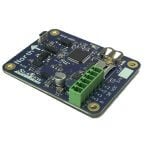
The NexSens SVS-603-UW sensors can be connectorized with a UW8 or MCIL-8-FS plug. The wiring colors and pin numbers are identical, as shown in the table below. UW8/MCIL Plug Pin SVS-603 Signal SVS-603 Board Identifier UW-Bulk/UW-FLxR Wire Color 1 RS-232 Tx Rx1 Orange 2 GND 0V Black 3 RS-232 Rx Tx1 Yellow 4 […]
X2 LED Indicator Lights
The X2 contains two sets of (4) LEDs visible through the lid of the enclosure. These X2 LED indicator lights give insight into the operation of the data logger and Wi-Fi module, respectively. Two additional green LEDs beneath each magnet port give feedback when the magnet input is triggered. Note that all LED operation is […]
SeaView SVS-603 Wave Sensor – FAQ
Install a SIM Card into an X2-CB/X2-CBMC Cellular Logger
While it is always recommended that a SIM card be sent to NexSens for installation prior to shipment, in some cases it may be necessary for an end user to install a SIM card. Caution!!!- Be sure to statically ground yourself prior to touching any of the electronics inside the X2 logger! Tools Required […]
Set up a 4G Cellular Account for an X-Series Data Logger
While NexSens can provision and manage a cellular account for an X-Series Data Logger if desired, it may be preferred to set up and manage an account directly with a provider. The loggers’ cellular telemetry requires a 4G-compatible SIM to operate. Please reference the following information for 4G cellular account setup: Step 1) Verify […]
UW-8 Plug Pinout
Sensors can be connected to the UW-8 receptacle ports of NexSens X-Series and G2-Series by installation of a UW-8 plug connector on the end of a sensor cable. The pinout for the UW-8 plug connectors is as follows: Pin # SensorBUS Signal Wire Color 1 RS-232 Tx* Orange 2 GND Black 3 RS-232 Rx* […]