
Datasheet Bid Specs Drawings Quick Start Guide User Guide FAQ
Articles Tagged: Knowledge Base
Tag new knowledge base for search
UW6-BULK Resource Library
Quick Start Guide User Guide
HydroCAT CTD Resource Library
X2 Integration Guide Warranty Service Request
UV Nitrate Sensor Resource Library
X2 Integration Guide Warranty Service Request
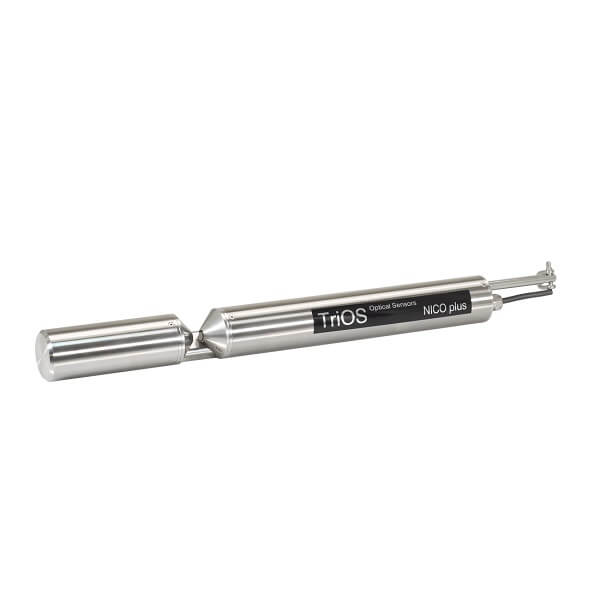
TriOS UV Nitrate Sensor Integration Guide
TriOS UV Nitrate Sensors are in-situ UV photometers that measure nitrate in lakes/rivers, drinking water, and wastewater applications. Nitrate is measured using the common principles of UV optical absorption utilized in laboratories worldwide. The sensors are compatible with X-Series data loggers over the RS-485 sensor interface using the Modbus-RTU communication protocol. Below is information on […]
Seametrics PT-12 Level Sensor – How To
Convert PSI Pressure Output to Level Output in Feet on an iSIC Logger
Convert PSI Pressure Output to Level Output in Feet in iChart
The Seametrics PT-12 Submersible Pressure Sensor records the pressure exerted on its internal diaphragm from the surrounding environment and can convert this signal into a level measurement. The X2 data logger script has a built-in conversion factor that outputs the data in both pressure (PSI) and level (ft.) However, for the iSIC and iSIC-V2 data […]
X2 Modbus Output
The X2 Modbus Output tool is designed specifically for applications utilizing a Programmable Logic Controller (PLC) with the Modbus communication protocol (RS-232 or RS-485). The connection from the X2 to the PLC will include a NexSens plug cable (UW-FLx) to one of the X2’s sensor ports, along with a variety of other connection options for […]
Reprogram a Data Logger with an Existing iChart Project
Open the iChart project. Before reprogramming, ensure the desired logger has the correct Communication Properties in iChart by right-clicking on the logger and selecting Property. Ensure the iSIC address is correct. If a direct connection is applied, change the Connect Through option to Direct. If the connection is over cellular, change the Connect Through to Internet […]
Download/Send Data Exports
Before downloading or sending a data export, ensure that the export has been configured with the correct format and includes all desired parameters. The following articles discuss each available data export format and how to set a date range schedule for the export. CSV Format GLOSXML Format NDBCXML Format Date Range Configuration Downloading a Data […]