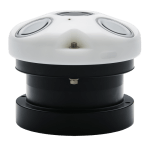
The following article provides information on the proper settings required for communication between a Nortek AWAC Current Profiler and an X2 data logger. Advanced information describes the NMEA messages and parameters recorded from the sensor by the X2 and includes troubleshooting procedures for common error codes. Nortek AWAC Current Profiler Setting Requirements […]
Read More →
X2 Integration Guide Warranty Service Request
Read More →
Transmit flags control whether or not a parameter is transmitted to WQData LIVE. Transmit flags are set to enabled or disabled for all X2 diagnostic and detected sensor parameters through CONNECT software. This feature helps reduce the overall size of a data transmission, limiting it to only the necessary diagnostic or sensor parameters. Conveniently, the […]
Read More →
The X2-SDLMC & X3-SUB data loggers include a series of ports with MCIL connectors. The port pinout information is given below. 8-Pin Sensor Port Signal Information Note: All splitter extensions contain the same pinout and signal configuration; however, only one 232 sensor can be connected to each splitter/port. The arrow on the 2-way […]
Read More →
The X2-CBMC data logger includes a series of ports with MCIL connectors. X2-CBMC port pinout information is given below. 8-Pin Sensor Port Signal Information Note: All splitter extensions contain the same pinout and signal configuration; however, only one 232 sensor can be connected to each splitter/port. The arrow on the 2-way splitter and […]
Read More →
The X2 is capable of logging data to its internal memory at a certain log interval but transmitting it at a different interval. This feature is useful for reducing the system’s data usage and telemetry on-time (thereby reducing the power consumption) but still monitoring system status remotely. During site visits, users can then periodically access […]
Read More →
Establish a Terminal Connection Follow this article to establish a terminal connection with the G2-RAIN using a UW6-USB-485P cable. Enter the Cell Terminal Upon connection of the UW6-USB-485P to the G2-RAIN, the system will immediately begin to contact WQData LIVE. Since the cellular service has not been established yet, hit enter to open […]
Read More →
Note: This connection only applies to G2-RAIN systems with an external power cable (G2-CBL-SP) and the purchase of a UW6-USB-485P cable. Download the free open source terminal program Tera Term here. Select the link for the teraterm-4.97.exe file. The download will begin automatically. Complete the installation with the default components. Connect a UW6-USB-485P cable to […]
Read More →
Wire an EXO 1 into a YSI DCP Adapter for X2 Connection
Read More →