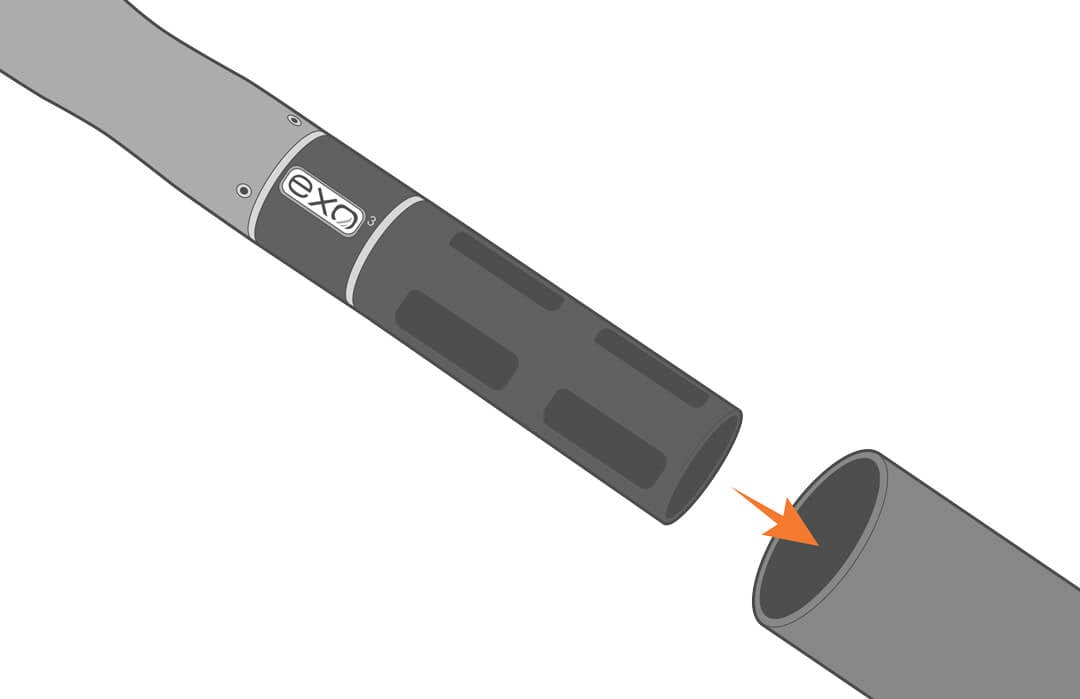
YSI EXO Water Quality Sondes X-Series Integration Guide
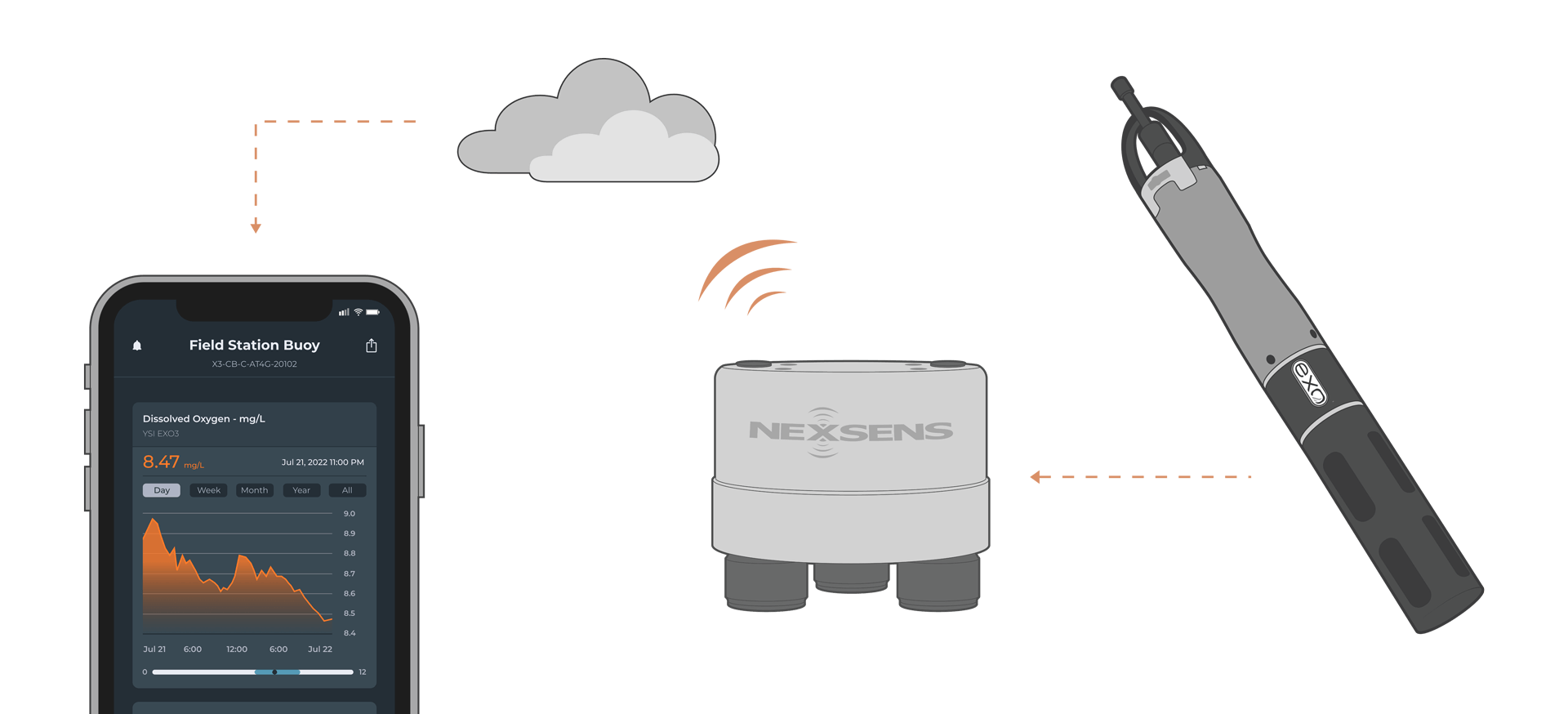
The YSI EXO Multiparameter Sondes can simultaneously measure multiple water quality parameters, including conductivity, temperature, pressure, dissolved oxygen, and many more. It easily integrates with NexSens X-Series data loggers using the SDI-12 sensor interface.
Sensor Setup
Before the sensor can be deployed, it must first be set up through KOR software. For proper communication with NexSens loggers, users must set a Deployment Template on the sonde through the KOR software. Follow the manufacturer’s guidelines for setup.
Note: Be sure to note the parameter order in the Deployment Template, as this must align with selected parameters in the logger.
Caution: It is not recommended to install batteries or enable internal logging on the sonde. If internal logging is required, ensure the sonde is configured to use the Sample & Hold feature and output Battery Voltage so battery power can be monitored in real time.
Connecting with X-Series Loggers
Next, the sensor will need to be connected to the X-Series logger through CONNECT software. If you have not yet done so, set up the project in WQData LIVE.
- Connect the sensor using the supplied cable to one of the open sensor ports on the logger and note the port number.
- Plug the X3 into the USB port of the computer and power it on with the AC power cable.
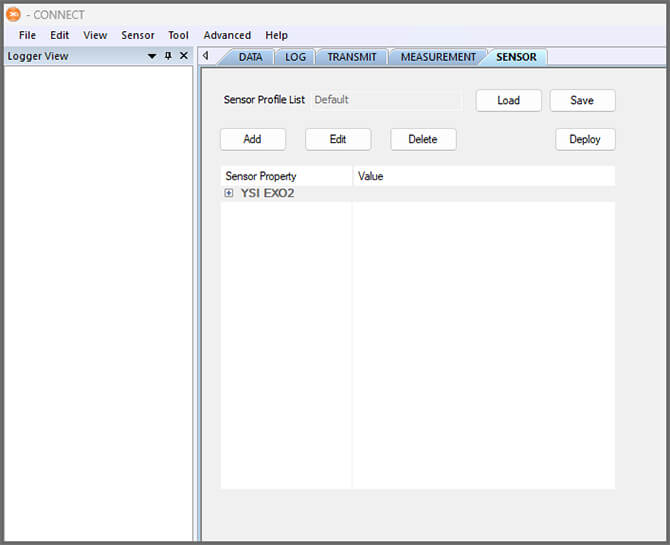
- Open CONNECT and select the SENSOR tab.
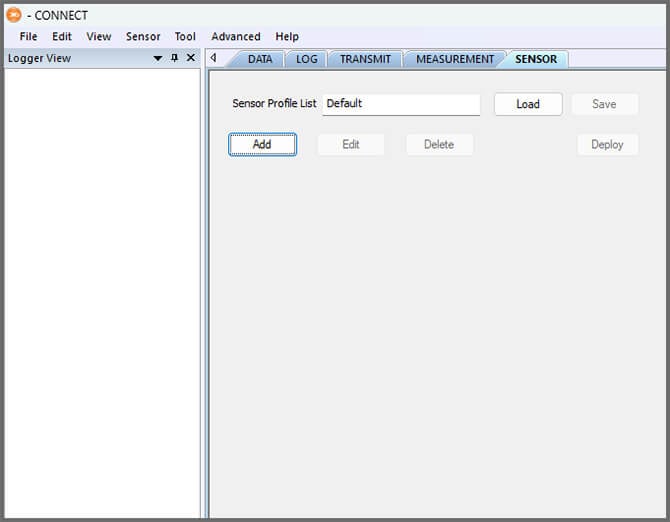
- Click Add and select YSI from the Manufacturer drop-down. Then select the appropriate model.
- Adjust the SDI-12 address if needed and select the port number.
- Select either Continuous or Switch in the Power drop-down.
- Switch power is recommended for EXO sondes.
- Add or remove sensor parameters as needed. Note that the selected parameters must match the deployment template.
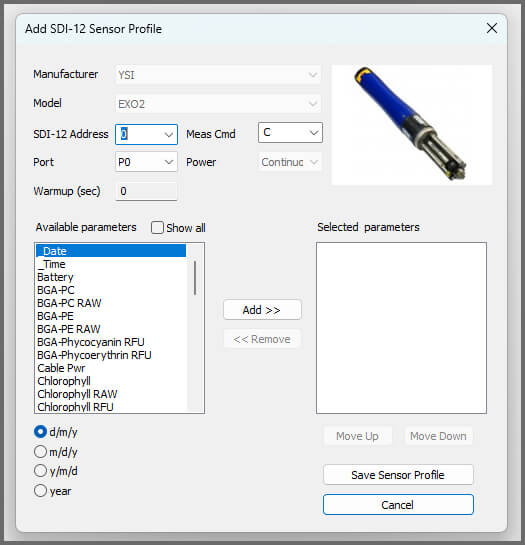
- Select Save Sensor Profile.
- Complete the setup for all other sensors, and then click Save.
- Name the Sensor Profile List and select Ok.

- Complete system setup by clicking Deploy.
- Confirm that data is being transferred to WQData LIVE at the next interval (default is 10 minutes).
Mounting
Deployment setups will vary based on the platform, application, and site location. For general buoy mounting instructions and structure mounting, see below.
Buoy-Based Deployments
First, follow the appropriate User Guide in the Knowledge Base for buoy assembly. There are two options for near-surface measurements and a third option for water column measurements:
1. Buoy Deployment Pipe
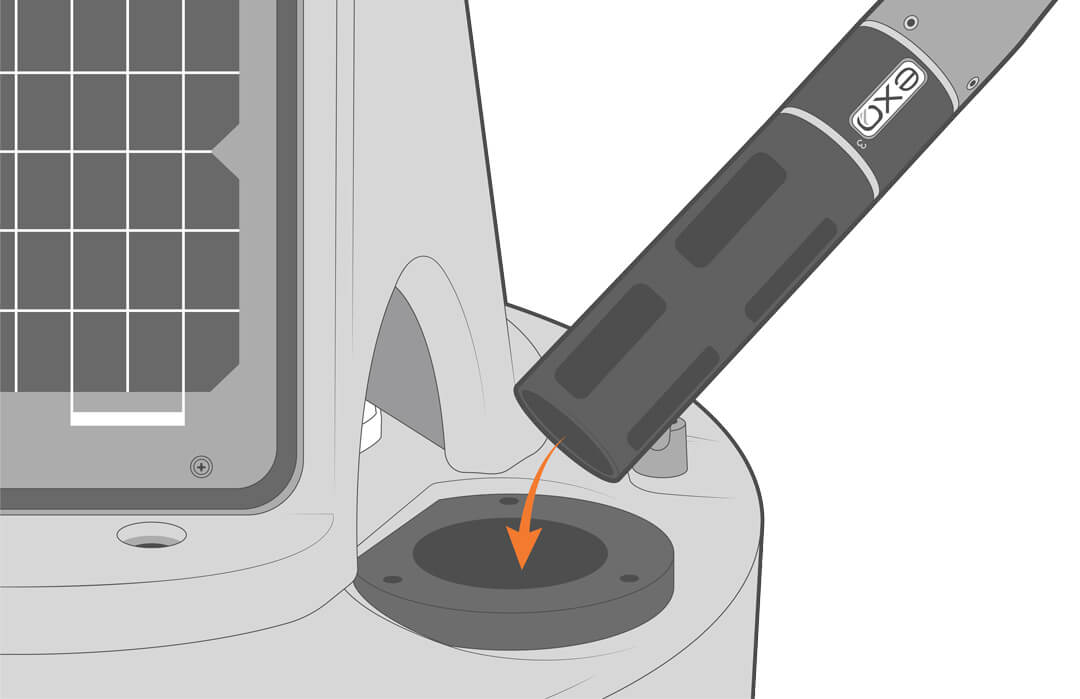
Optional perforated deployment pipes can be fitted to most NexSens CB– and XB-series buoys. Deploying the sensor inside the pipe provides easy access for maintenance and recalibration.
2. Cage Mount
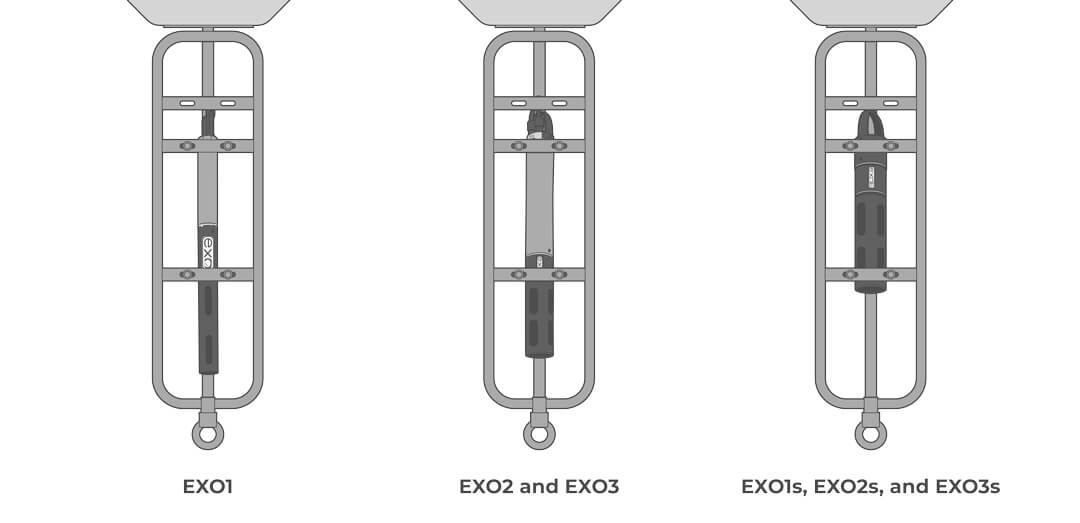
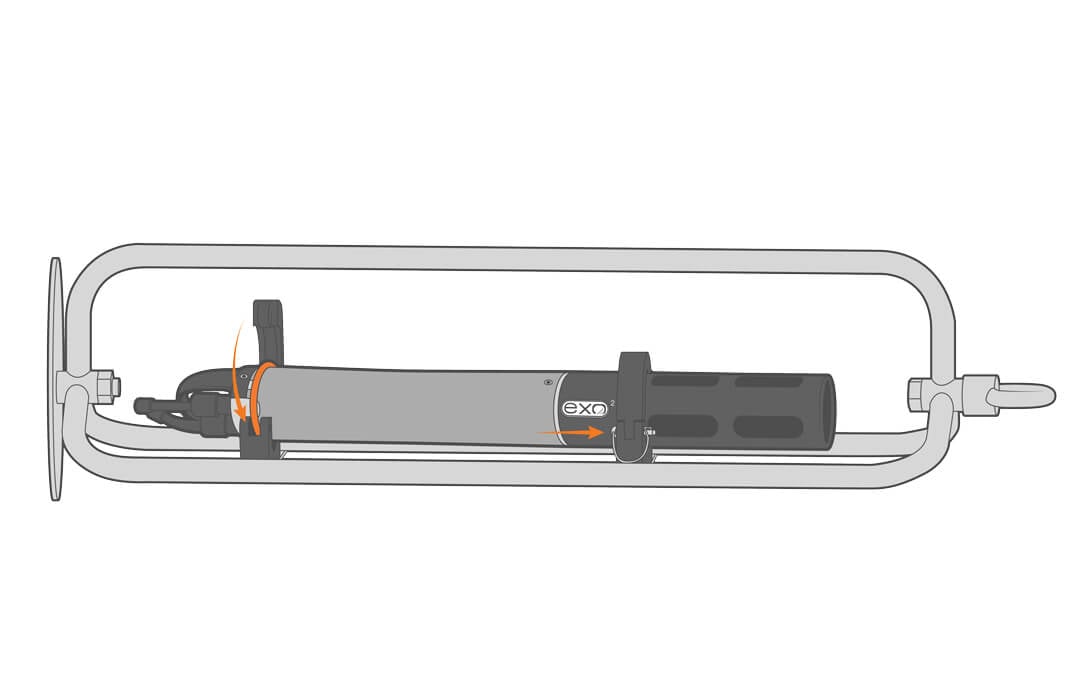
Use the NexSens EXO Sonde Mooring Clamp Sets to attach the sonde to the instrument cage. Due to the differences in sonde diameter and length, cage clamp size and placement will vary. For clamp placement, see examples below.
To attach the clamps to the cage, follow the instructions below.
- Secure the clamps on the cage using the included hardware.
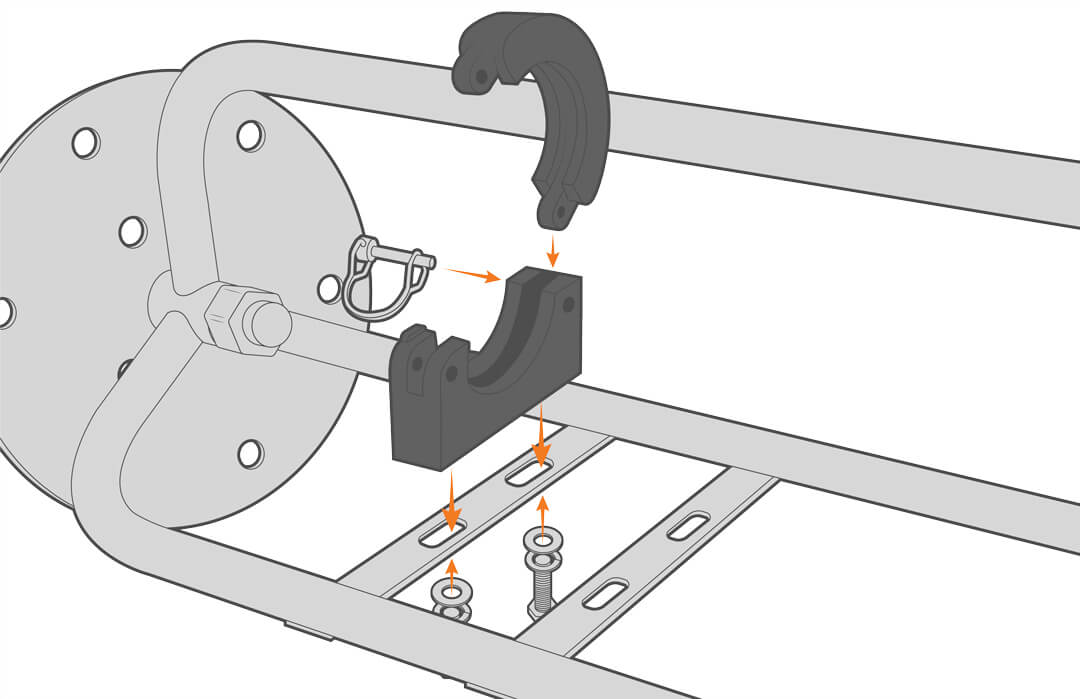
- Slide the o-rings onto the sonde body, and align them with the clamps on the cage.


- Adjust the o-rings as needed, then close and secure the clamps.
Note: depending on the deployment site, users may want to provide additional stability to the sonde.
3. Water Column
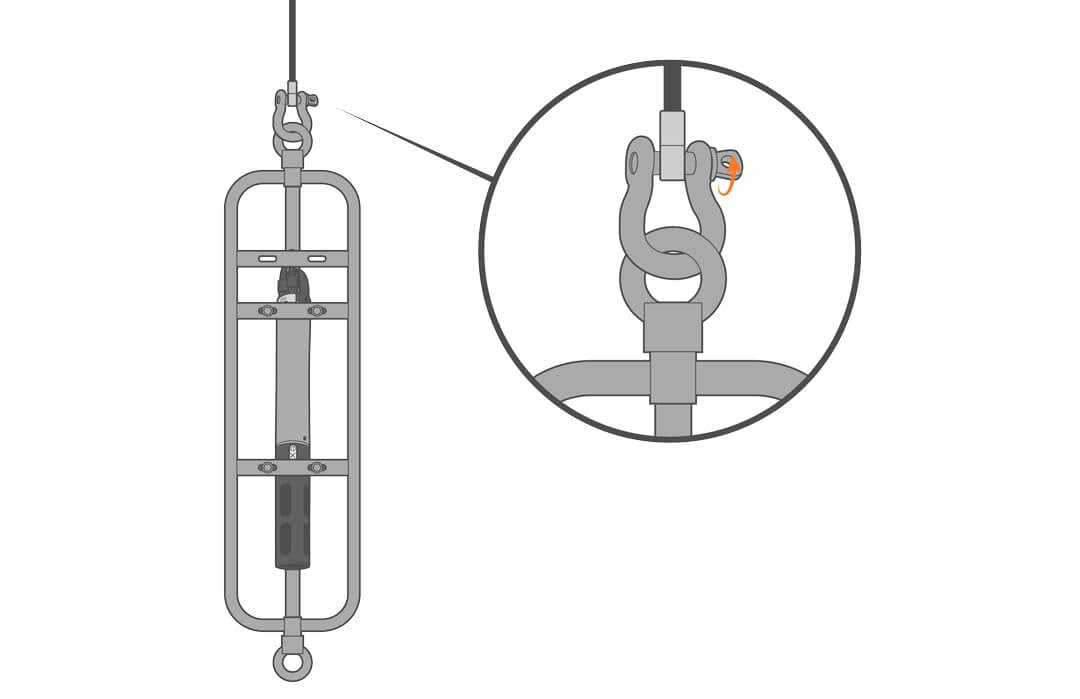
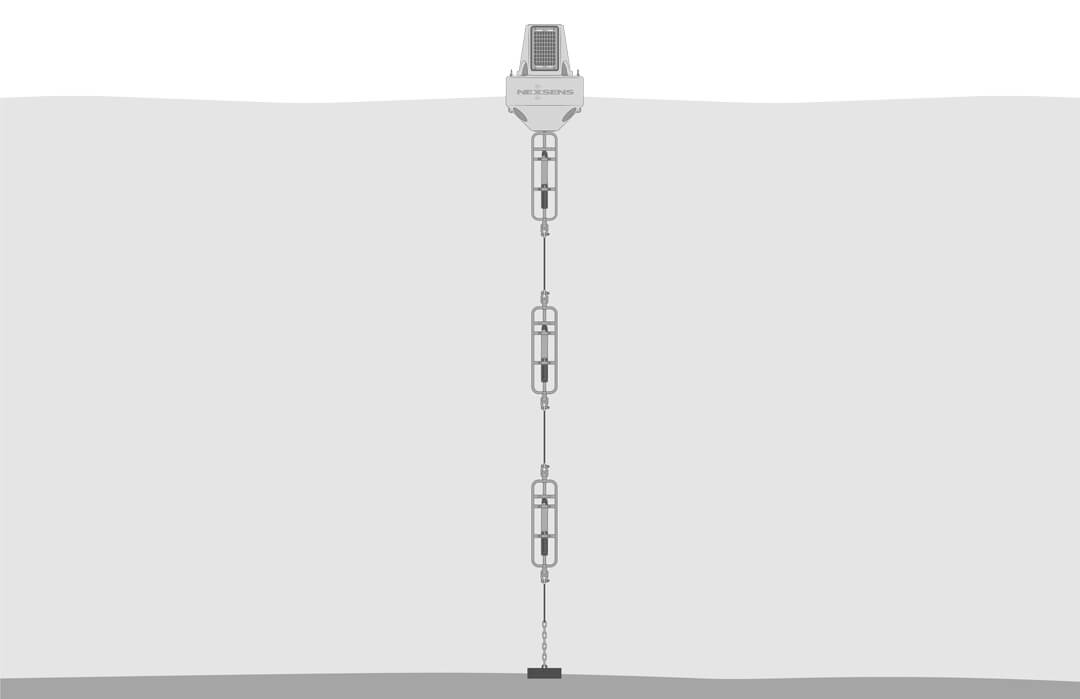
For water column measurement, use the NexSens EXO Sonde Mooring Cages to attach the sonde to a mooring line at the desired depth in the water column.
- Shackle the sonde mooring cage to the bottom of the sensor line at the desired depth.
- Repeat as desired.
Shore-Based Deployments
For dock, pier, or bank deployments, it’s best to secure the sensor in a perforated PVC pipe.
- Extend the pipe into the water and deploy the sensor.