
CB-75 Data Buoy User Guide
The CB-75 is a compact, affordable, and easy-to-deploy buoy platform for both water and atmospheric observations. Its compact and lightweight design makes it ideal for single-person deployment in coastal and inland waters. Constructed of cross-linked polyethylene foam with a heavy polymer skin and an indestructible stainless steel frame, the CB-75 is designed for years of service.
The standard CB-75 comes with three 4W solar panels, while the CB-75A comes without solar charging capabilities and replaceable alkaline batteries.
Measurement System Verification
1. It is best to configure and test electronics on a lab bench prior to installation on the buoy.
2. When purchased with NexSens X-Series data loggers, refer to the following knowledge base articles for setup and integration:
NexSens X3: https://www.nexsens.com/knowledge-base-v2?cat=data-loggers&prod=x3
WQData Live: https://www.nexsens.com/knowledge-base-v2?cat=software&prod=wqdata-live
3. When the measurement system is fully functional, move on to the buoy assembly.
Buoy Assembly
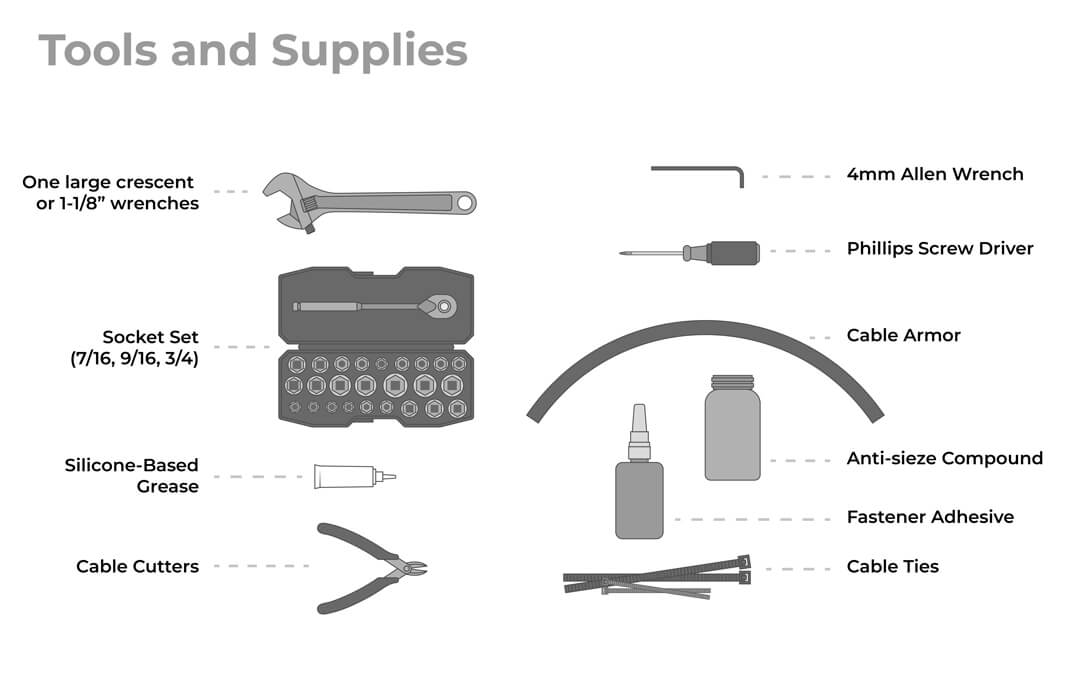
Only basic hand tools and a few supplies are needed. Cable ties secure excess wire, and an anti-seize compound makes future field maintenance easy.
M550 Solar Marine Light
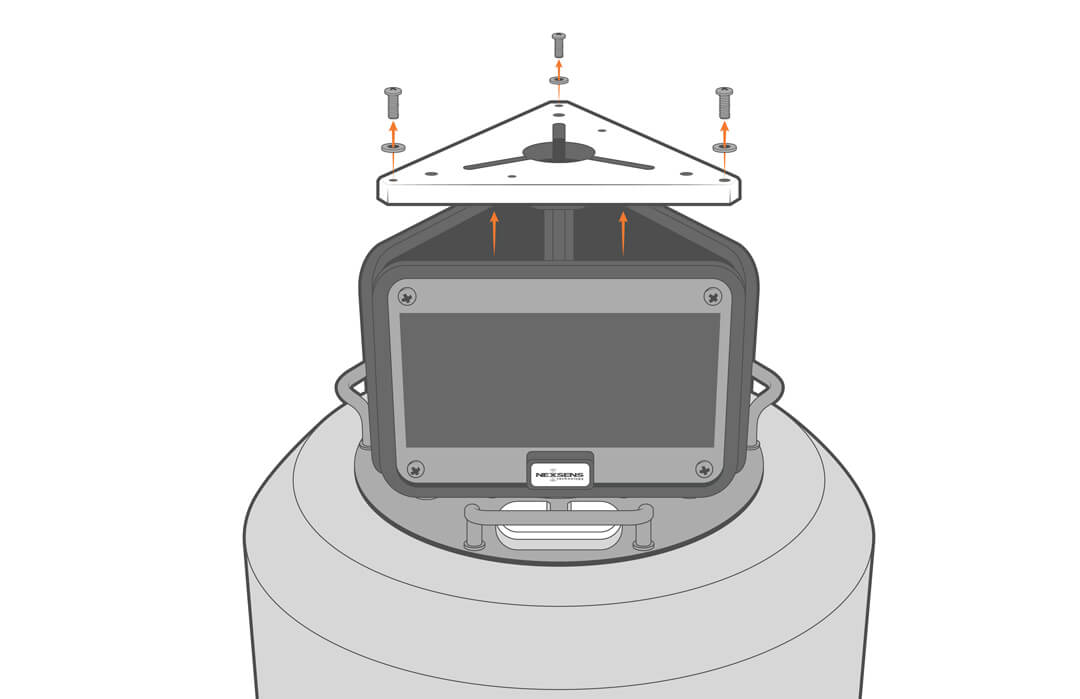
4. Remove the top plate from the solar tower.
5. Activate the M550 beacon following the manufacturer’s guidelines.
6. Align the beacon with the mounting holes and secure it in place with the supplied bolts, flat washers and nylon lock nuts.
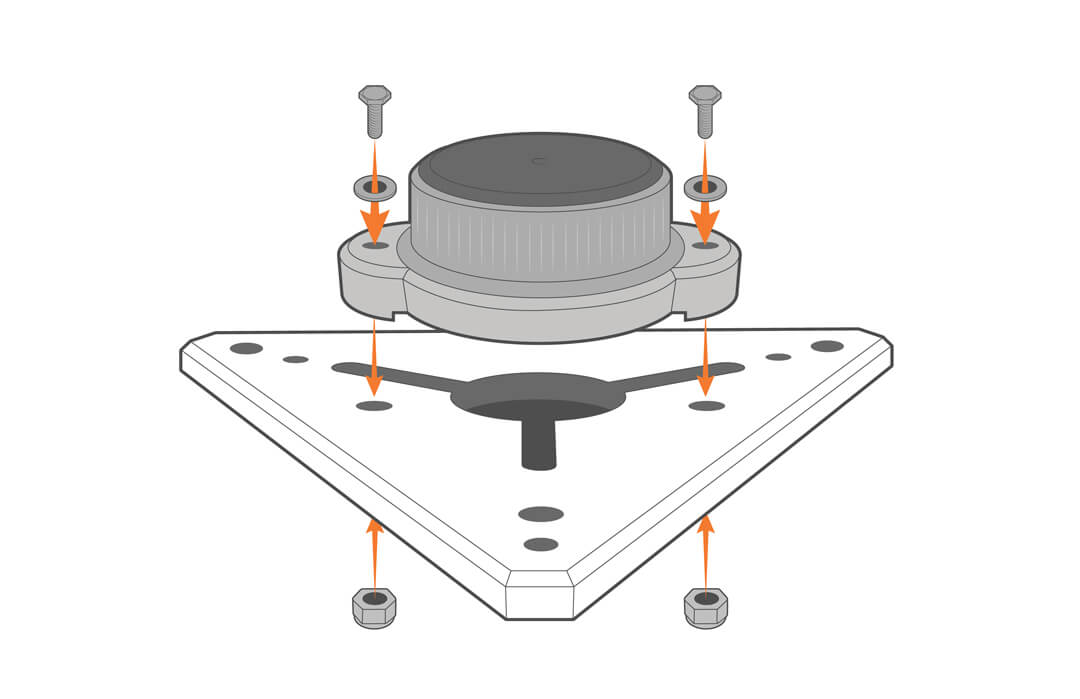
7. Set the top plate aside for now.
X3-SUB Data Logger
The X3-SUB data logger will come pre-installed in the buoy if purchased at the same time. Installation or removal of the logger may be required for maintenance or setup.
8. For installation:
- Remove the screws holding the solar tower in place and lift the tower off the hull.
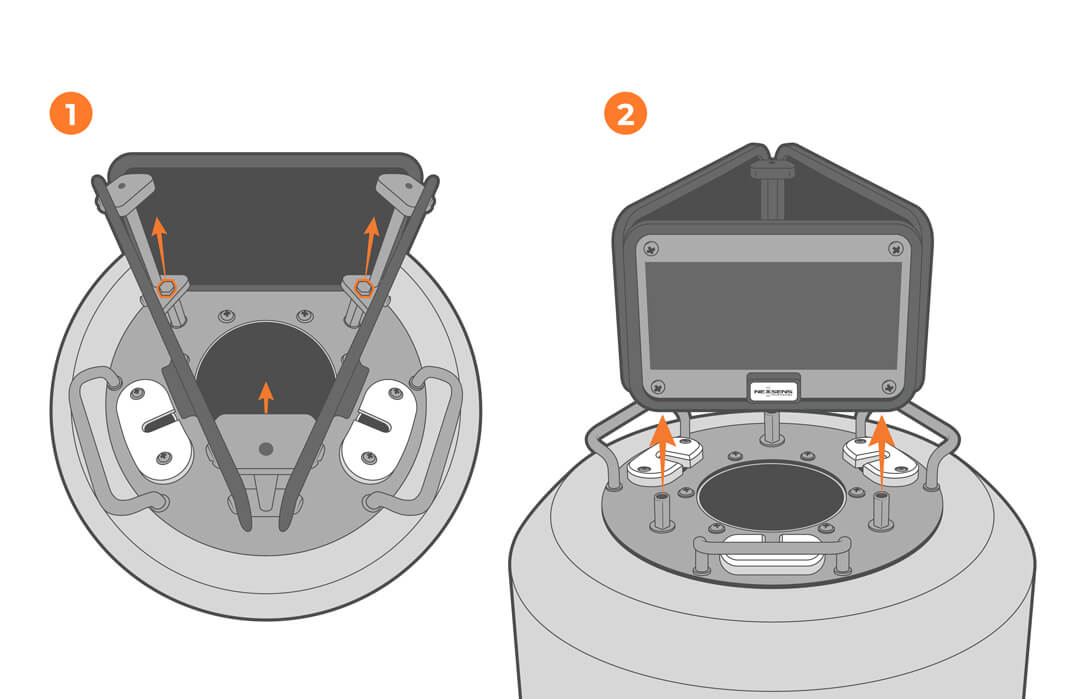
- Unscrew the six screws on the hull and lower the logger into the opening.
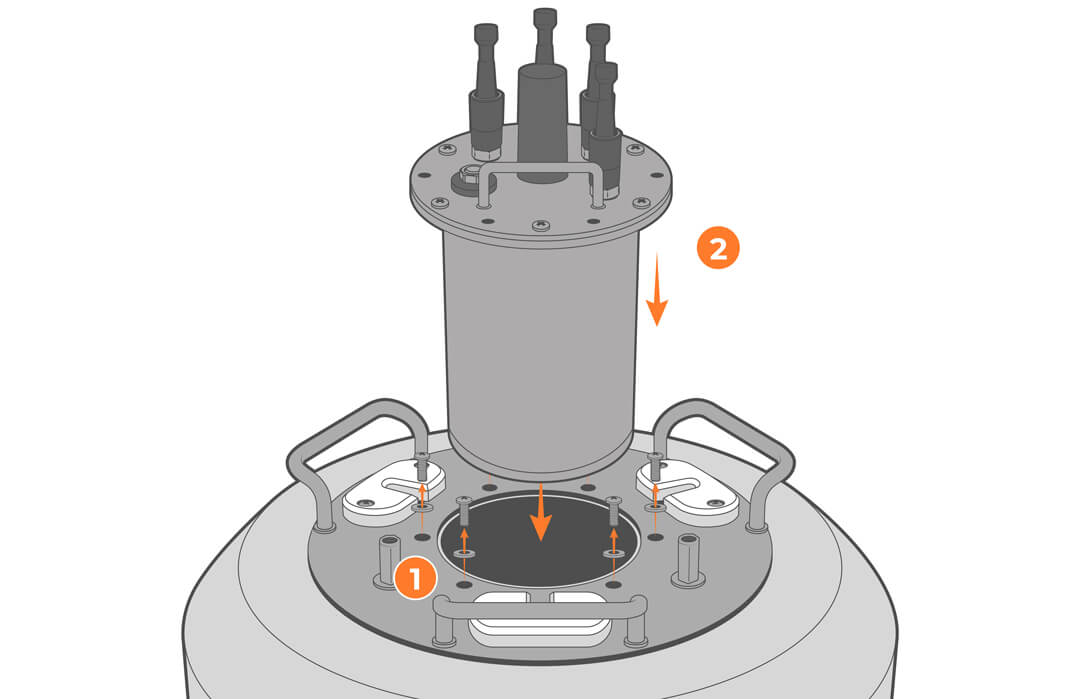
- Align the X3-SUB and reinstall the screws.
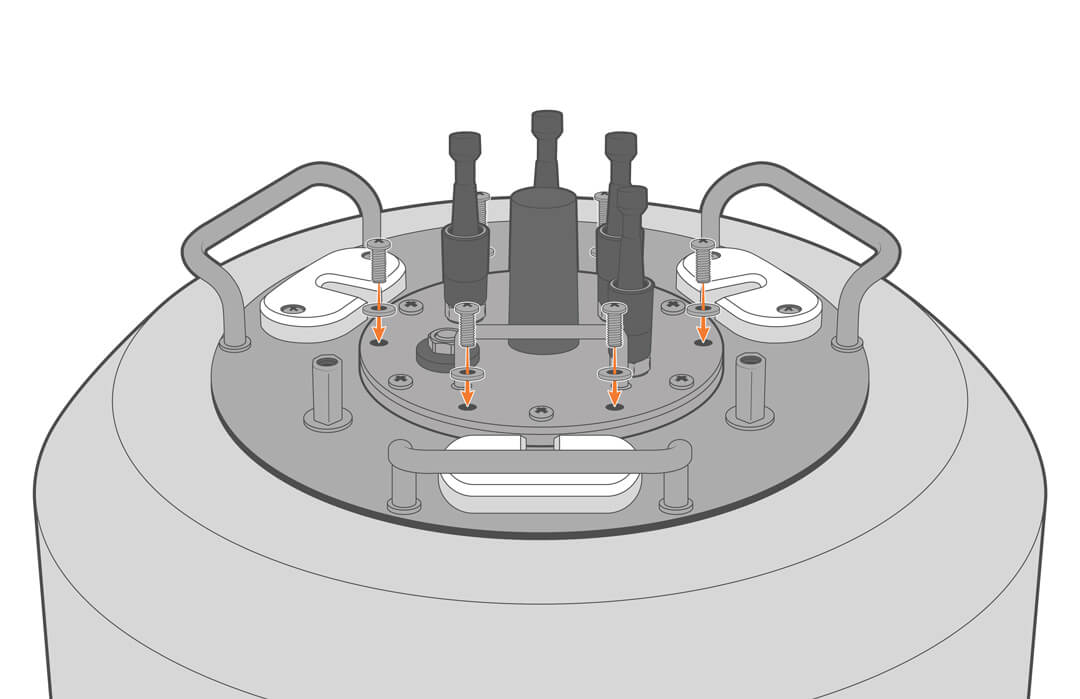
9. For removal:
- Remove the solar tower following the previous instructions.
- Unscrew the screws holding the X3-SUB in place.
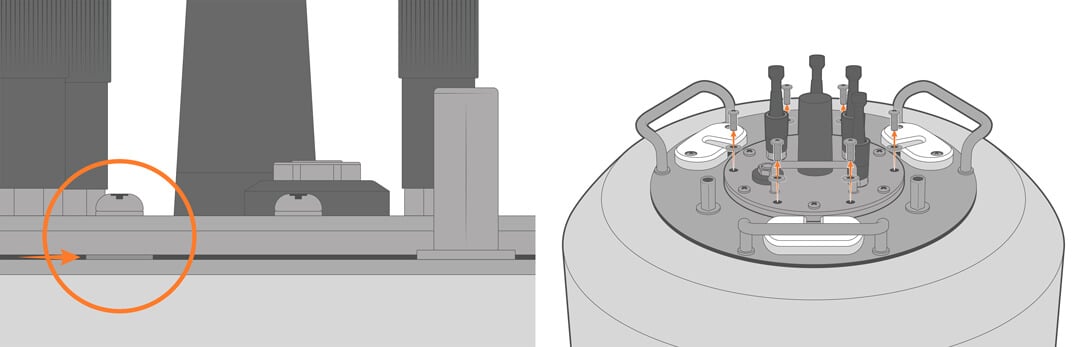
- Lift the logger out of the hull.
Instrument Cage
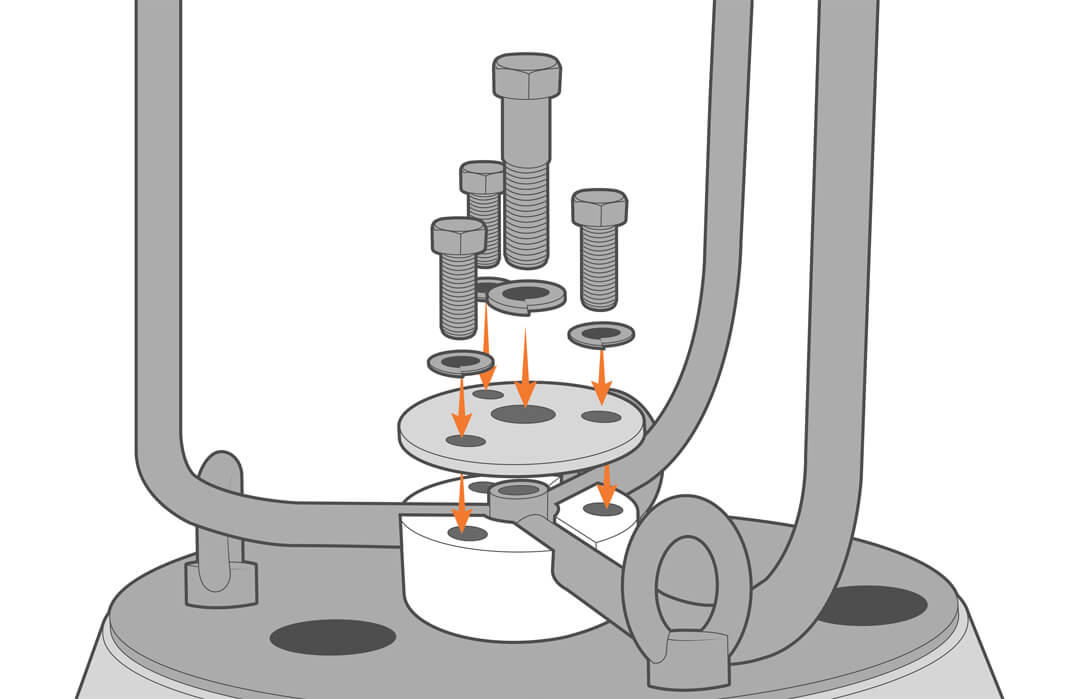
10. Flip the buoy over and remove the three outer bolts and the middle cage bolt.
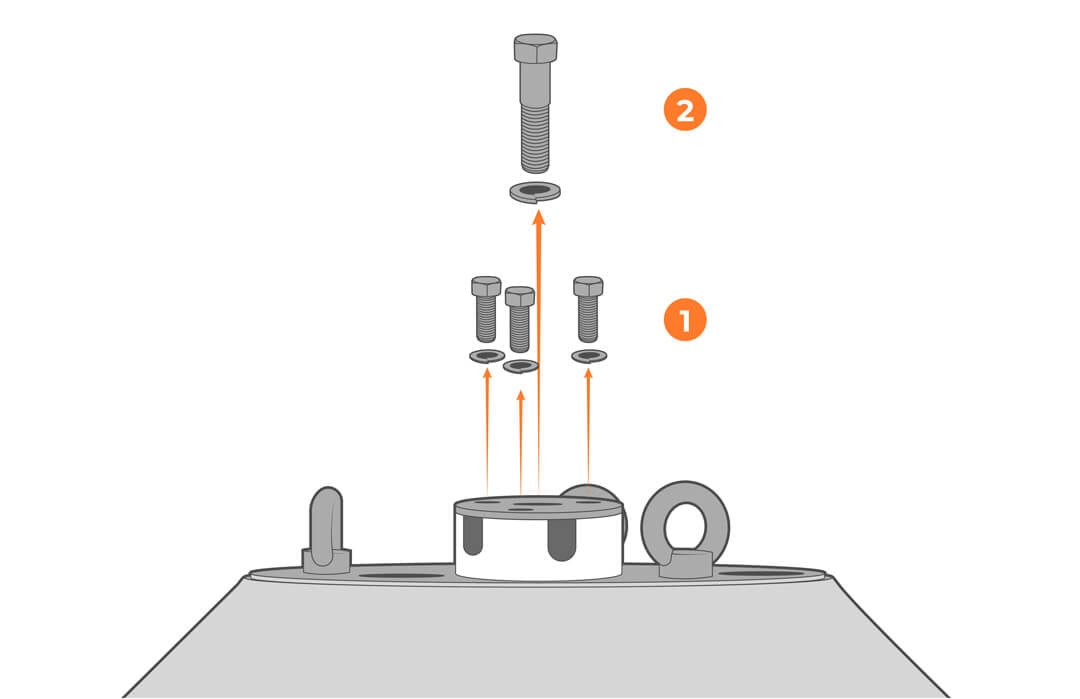
11. Align the top of the cage with the holes on the plastic mount and reinstall the bolts using a threadlock adhesive.
Zinc Anode
Zinc anodes are only necessary in saltwater applications and must be purchased separately. Skip to the next section if your system does not include a zinc anode.
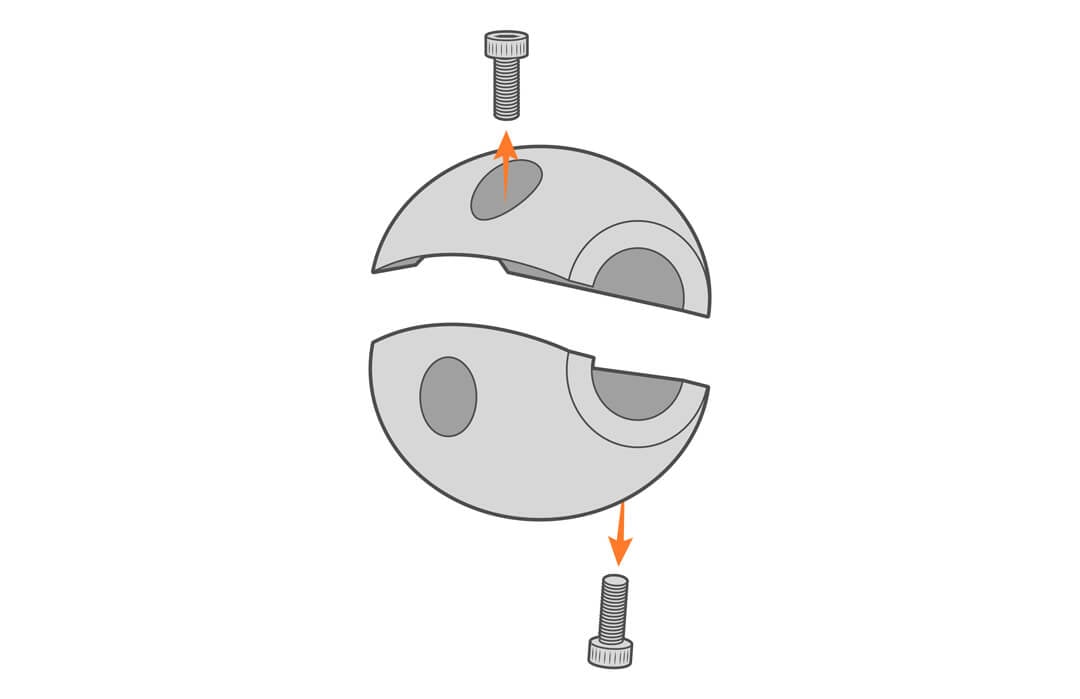
12. Remove the two screws from the anode.
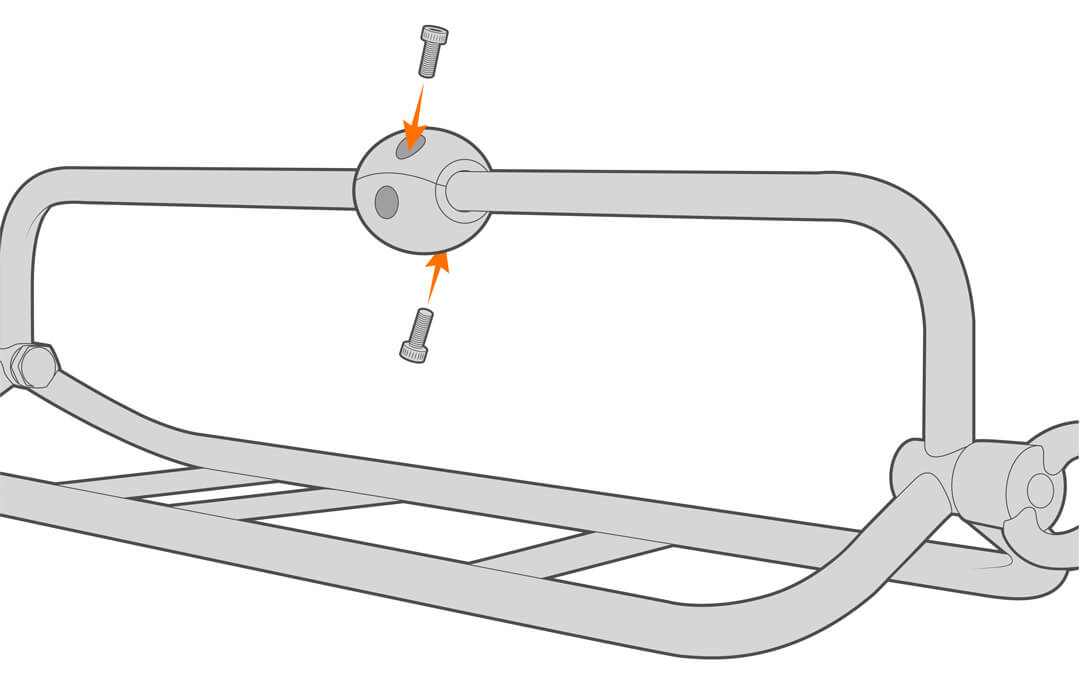
13. Mount the anode to the instrument cage.
Sensor Connections
14. With the cage attached and the solar tower top plate removed, mount and secure your selected sensors to the buoy.
15. For sensor-specific mounting, refer to the appropriate documents in the Knowledge Base.
https://www.nexsens.com/knowledge-base-v2/data-buoys/instrument-mounts
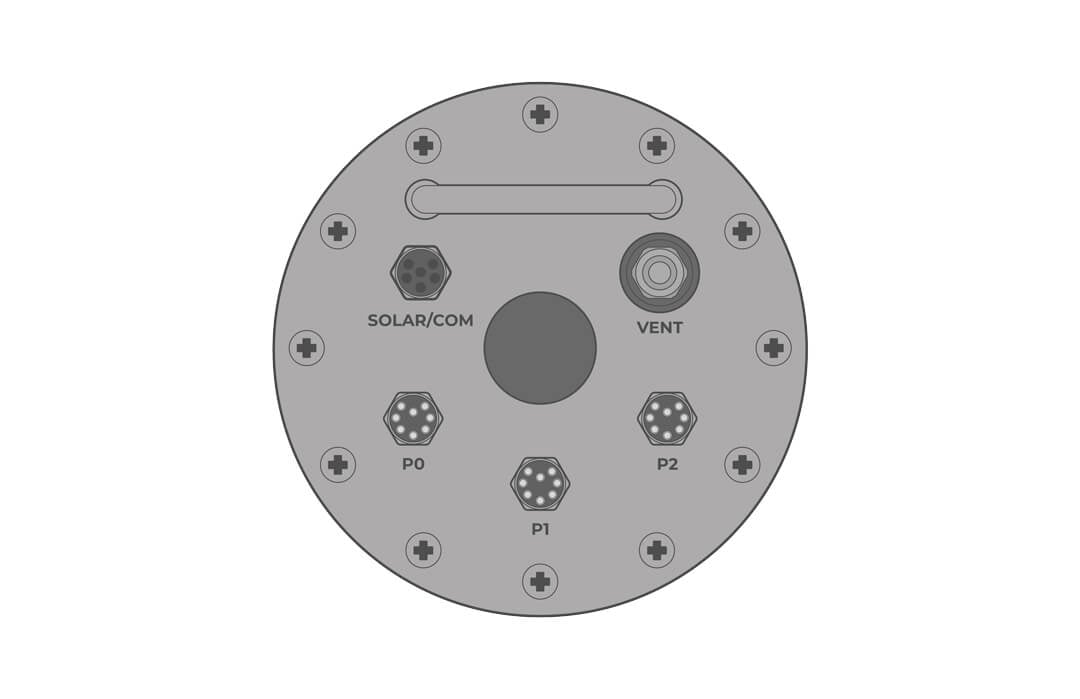
16. Connect all sensors to their pre-determined port (established during system verification), followed by the solar panel cable to the POWER/COM port of the logger.
17. Before moving on, confirm all connections in WQData LIVE to ensure that the system is recording data properly.
18. Reattach the solar tower top plate.
Deployment and Mooring Notes
Visit the links below for mooring and deployment tips.
Maintenance
As a general practice, measurement data, battery voltage, and other diagnostics (humidity, telemetry signal strength, etc.) should be monitored daily. Alert notifications for data and system functions can be used to detect anomalies and provide early warning that maintenance is required.
Barring damage from extreme sea state, the CB-75 provides months of maintenance-free service when properly assembled and rigged. Most freshwater deployments should provide a full season of trouble-free performance, while saltwater-deployed systems may need to be more periodically inspected for marine growth and damage from severe weather events.
Sensors and electronics may require more frequent maintenance and calibration; refer to the manufacturer’s recommendations for guidelines.
Inspect the Vent
The vent releases pressure that may build up inside the battery well. This can occur from temperature changes and battery off-gassing. It is factory set for a 5 PSI differential pressure, but obstruction of the vent can lead to a gas buildup.
1. Clean the outside of the vent and do not allow debris or animal droppings to accumulate.
| WARNING: Sealed lead-acid batteries can be dangerous if they off-gas, producing hydrogen and oxygen, which are explosive. Under normal charging, the batteries emit very little gas, but a system malfunction could lead to overheating and off-gassing. An overheated or off-gassing battery should be replaced immediately.
Always vent the battery well by ensuring the vent is not obstructed and remove the lid manually (without power tools), allowing any trapped gases to escape. Never grind, cut, drill or use any flame on or near the battery well. |
2. If needed, order a vent replacement and follow the procedure in the repair manual.
Battery Maintenance
The buoys are powered by solar-charged, 12VDC sealed lead-acid (SLA) batteries with a typical life of 3 to 5 years. To prolong the battery life, keep the battery voltage above 11.5VDC. When the battery performance degrades, charge or replace the batteries.
1. Regularly check the battery voltage. If paired with a NexSens logger, battery voltage can be viewed on WQData LIVE.
2. When solar energy is unavailable (winter storage), consider disconnecting the battery or charging it using the CB-Series battery float charger.
3. Visually inspect the battery annually for signs of corrosion, loose connections, or physical damage. Addressing these issues promptly can prevent more significant problems in the future.
- If the terminals are showing signs of corrosion, clean connections with a baking soda and water solution.
- Ensure that the mounting hardware is secure, and refer to the repair manual if needed.
4. If the battery continues to drop below 11.5V, it should be replaced by a qualified technician with experience in low-voltage, high-current systems. See the repair manual for parts and procedures.
Desiccant Replacement
Desiccant is used to absorb the humidity and should be replaced annually or anytime the well is opened.
1. Remove the logger lid.
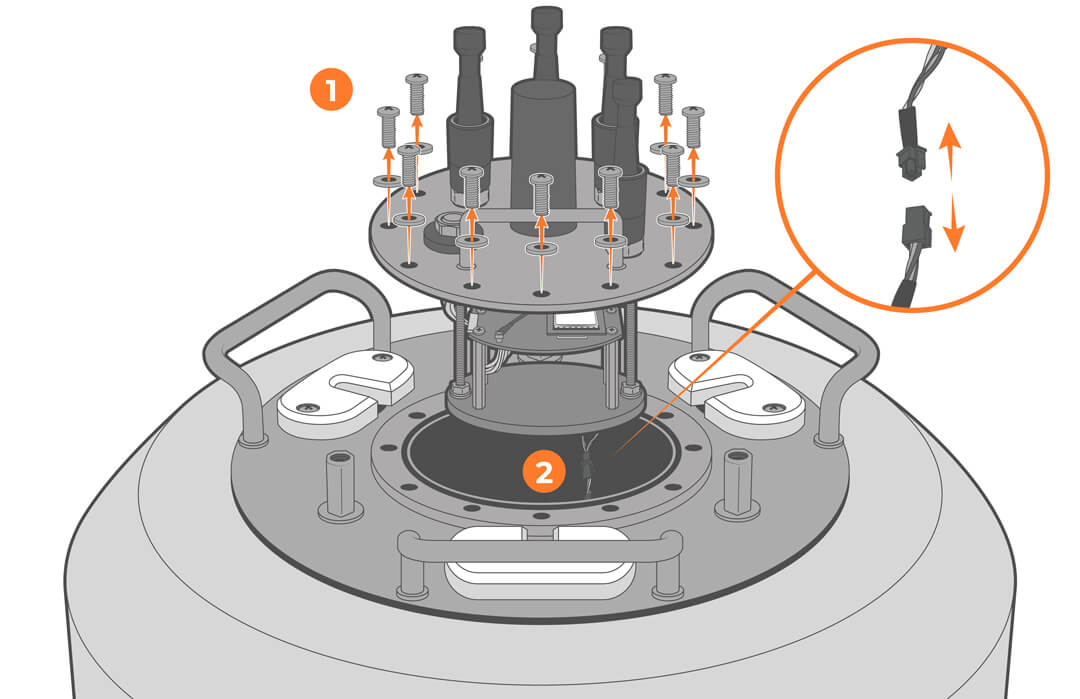
2. Replace the desiccant.
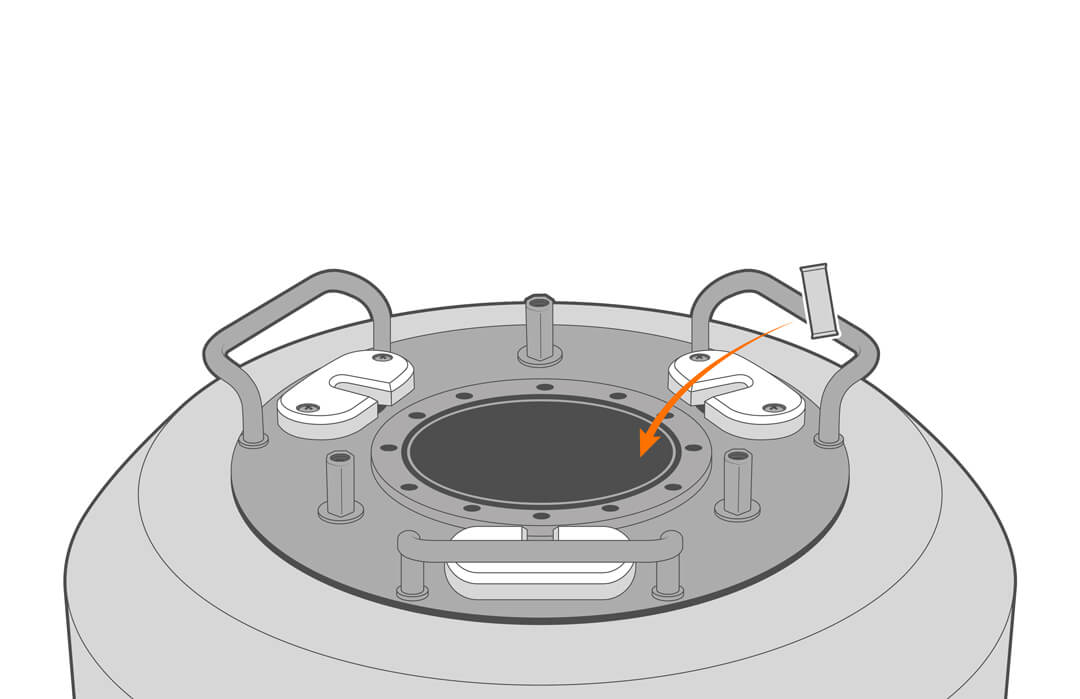
3. Check that the gasket is clean and undamaged, and reconnect the battery.
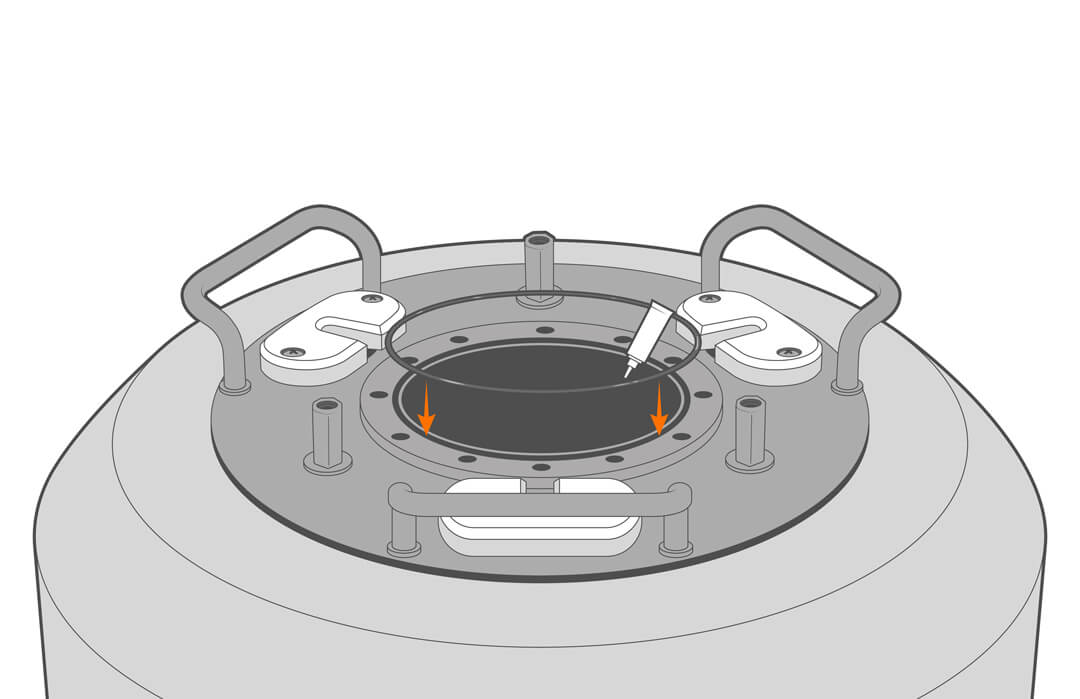
4. Reinstall the lid, being careful to avoid trapping the cable under. If the o-ring lubricant is no longer in place, apply a thin film.
Clean and Inspect the Solar Tower
1. Before cleaning the solar tower, be sure all sensors and power cables are connected or covered with a waterproof cap or tape.
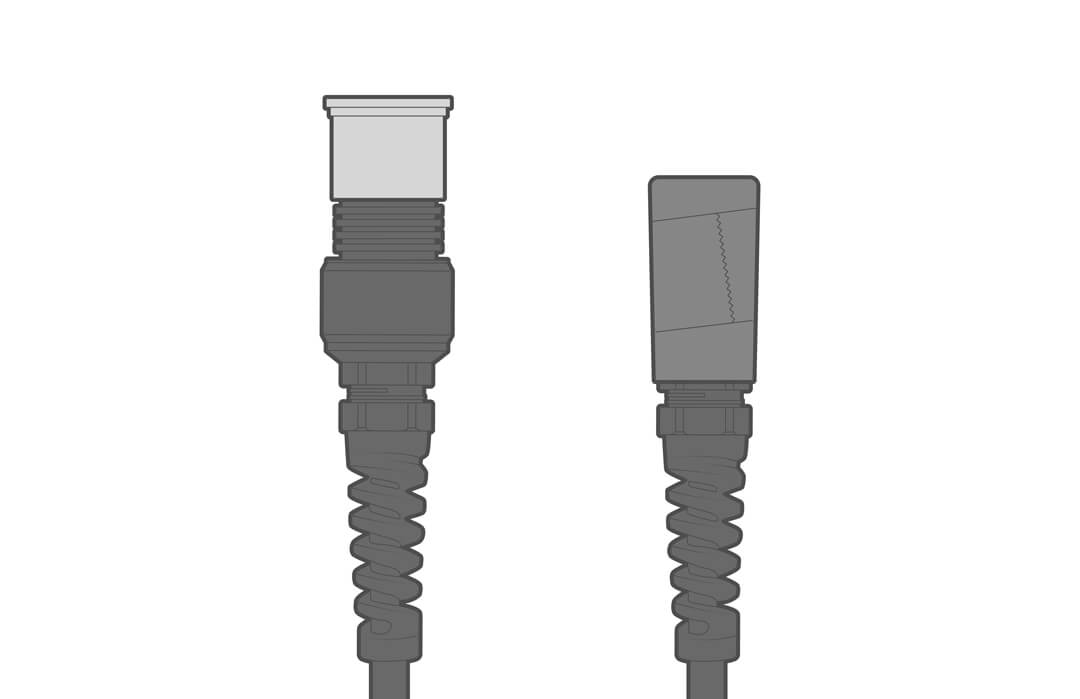
2. Clean the solar tower and panels of debris and animal/bird droppings using dish detergent and a soft cloth. A brush can be used on parts of the solar tower, but not on the panels.
- *Note* Be careful not to use aggressive cleaning techniques or high-pressure water on the solar panel face. The outer layer is a thin polymer film that can be damaged.
3. Inspect the tower and topside equipment for damage. Look for abrasions and any green (copper oxide) corrosion inside the thin outer film of the solar panels. This is a sign that the panel was damaged, and it should be replaced. See the repair manual for parts and procedures.
Clean and Inspect Installed Sensors and Cables
1. Unplug solar charging and power to all electronics.
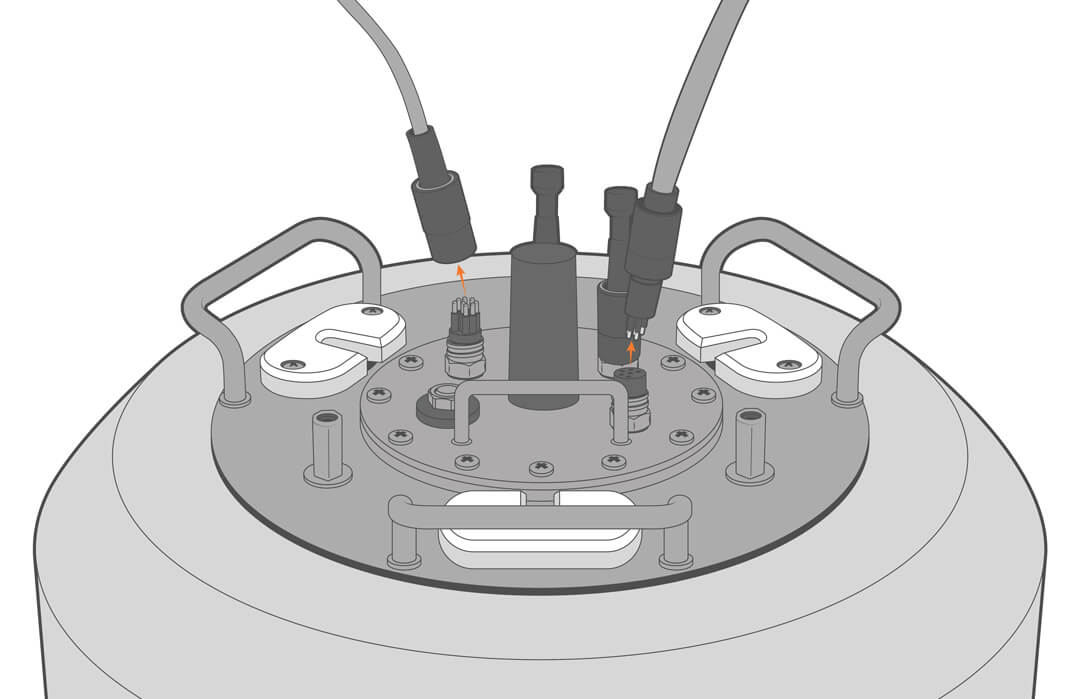
2. Clean and inspect any topside and submersible sensors and cables.
3. Test and recalibrate following the manufacturer’s recommendations.
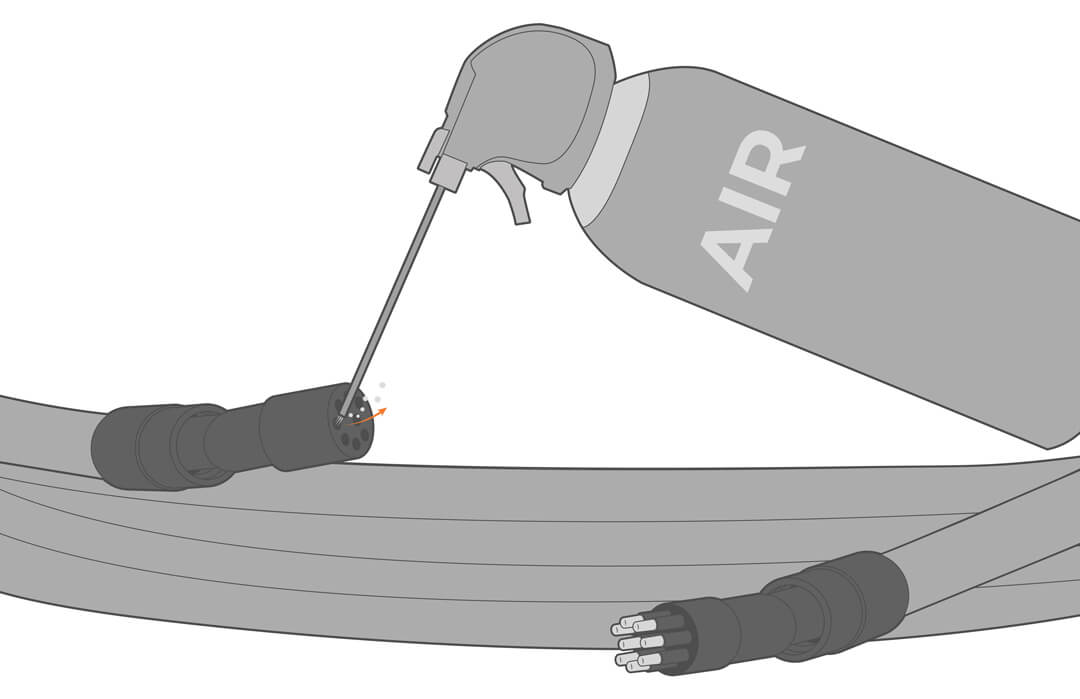
4. Remove trapped moisture and particulates with compressed air.
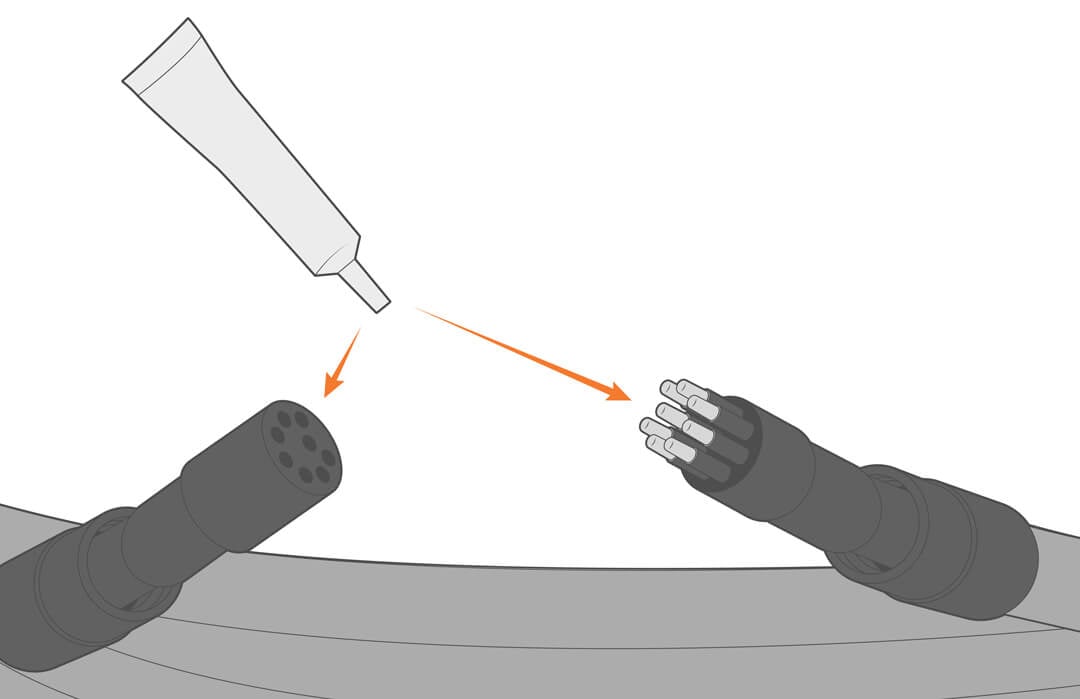
5. Before reconnecting, apply a thin film of silicone grease.
Cleaning the Buoy
The buoy should be cleaned at least annually or more often if needed. Marine growth can accumulate and weigh the buoy down, reducing the amount of buoyancy and freeboard.
1. Pull the buoy from the water and pressure wash all bottom-side components, including the hull, frame, cage, ballast, mooring lines, chains, hardware, sensors, and electrical cables.
Anode Replacement
If the buoy is deployed in salt or brackish water, regular zinc anode maintenance is essential. Without it, stainless components, starting with weld joints and crevices, will corrode until failure.
1. Regularly inspect the anodes and replace annually or as needed.
- Replacement part number CB-ZA.
2. Remove the old anodes and follow the Zinc Anode instructions in the Buoy Assembly section for replacement.
Final Inspection – Subsurface Components
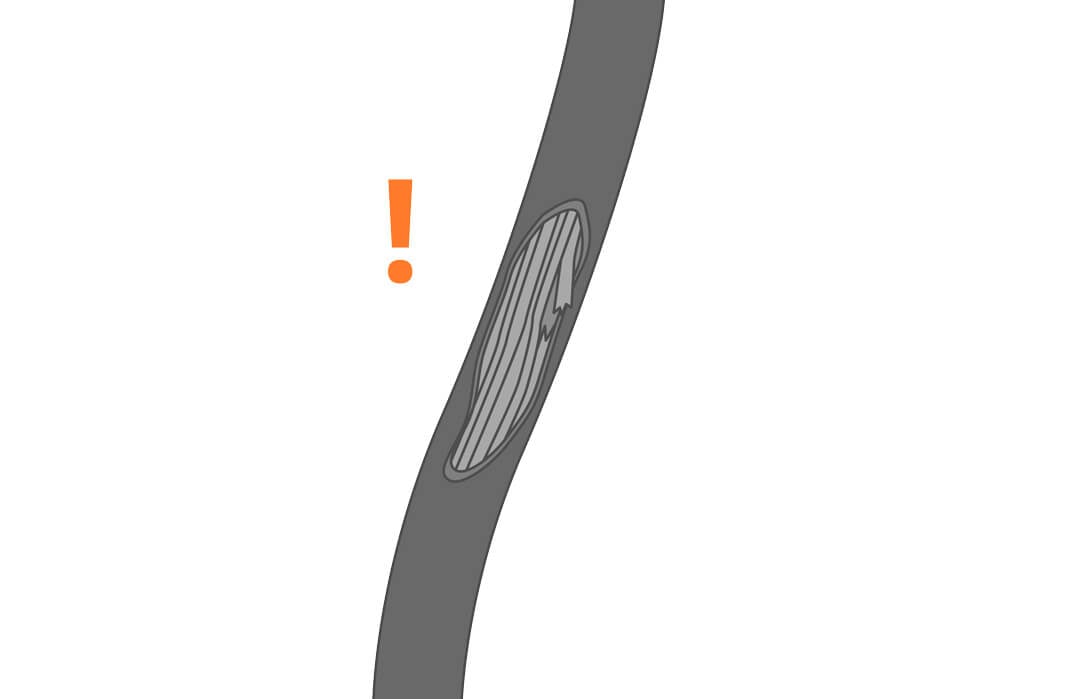
1. Before moving on, inspect all sensor cables, mooring lines and connections. Look for cable chafing, worn components (such as shackles, thimbles, wire rope, anchor connection, crimps, cotter pins, cinching wire or ties, etc.). Repair and replace as needed.
Storage
1. Before putting the buoy in storage, follow the cleaning and maintenance steps and the manufacturer’s recommendations for sensors and electronics storage.
2. To ensure the battery is not drained over time, disconnect the power and solar cables from the battery well. Alternatively, use the CB-Series battery float charger to keep the batteries charged.
Troubleshooting
See the repair manual for troubleshooting and replacement procedures. Data logging and sensor troubleshooting can be found in the knowledge base.
| Error or Problem | Potential Causes | Solutions |
|---|---|---|
| Insufficient power – short battery life | Batteries beyond useful life (3 to 5 years) | Replace batteries |
| Elevated power consumption | Select sensors with lower power needs | |
| Battery was run low or drained | Replace battery | |
| Insufficient power – solar panel failure | Debris or animal droppings partially covering solar panels | Clean the panels and watch for improvement in the battery voltage data for a few days. |
| Solar panel failure | Replace the solar panel | |
| Insufficient power – failed solar regulator | Voltage surge damaged the regulator | Replace the regulator |
| Breached buoy hull | Collision or impact | Repaor or replace the buoy hull |
Checking Battery Voltage
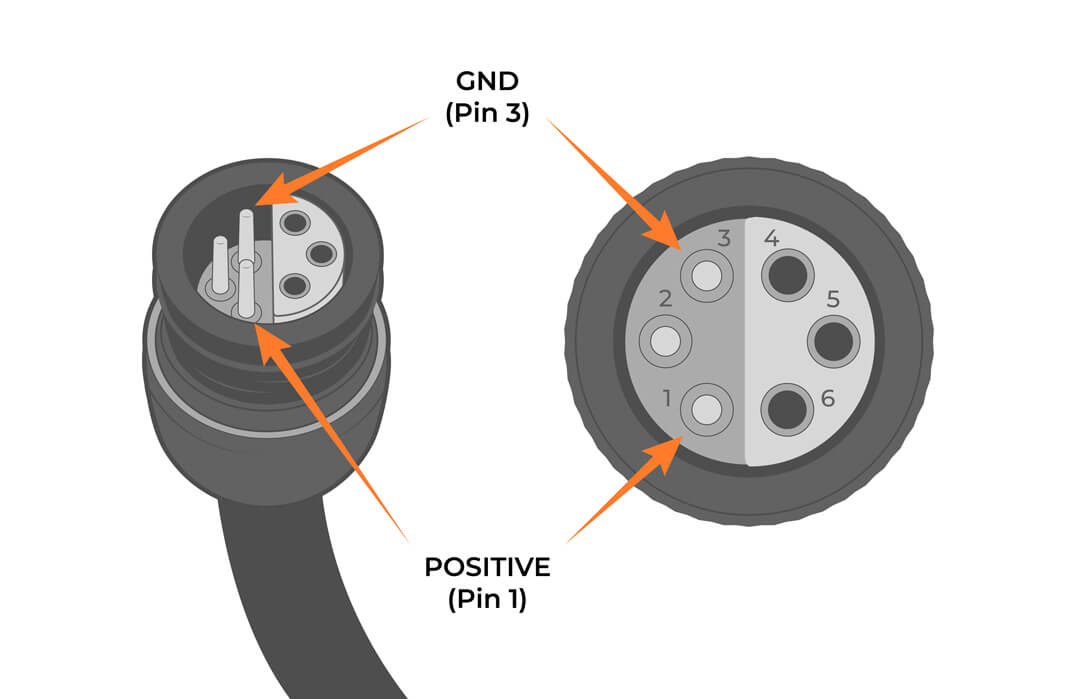
Check the output voltage of the battery by measuring between Pins 1 and 3 of the assembly’s UW-6 plug connector coming from the POWER OUT cable on the battery well lid. Test the voltage both in and out of direct sunlight to fully assess the functionality of the solar tower.
Healthy operational voltages range from 12-15V. The voltage depends on the amount of direct sunlight and the age/health of the installed battery.
NexSens Warranty
View the NexSens Warranty.
NexSens Service Request
To return equipment for evaluation and repair, visit this page for more information.