SeaView Systems SVS-603HR Wave Sensor X-Series Integration Guide
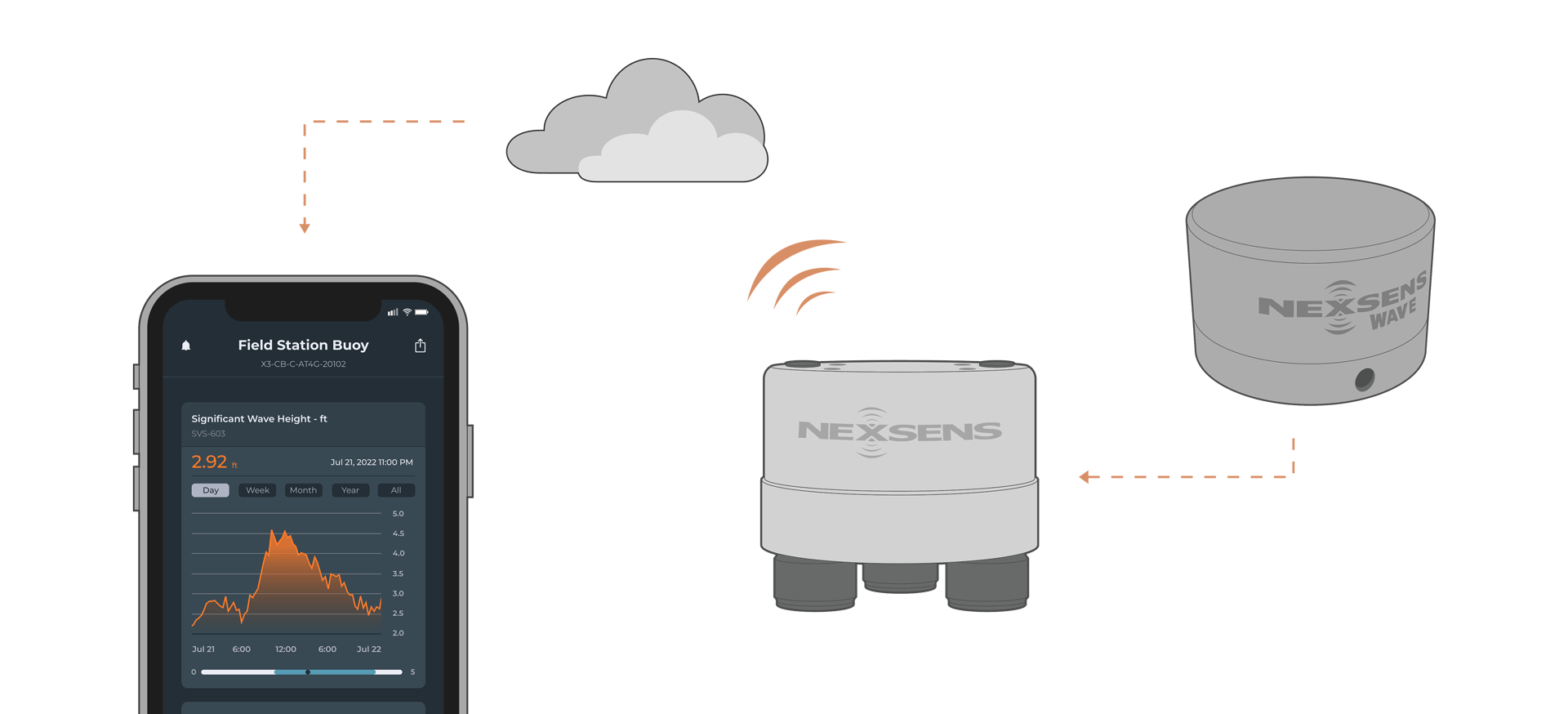
The SeaView Systems SVS-603HR Wave Sensor is a highly accurate wave sensor that reports heading, wave height, wave period, and wave direction. The sensor is compatible with NexSens X-Series data loggers via the RS-232 sensor interface.
Connecting with X-Series Loggers
Follow the steps below to connect the sensor to the X-Series logger through CONNECT software. If you have not yet done so, set up the project in WQData LIVE.
- Connect the sensor using the supplied cable to P0 of the logger.
- Plug the X3 into the USB port of the computer and power it on with the AC power cable.
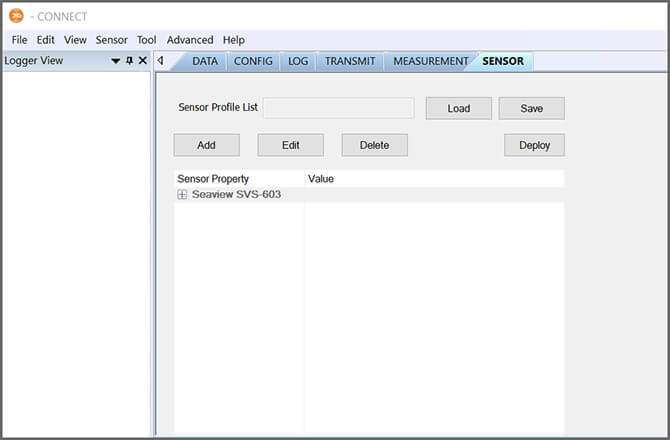
- Open CONNECT and select the SENSOR tab.
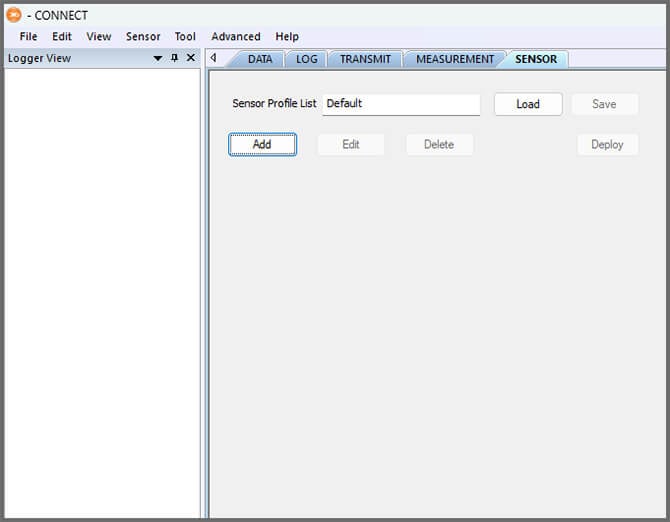
- Click Add and select SeaView from the Manufacturer drop-down. Then select the appropriate model.
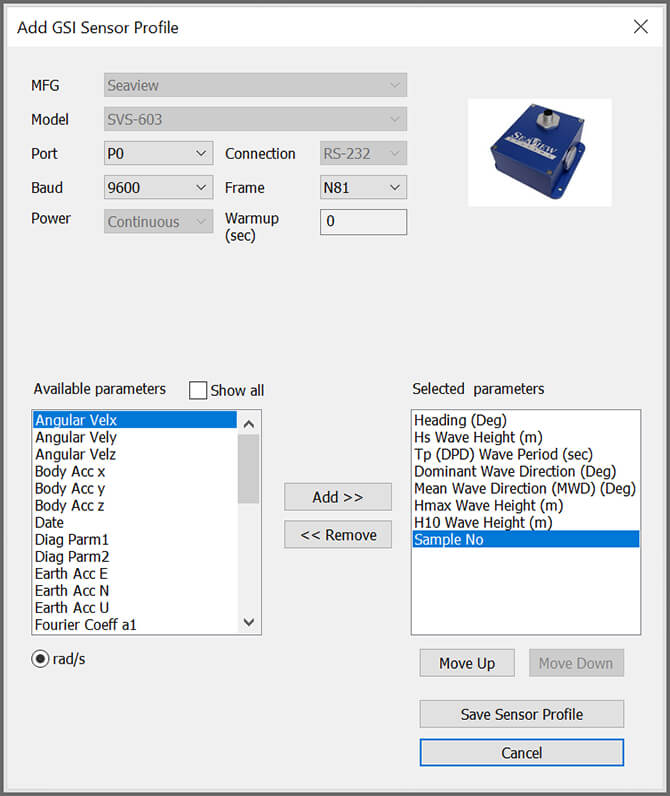
- Select P0 for the port number.
- For the CB-75-SVS wave buoy, select P2 for the port number and ensure the warmup is set at 1200 seconds.
- Confirm Continuous is shown in the Power selection.
- For the CB-75-SVS, the power dropdown should be set to Switch.
- For the CB-75-SVS, the power dropdown should be set to Switch.
- Select Save Sensor Profile.
- Complete the setup for all other sensors, and then click Save.
- Name the Sensor Profile List and select Ok.

- Complete system setup by clicking Deploy.
- The Log Interval must be set to 30 minutes or greater to work with the wave sensor if it has the default settings.
- Open the Log tab and click Read from logger.
- Select the SeaView wave sensor from the list on the left and set the Log interval to 1800.
- Click Same SU Interval and then Save to Logger.
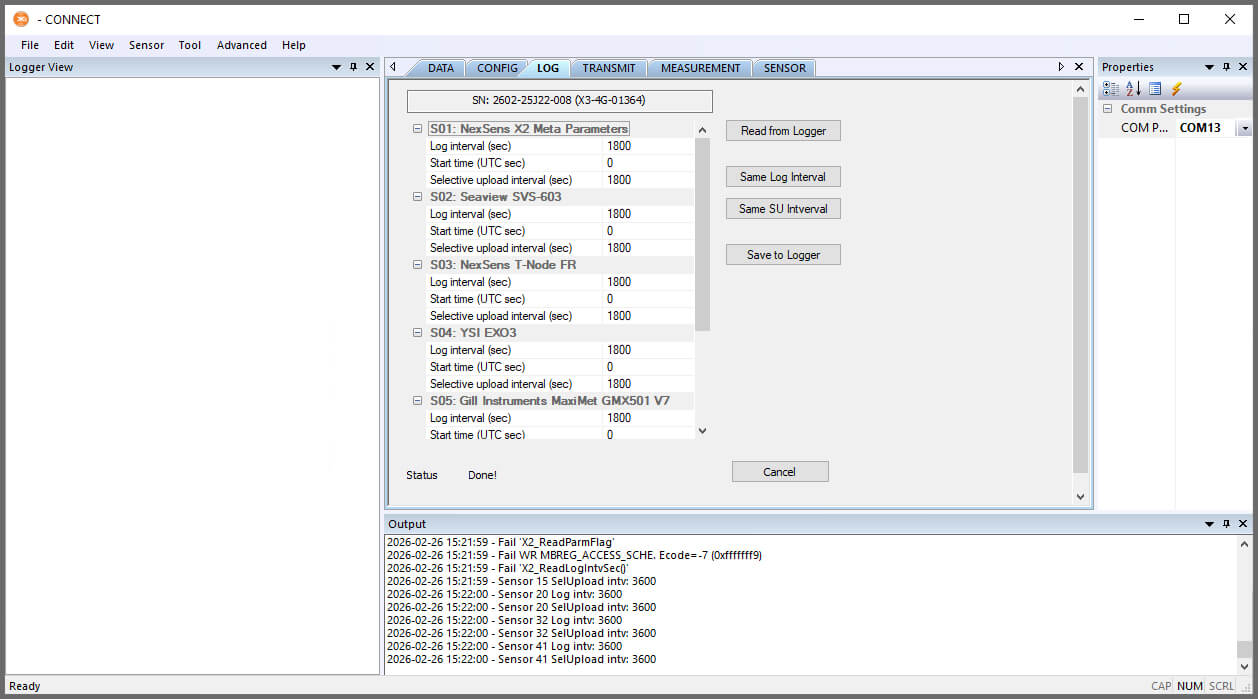
- Confirm that data is being transferred to WQData LIVE at the next interval.
Mounting
Mounting of the wave sensor will vary based on the model and buoy platform being used. For NexSens systems, see below.
Note: Refer to the appropriate data buoy user guide for general assembly instructions.
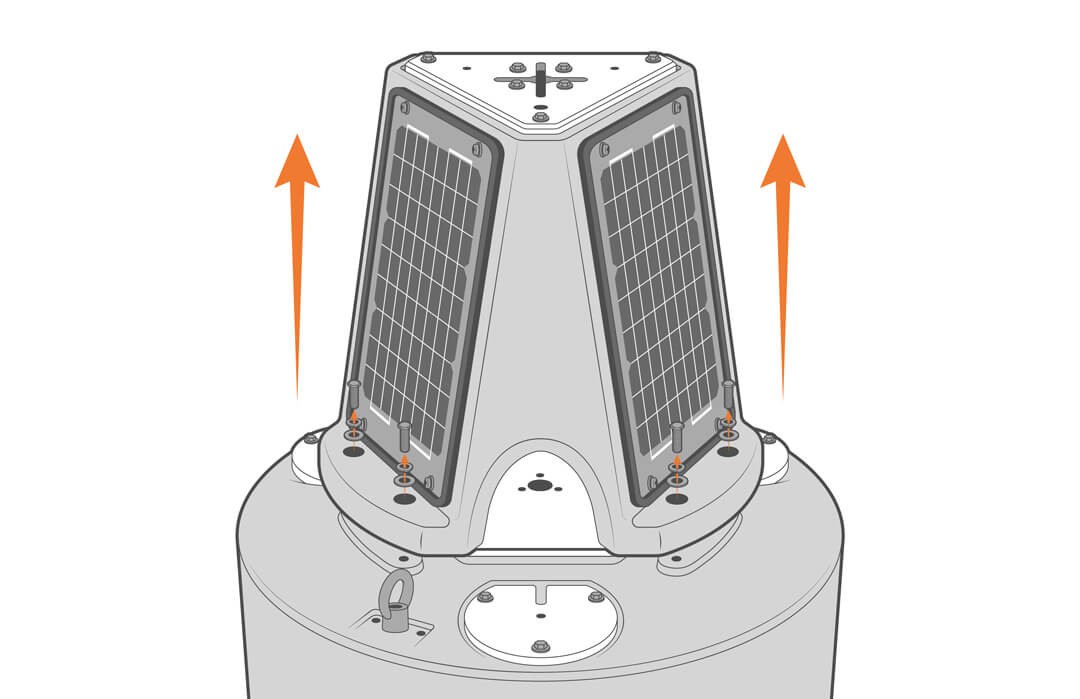
XB-200 Data Buoy
- Remove the solar tower.
- Install the wave sensor on top of the power hub.
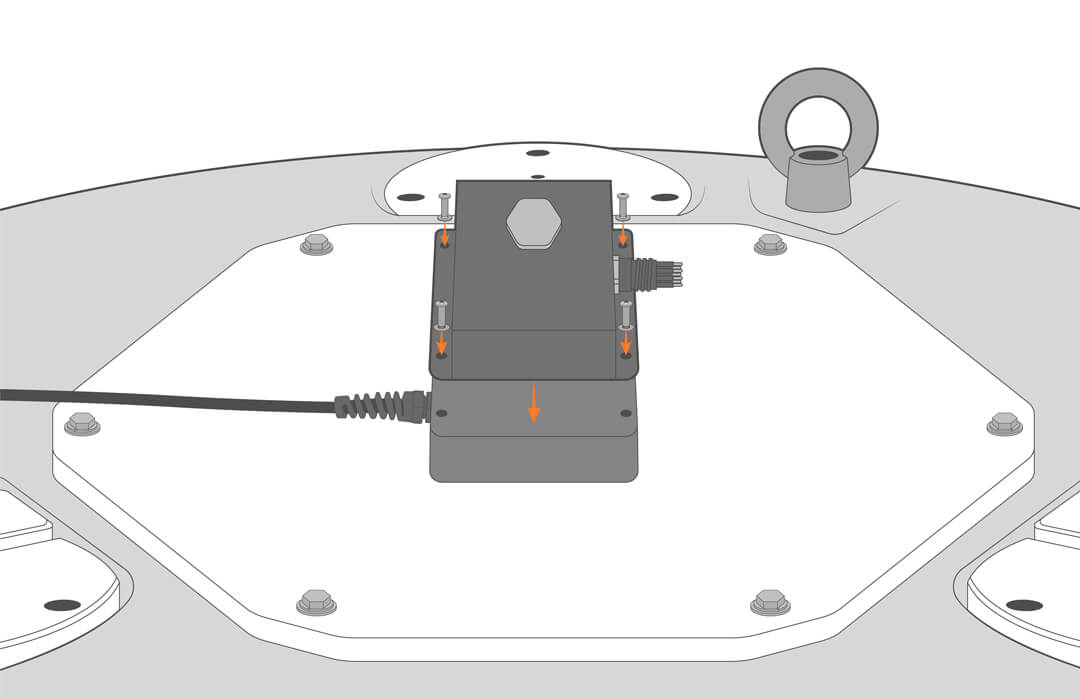
CB-450 and Large Platform Buoys
- Remove the solar panel with the lone cable.
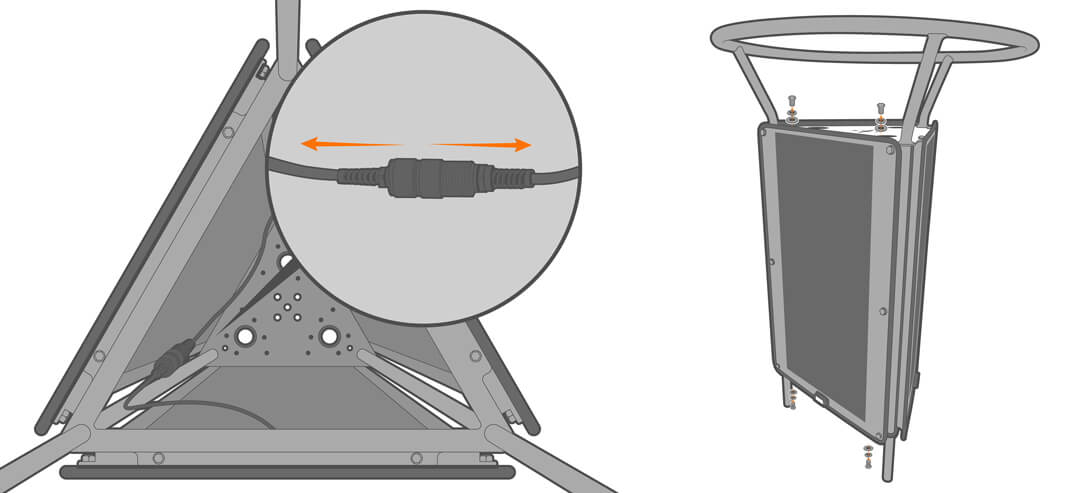

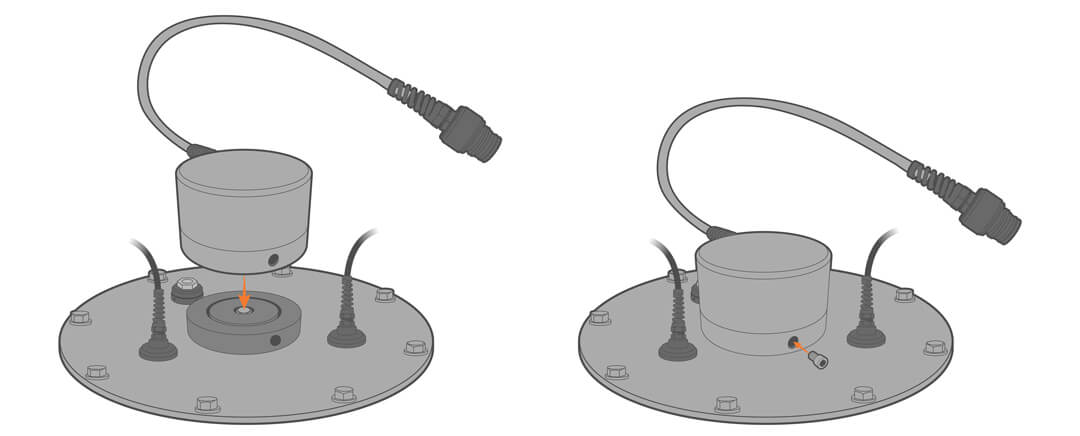
- Mount the sensor base to the center of the battery well lid.
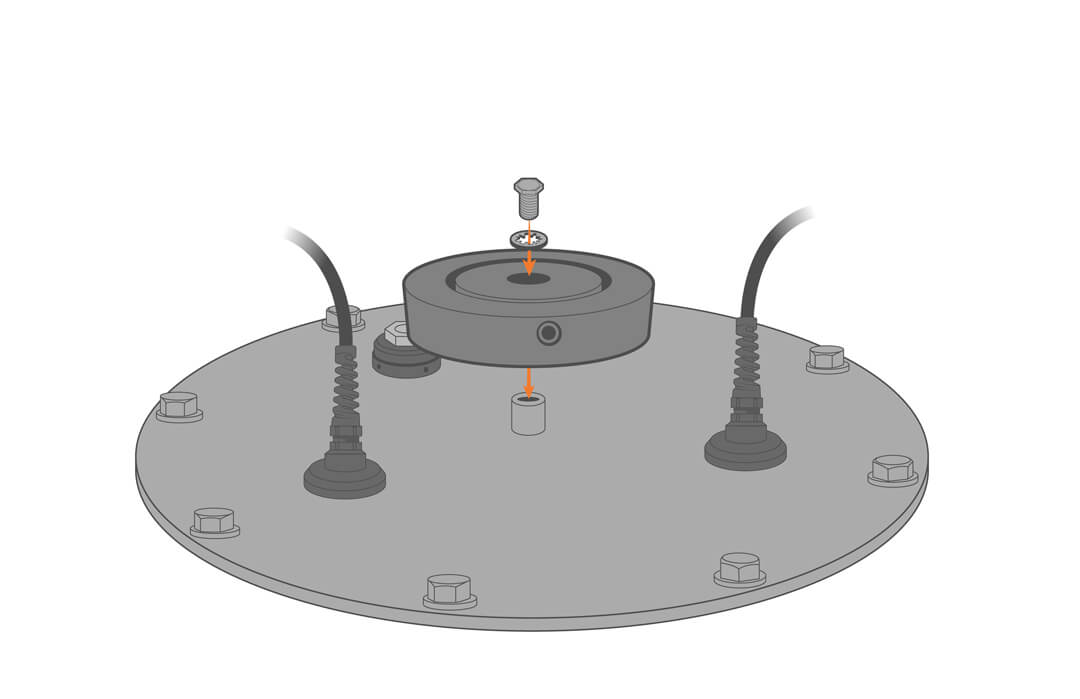

- Place the sensor over the mount and secure it in place.