
SonTek-SL1500 Side-Looking Doppler Current Meter X-Series Integration Guide
The SonTek-SL1500 Side Looking Doppler Current Meter measures water current. It easily integrates with NexSens X-Series data loggers using the SDI-12 sensor interface.

Sensor Setup
Before the sensor can be deployed, it must first be set up through the manufacturer’s software. Follow the manufacturer’s guidelines for sensor setup. Be sure to note the SDI-12 address.
Note: Be sure to note the cell number, as this needs to align in the sensor profile in the next step.
Connecting with X-Series Loggers
Next, the SL1500 will need to be set up for the X-Series logger using CONNECT software. If you have not yet done so, set up the project in WQData LIVE.
- Connect the sensor using the supplied cable to one of the open sensor ports on the logger and note the port number.
- Plug the X3 into the USB port of the computer and power it on with the AC power cable.
- Open CONNECT and select the SENSOR tab.
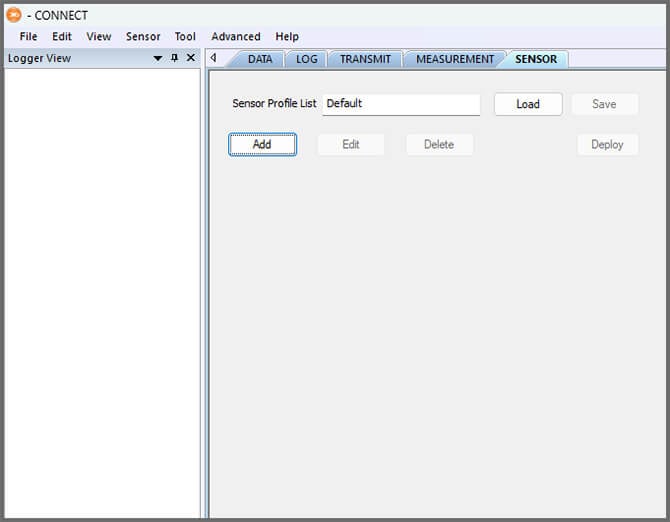
- Click Add and select SonTek from the Manufacturer drop-down. Then select the appropriate model.
- Adjust the SDI-12 address if needed and select the port number.
- Select either Continuous or Switch in the Power drop-down.
- Switch is recommended.
- Enter the number of cells output by the sensor in Num Cell.
- Check to log amplitude parameters and/or log diagnostic parameters as needed.
- Select the output unit from the Default Unit dropdown.
- Note: This must match the units set in the manufacturer’s software.
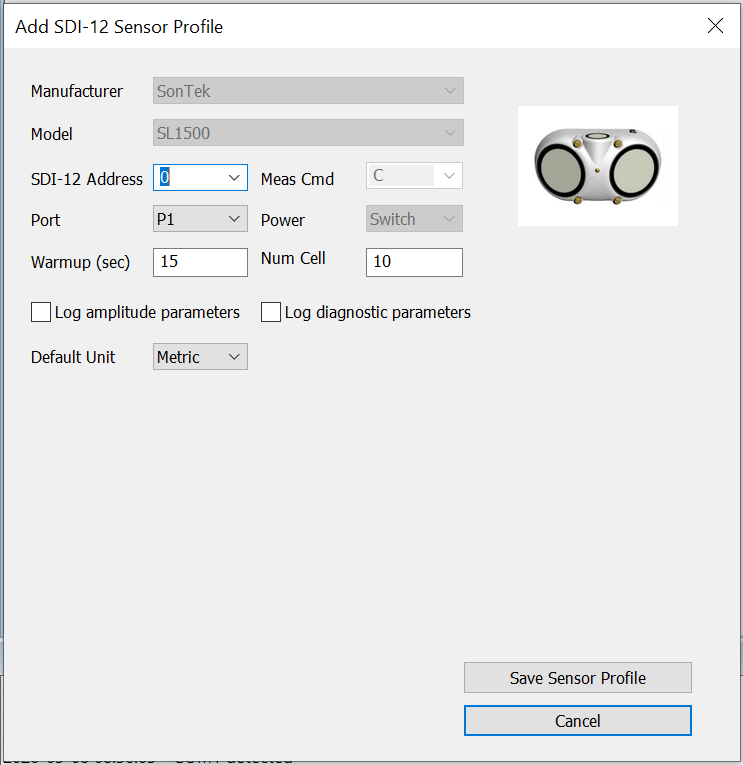
- Note: This must match the units set in the manufacturer’s software.
- Select Save Sensor Profile.
- Complete the setup for all other sensors, and then click Save.
- Name the Sensor Profile List and select Ok.

- Complete system setup by clicking Deploy.
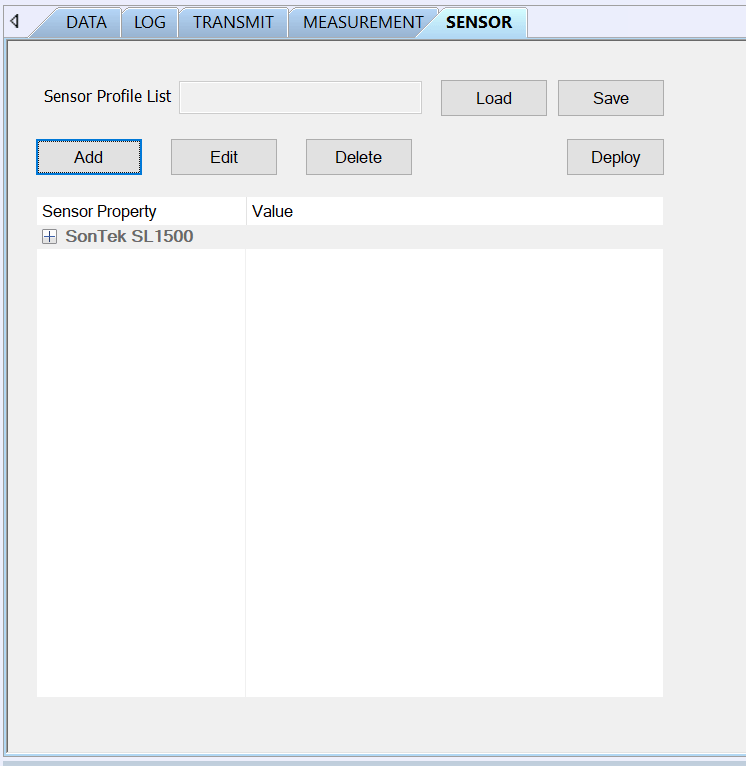
- Confirm that data is being transferred to WQData LIVE at the next interval (default is 10 minutes).
Mounting
The SonTek-SL1500 Side-Looking Doppler Current Meter can be deployed in canals, culverts, pipes, and natural waterways. For mounting instructions, follow manufacturer guidelines.