Geolux Non-Contact Wave & Tide Sensors X-Series Integration Guide
The Geolux Non-Contact Wave & Tide Sensors provide high-frequency wave and tide measurements–ideal for tidal monitoring, oceanographic, coastal and maritime applications. The sensor is compatible with NexSens X-Series data loggers using the SDI-12 sensor interface.

Sensor Setup
Follow the manufacturer’s guidelines for sensor setup, ensuring that the sensor is in SDI-12 automatic sleep mode and note the wave analysis length.
Note: Be sure to document the SDI-12 address.
Connecting with X-Series Loggers
Next, the sensor will need to be set up for the X-Series logger using CONNECT software. If you have not yet done so, set up the project in WQData LIVE.
- Connect the sensor using the supplied cable to one of the open sensor ports on the logger and note the port number.
- Plug the X3 into the USB port of the computer and power it on with the AC power cable.
- Open CONNECT and select the SENSOR tab.
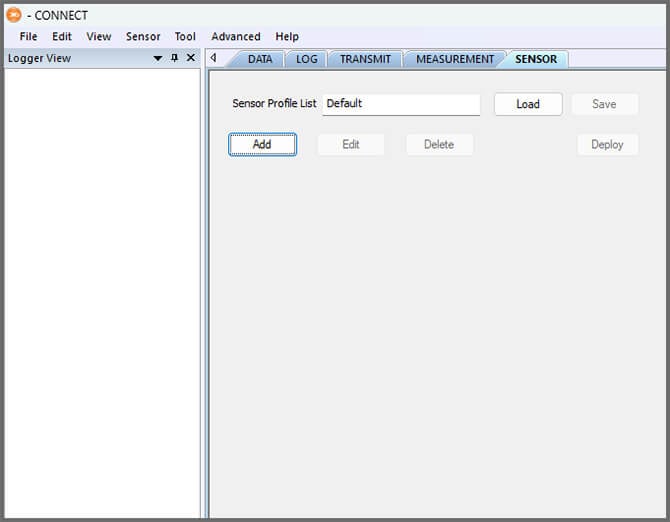
- Click Add and select Geolux from the Manufacturer drop-down, and select the appropriate sensor.
- Adjust the SDI-12 address if needed and set the port number.
- Select either Continuous or Switch in the Power drop-down.
- Adjust the warmup time to be 5 seconds longer than the wave analysis length.
- Add or remove sensor parameters as desired.
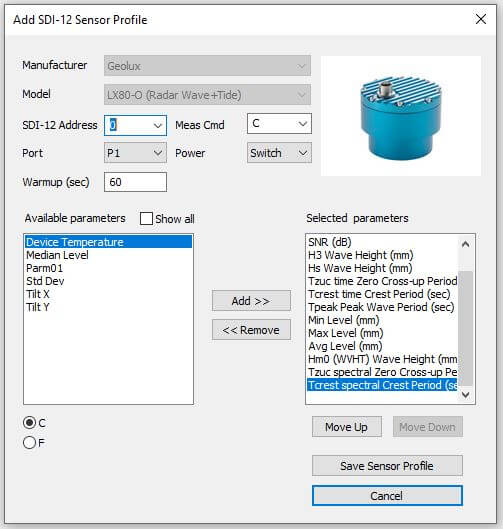
- Select Save Sensor Profile.
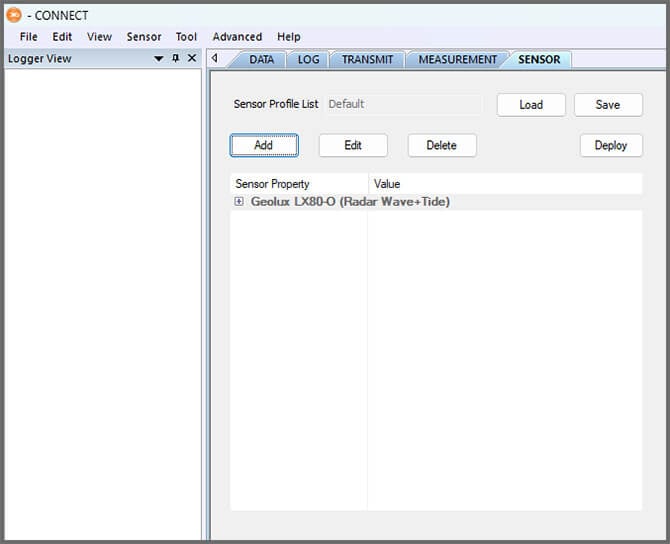
- Complete the setup for all other sensors, and then click Save.
- Name the Sensor Profile List and select Ok.

- Complete system setup by clicking Deploy.
- Confirm that data is being transferred to WQData LIVE at the next interval (default is 10 minutes).
Mounting
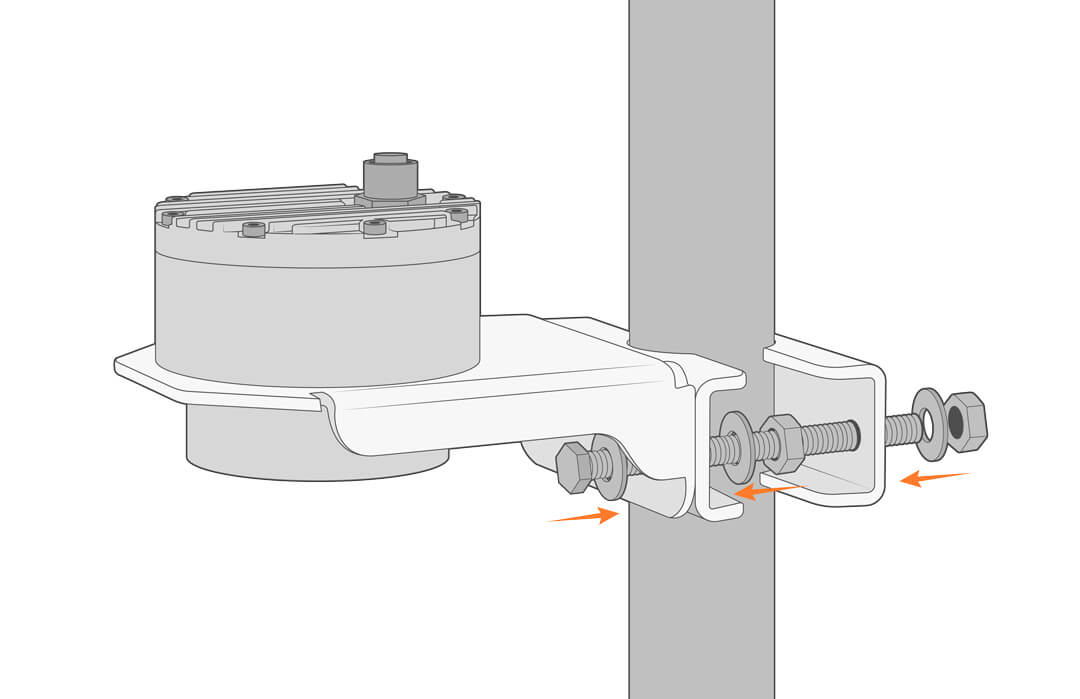
The Geolux Non-Contact Wave & Tide Sensors can be mounted on existing structures or the NexSens MAST Aluminum Mounting Pole. If paired with the NexSens MAST, follow the instructions below for mounting.
- Place the Geolux sensor on the mount with the sensor facing down and tighten it in place.
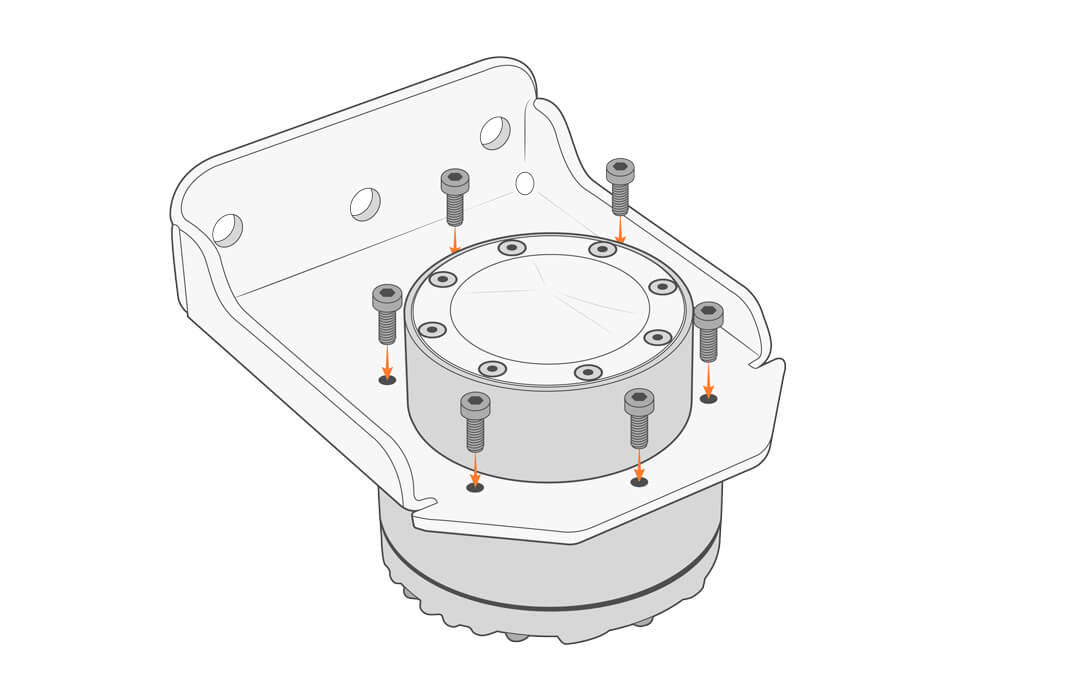
- Attach the mounting bracket to the pole using the included hardware.