
The UW bulkhead connector assembly (UW-BULK) connects temperature strings and other sensors with UW connectors to 3rd-party electronics.
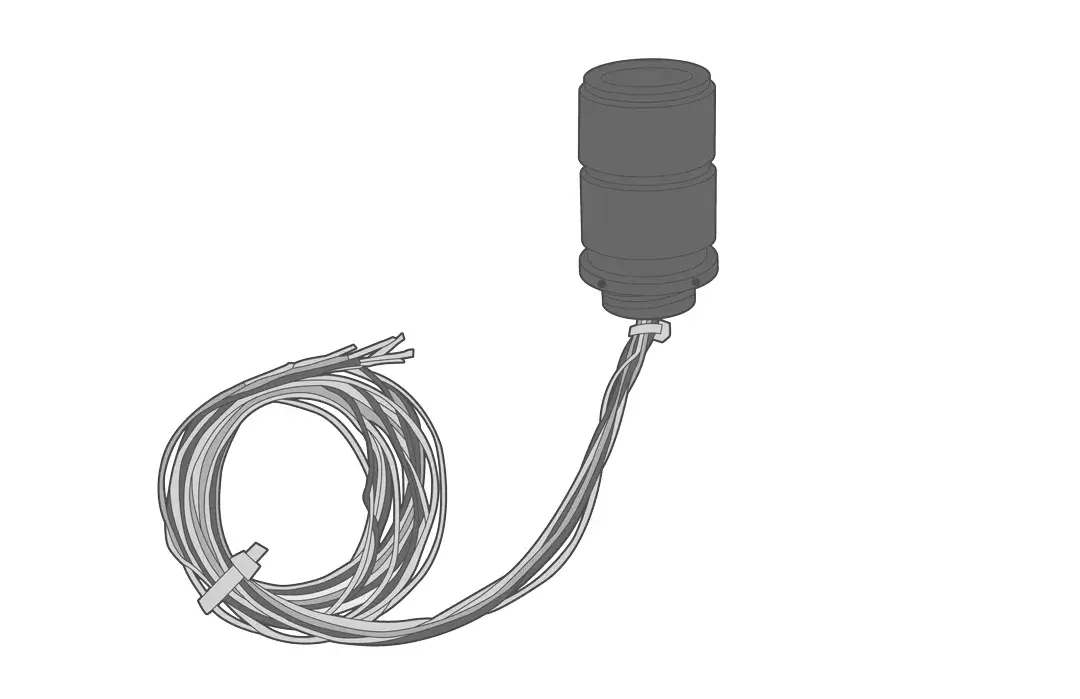
Installation
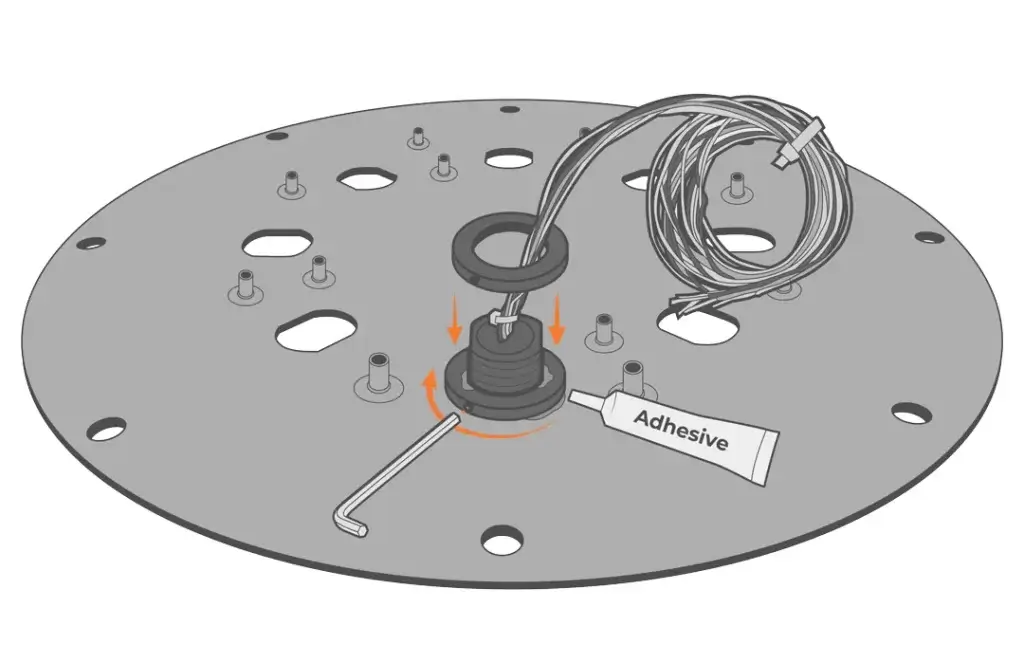
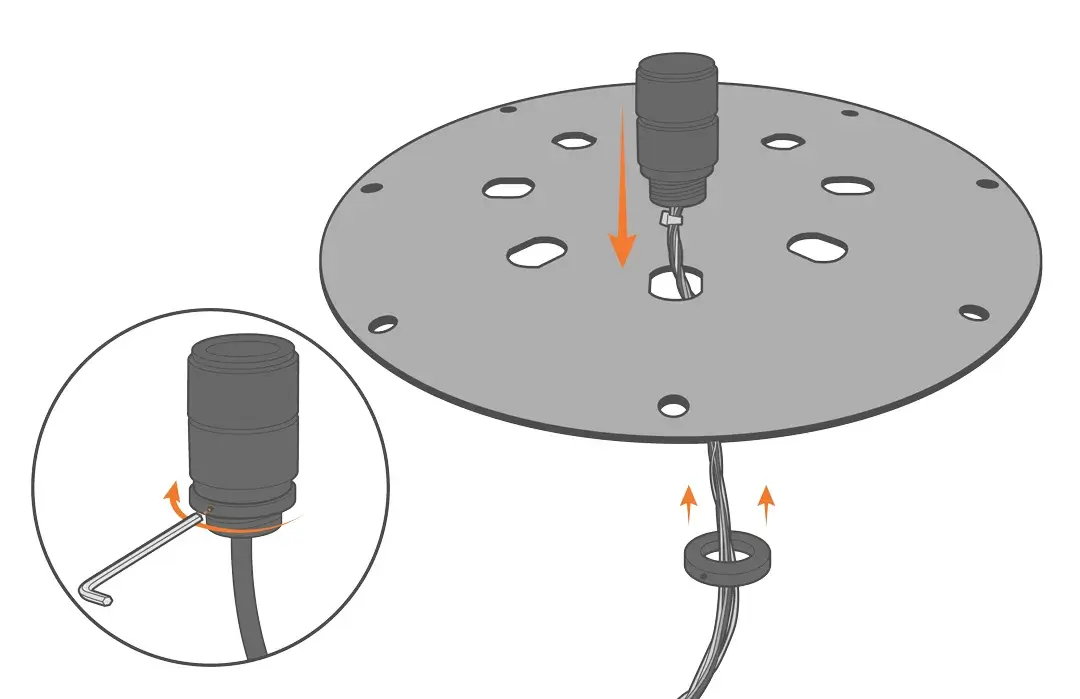
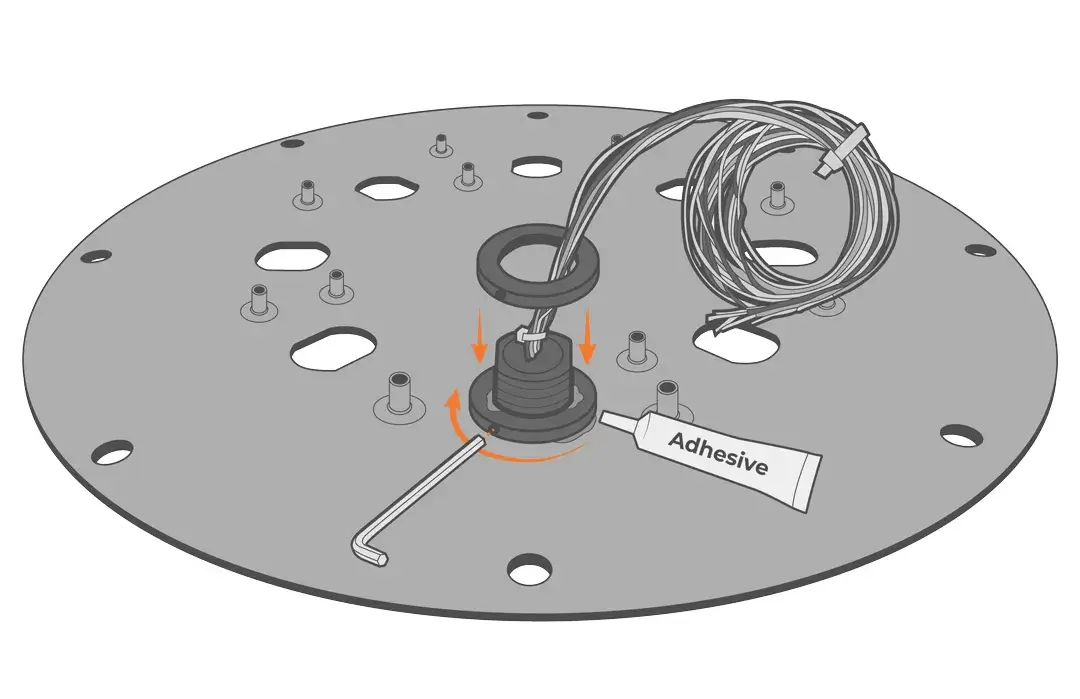
- Remove the desired port plug from the lid and install the UW-BULK with the nut on the bottom side.
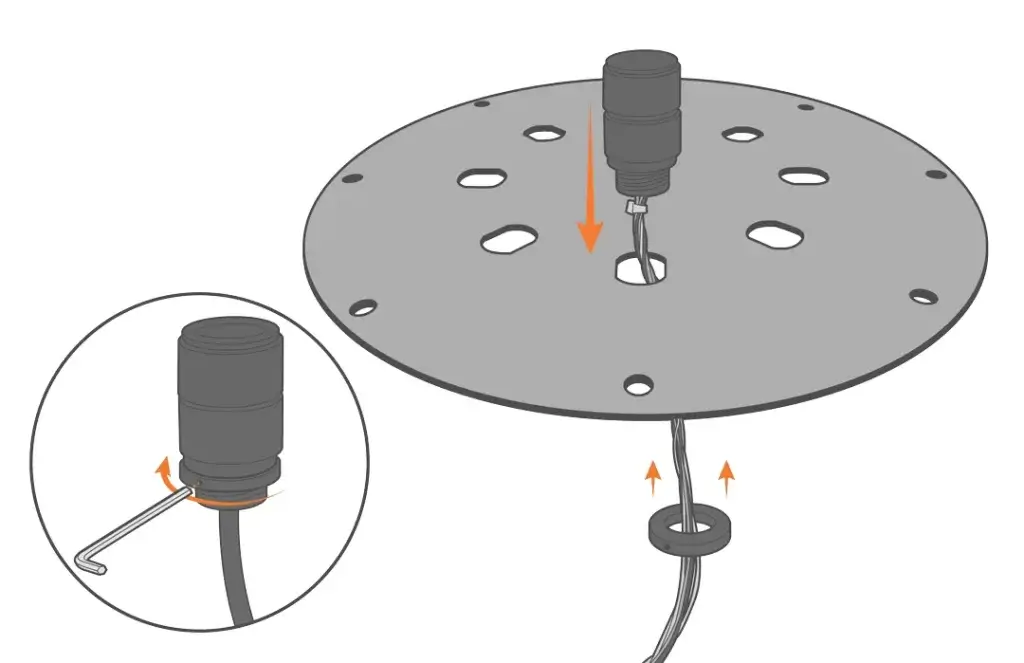
- Use adhesive to secure the nut and prevent loosening from vibration.
Wiring
For sensors with an integrated UW-CON, follow the table below for wiring and pin information.
Note: Only the communication protocols built into the sensor (i.e., RS-232, SDI-12, or RS485) will be wired in the UWCON.
| UW-BULK Receptacle Pin Number | UW-CON Plug Pin Number | Wire Color | SensorBUS Signal* |
| 1 | 8 | Green | RS-485 A (-) |
| 2 | 7 | Blue | RS-485 B (+) |
| 3 | 6 | Brown | SDI-12 |
| 4 | 5 | Red | Sensor Power |
| 5 | 4 | White | N/C |
| 6 | 3 | Yellow | RS-232 Rx |
| 7 | 2 | Black | Ground |
| 8 | 1 | Orange | RS-232 Tx |
*When connected to NexSens products (UW-CON).