
SP15 Solar Power Pack User Guide
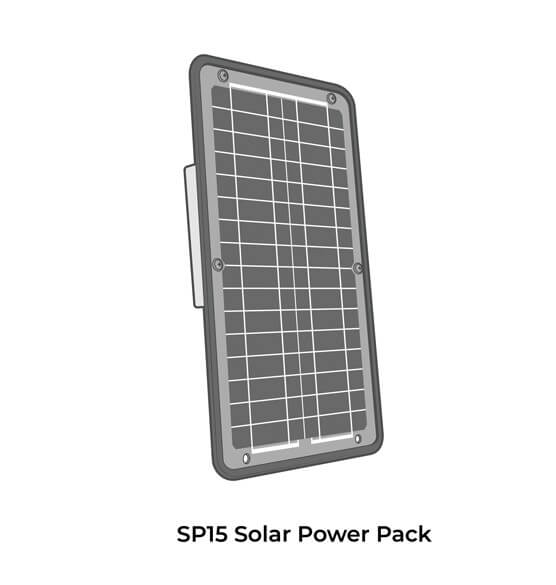
The NexSens SP15 features a solar panel, regulator, and battery housed in a weather-tight enclosure. It provides continuous, long-term power for NexSens X-Series data loggers and is angle adjustable for 30 and 45 degrees.
Installation
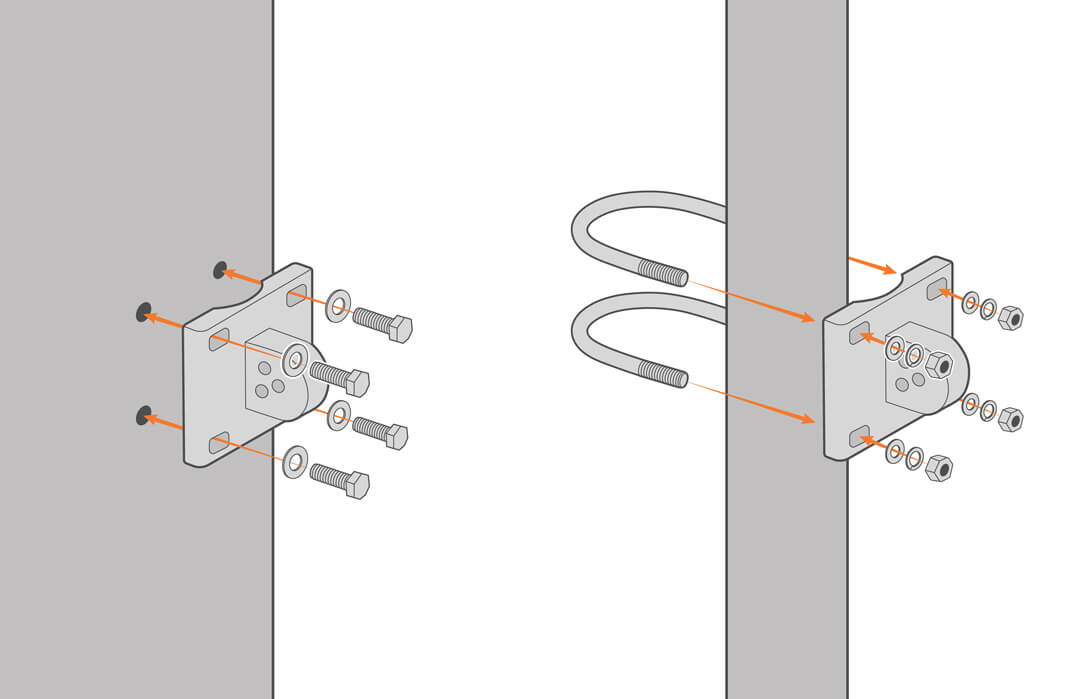
- For pipe and mast installation, mount the bracket with the supplied U-bolts. Other structures may require lag bolts or wall anchors. Be sure the arrow on the back of the bracket points up.
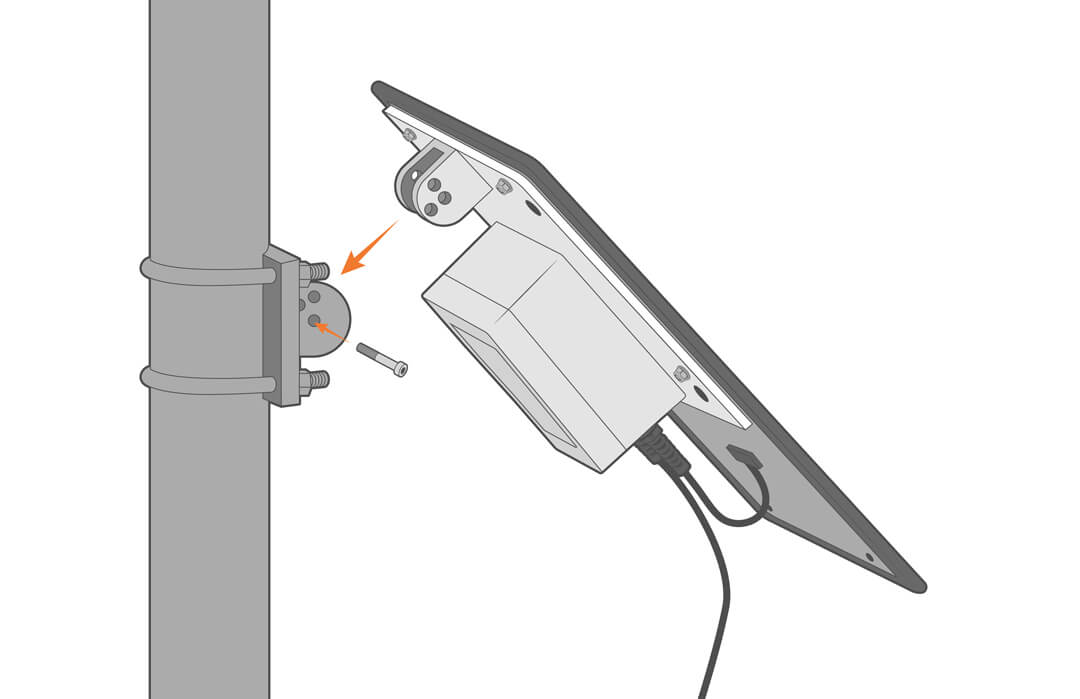
- Align the center holes of the power pack with the bracket and secure with a socket head cap screw.
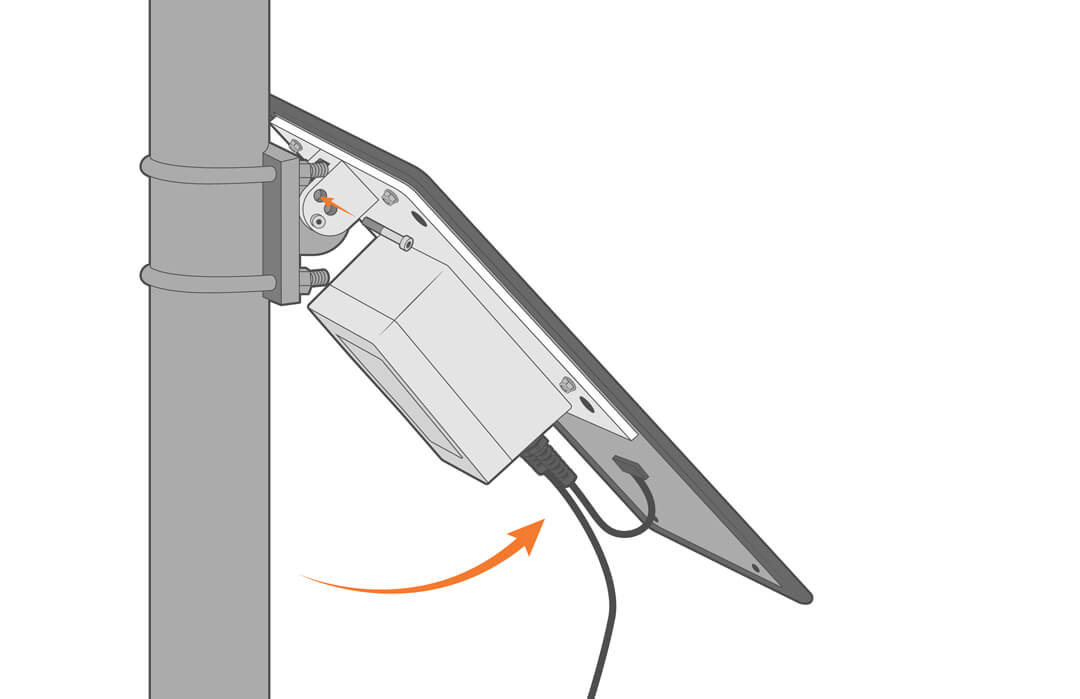
- Tilt the panel to the desired angle and secure it in place.
Maintenance
Preventive maintenance extends equipment life and ensures long-term performance.
WQData LIVE low-power alert notifications and regular field inspection can help identify issues early and allow for timely maintenance.
Inspection and Cleaning
Regularly inspect and clean the solar panels to prevent the build-up of debris. If the panels become obstructed or damaged, power availability will decrease.
- Gently clean the panels using a diluted dish detergent and a soft cloth.
- Do not use a brush or aggressive cleaning on the solar panel, as the protective film can be damaged.
- Inspect the panel for abrasions or green (copper oxide) corrosion, both of which will require panel replacement.
Checking Battery Voltage
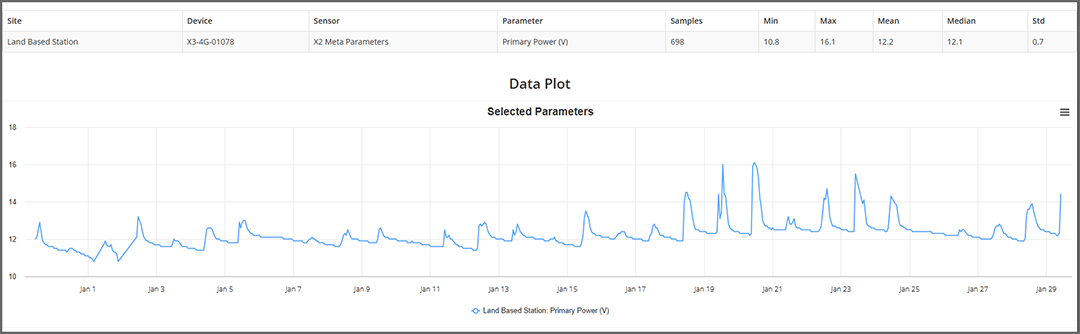
Check battery voltage regularly through WQData Live or your web datacenter to ensure the voltage is at or above 12V. If readings are not available, consult the repair manual for troubleshooting.
- How to check in WQDATA LIVE
- Log in to WQData Live.
- Click the Report tab.
- Under Standard Report, select Data.
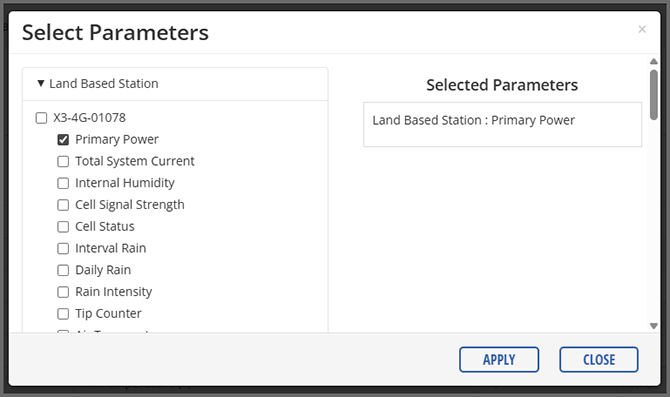
- Click Parameters.
- Under X3 verify Primary Power is checked and click Apply.
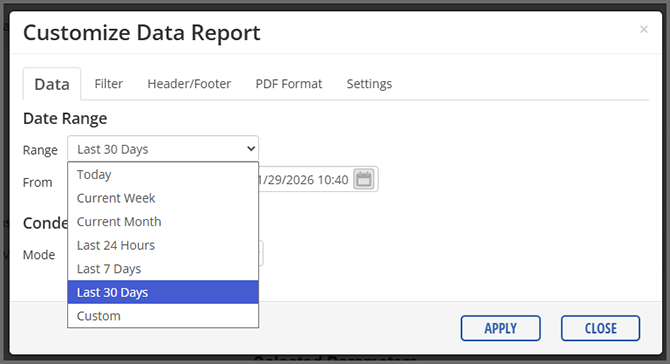
- Click Customize and then set the Date Range to the Last 30 Days.
- Ensure the voltage rises to appropriate levels during the day and does not drop below 11.5VDC at night.
- If there is no logger, voltage can be physically measured using the instructions in the SP-15 Repair Manual.
Storage
For long-term storage, follow these steps to protect the solar pack:
- Disconnect the cable from the data logger’s 6-pin port.
- Keep the pack in a dry, climate-controlled location.
Troubleshooting
See the repair manual for troubleshooting and replacement procedures.
| Error or Problem | Probable Causes | Solutions |
| Battery voltage not reporting | Failed connection to WQData Live | Check voltage manually |
| Damaged Cable | Replace the cable | |
| Solar panel was disconnected from the battery | Reconnect the cable. | |
| Insufficient battery voltage | Battery is damaged | Replace the battery |
| Battery lifespan has been exhausted | ||
| Insufficient power- solar panel failure | Debris or animal dropping partially covering solar panels | Clean the panels and watch for improvement in the battery voltage data for a few days |
| Solar panel failure | Replace the solar panel | |
| Insufficient power- solar regulator failure | Voltage surge damaged the regulator | Replace the regulator |
Warranty
View the NexSens Warranty.
Service Request
To return equipment for evaluation and repair, visit this page for more information.