Seametrics CT2X X-Series Integration Guide
The Seametrics CT2X measures conductivity and temperature with an optional water level sensor. It easily integrates with NexSens X-Series data loggers using SDI-12 sensor interface.

Sensor Setup
Before the sensor can be deployed, it must first be set up through the Aqua4Plus software. Follow the manufacturer’s guidelines for sensor setup and enable SDI-12 communication.
Note: Be sure to document the SDI-12 address and the parameter list order.
Connecting with X-Series Loggers
Next, the sensor will need to be set up for the X-Series logger using CONNECT software. If you have not yet done so, set up the project in WQData LIVE.
- Connect the sensor using the supplied cable to P1 or P2 on the logger and note the port number.
- Plug the X3 into the USB port of the computer and power it on with the AC power cable.
- Open CONNECT and select the SENSOR tab.
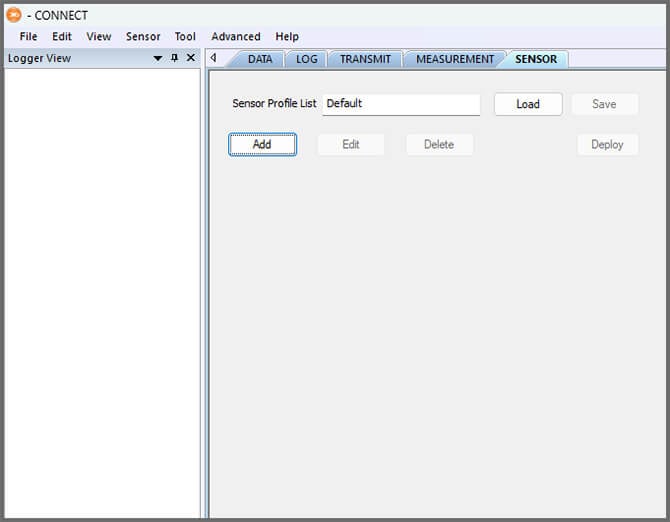
- Click Add and select Seametrics from the Manufacturer drop-down. Then select the appropriate model.
- Adjust the SDI-12 address if needed and select Port 1 or Port 2.
- Select Switch in the Power drop-down.
- Add or remove sensor parameters as desired.
- Note: The parameter order must match what was set in the manufacturer’s software.
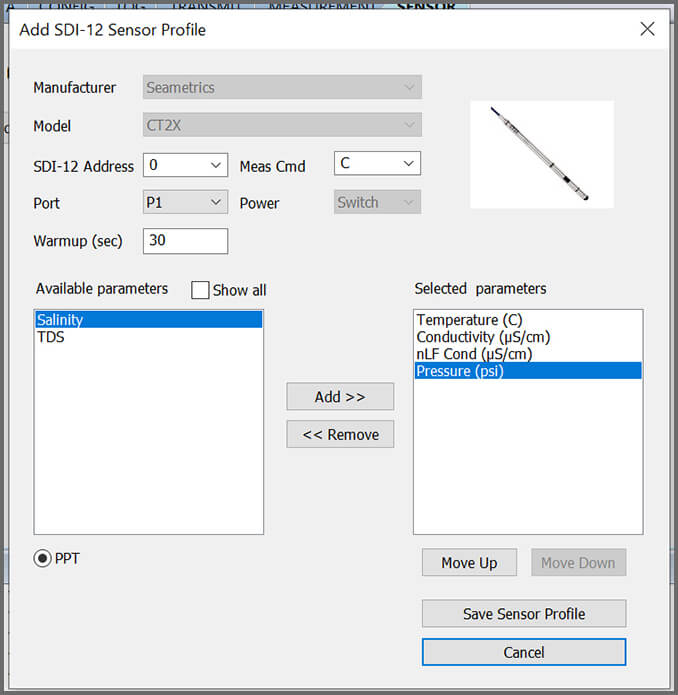
- Note: The parameter order must match what was set in the manufacturer’s software.
- Select Save Sensor Profile.
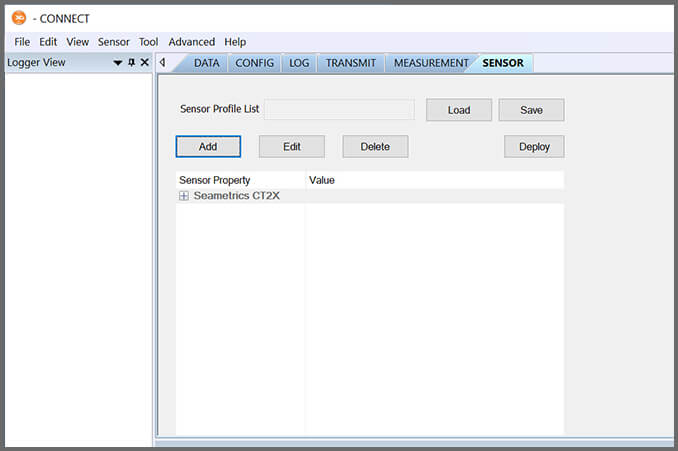
- Complete the setup for all other sensors, and then click Save.
- Name the Sensor Profile List and select Ok.

- Complete system setup by clicking Deploy.
- Confirm that data is being transferred to WQData LIVE at the next interval (default is 10 minutes).
Mounting
Deployment setups will vary based on the platform, application, and site location. For general buoy mounting instructions and shoreside assembly, see below.
Buoy-Based Deployments
First, follow the appropriate User Guide in the Knowledge Base for buoy assembly. There are two options for near-surface measurements and a third option for water column measurements:
1. Cage Mount
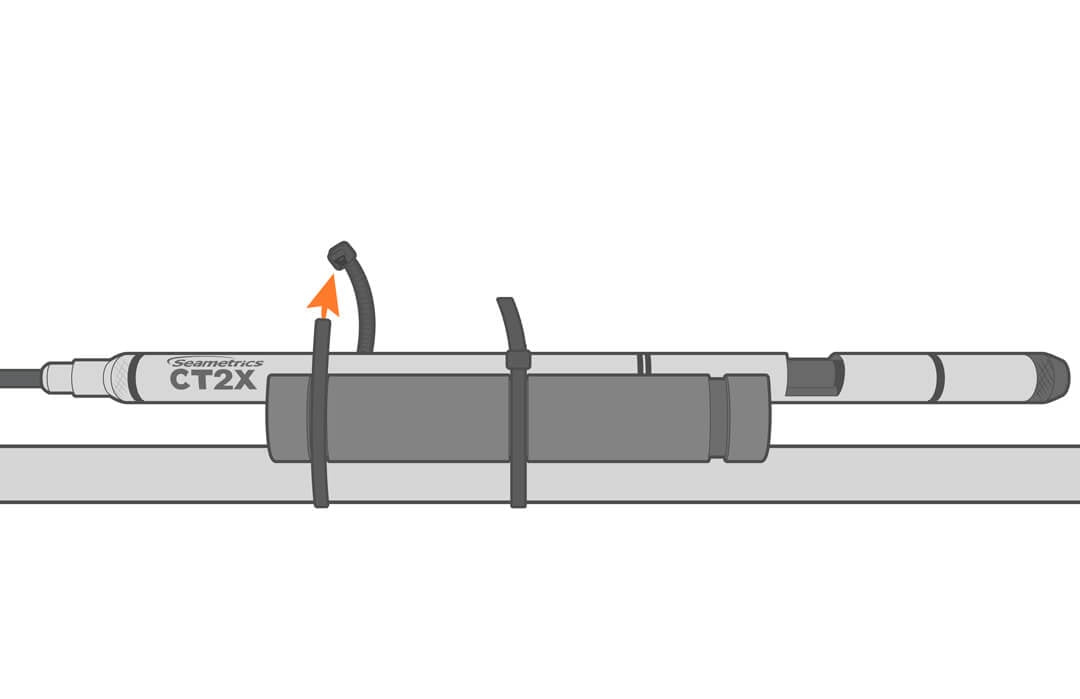
Use the NexSens Small Instrument Cage Mount to attach the sensor to the buoy cage.
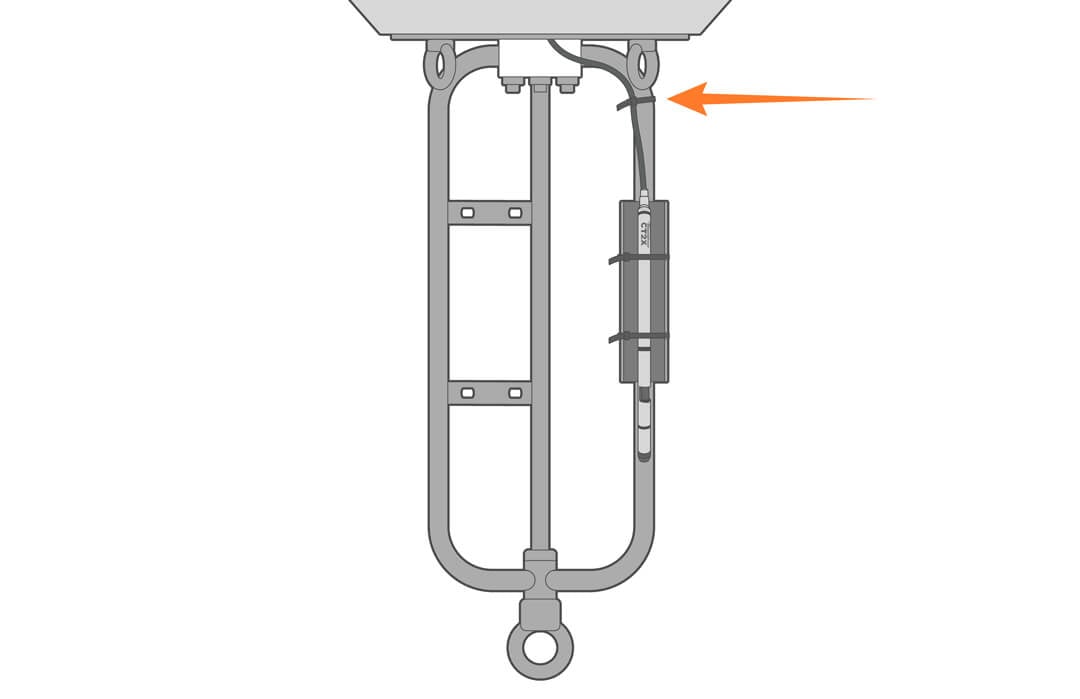
- Strap the sensor to the cage leg with the mount and cable ties (as shown). The mount is supplied with a rubber adhesive liner to prevent the sensor from sliding.
- Further secure the assembly by adding a few additional ties to the cable.
2. Buoy Deployment Pipe
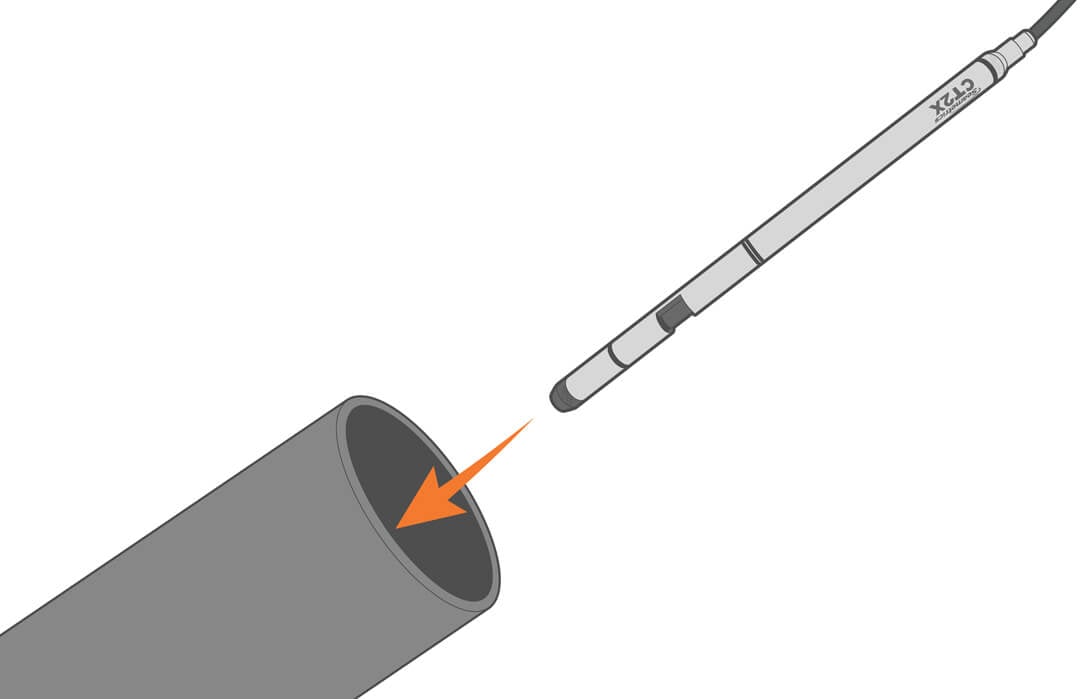
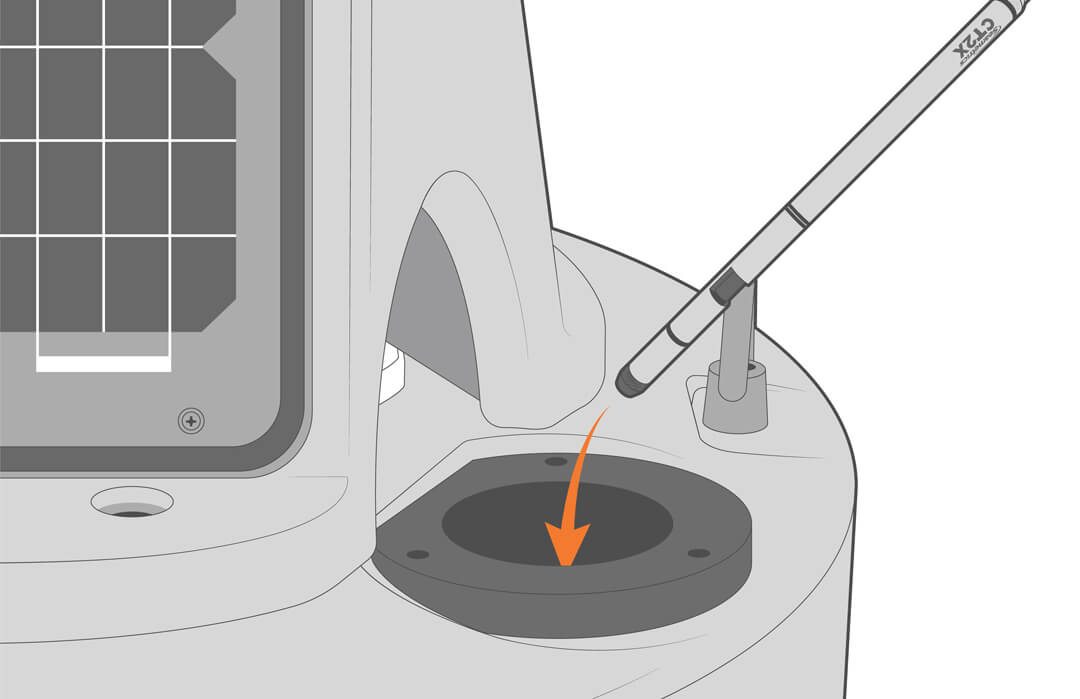
Optional perforated deployment pipes can be fitted to most NexSens CB– and XB-series buoys. Deploying the sensor inside the pipe provides easy access for maintenance and recalibration.
3. Water Column
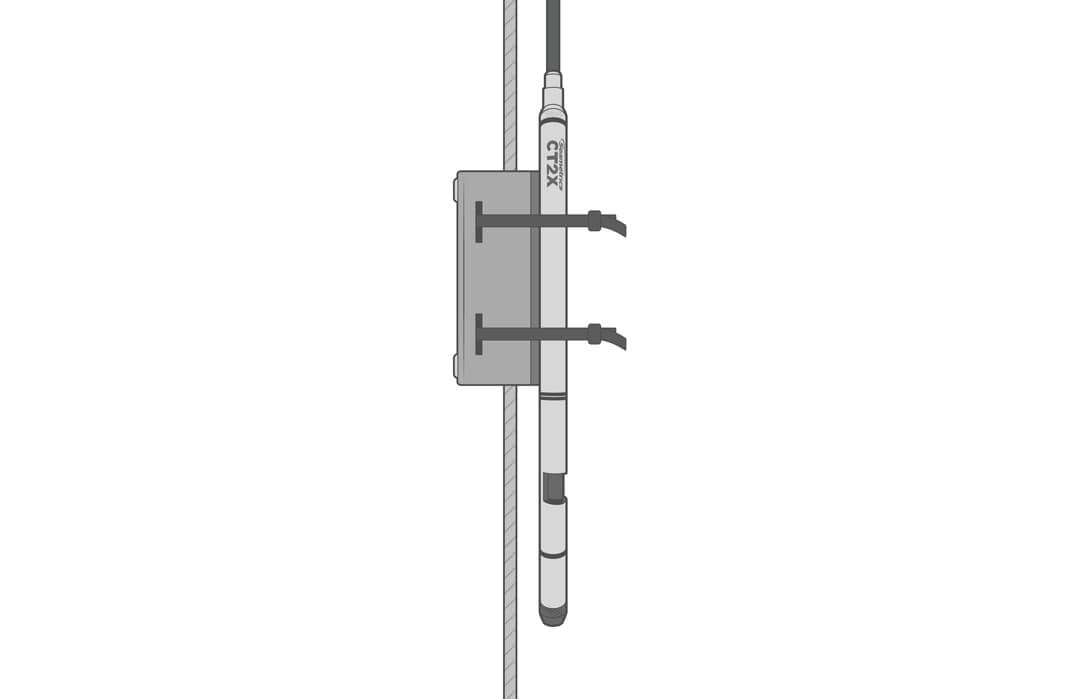
Use the NexSens Instrument Mooring Clamp to securely attach the Seametrics CT2X to a sensor mooring line at the desired depth in the water column.
Shore-based Deployments
For dock, pier, or bank deployments, it’s best to secure the sensor in a perforated PVC pipe. Extend the pipe into the water and deploy the sensor.