
MC-BAT Cage User Guide
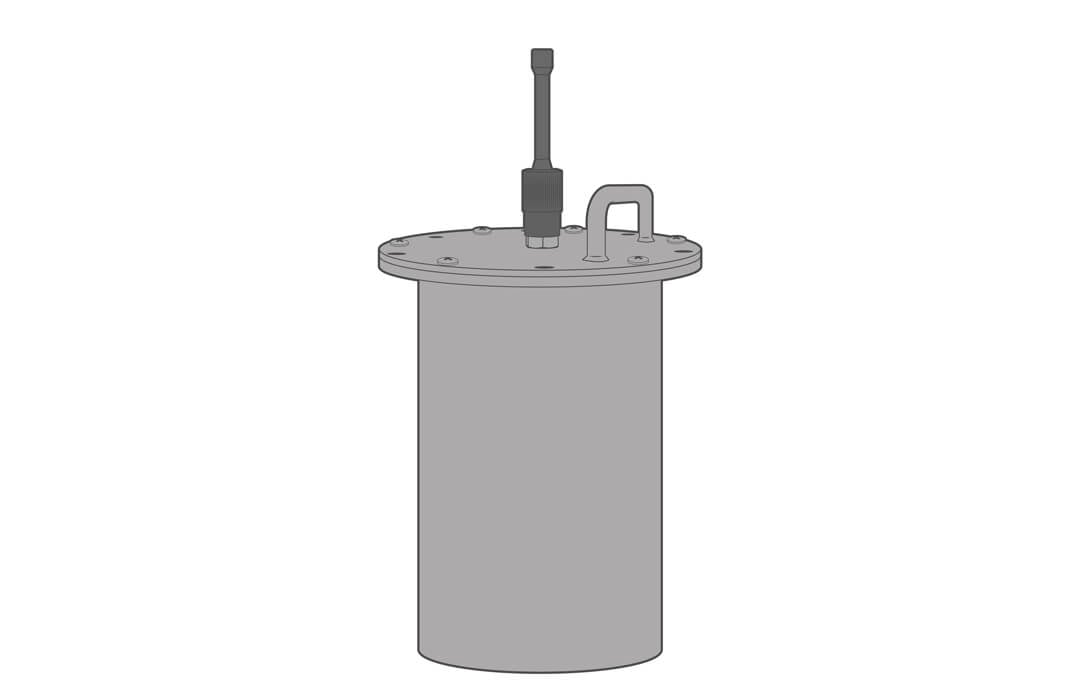
The MC-BAT is a submersible 15V battery pack designed to power underwater instrumentation and sensors. Inside are (20) D-Cell alkaline batteries. It is constructed of 316 stainless steel and includes an 8-pin male MCBH marine connector.
Sensor/Logger Connection
For connection to the MC-BAT:
1. Remove the blank plug from the middle power port
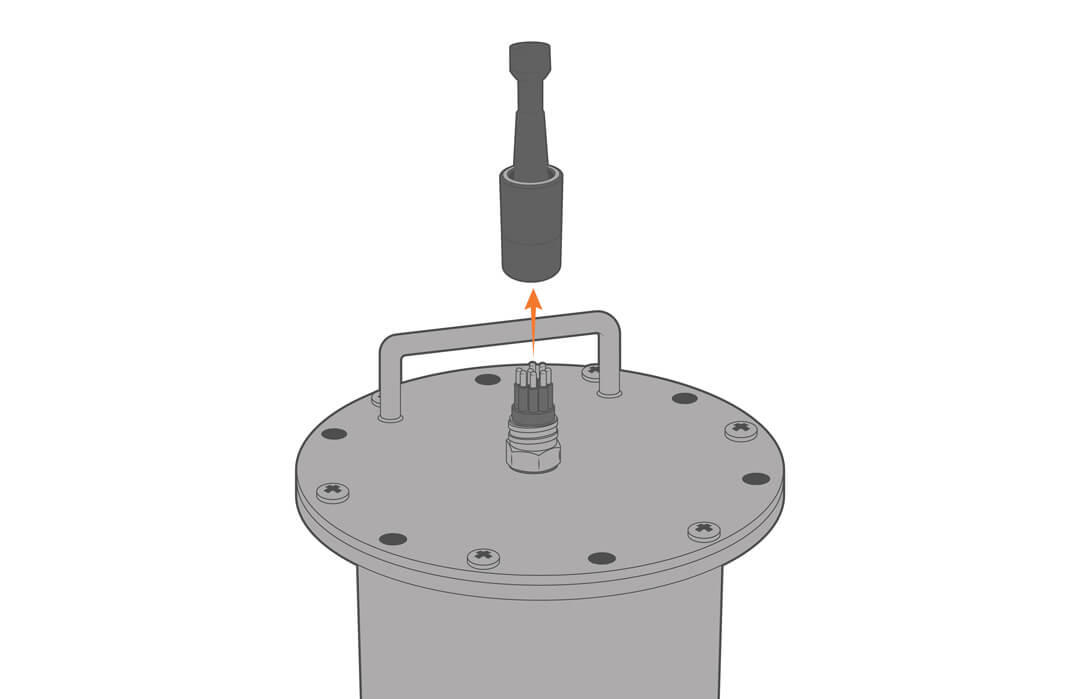
2. Apply a thin layer of silicon-based lubricant to the rubber portion of the power connector and plug in the power cable.
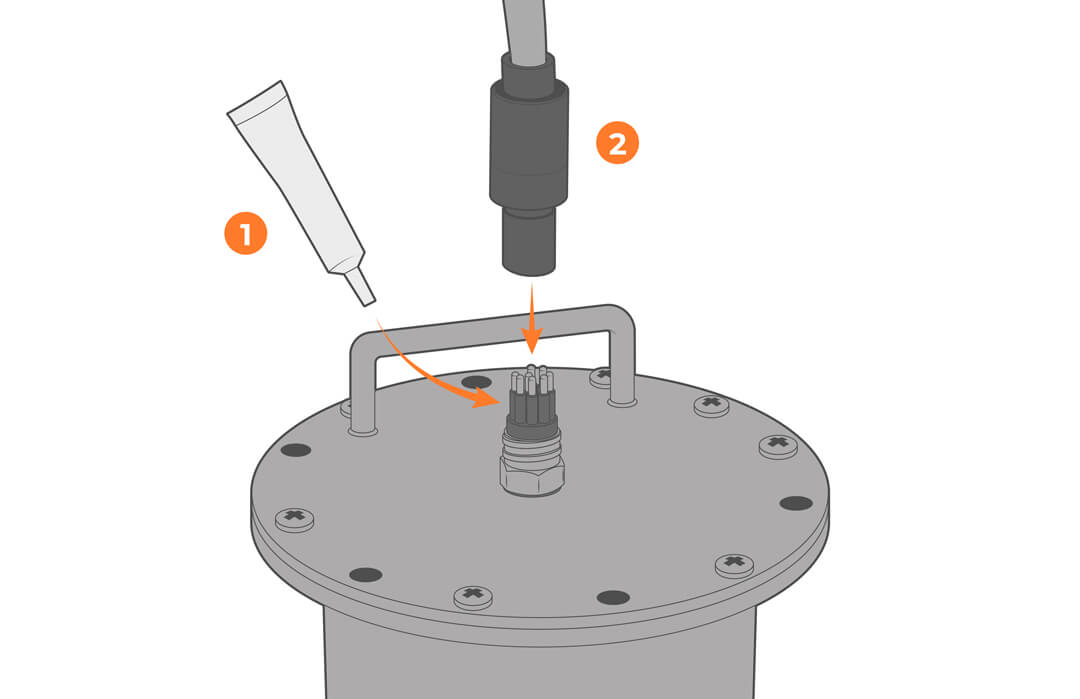
3. Secure the cable to the mounting and ensure there is no strain on the connector.
Check Battery Voltage
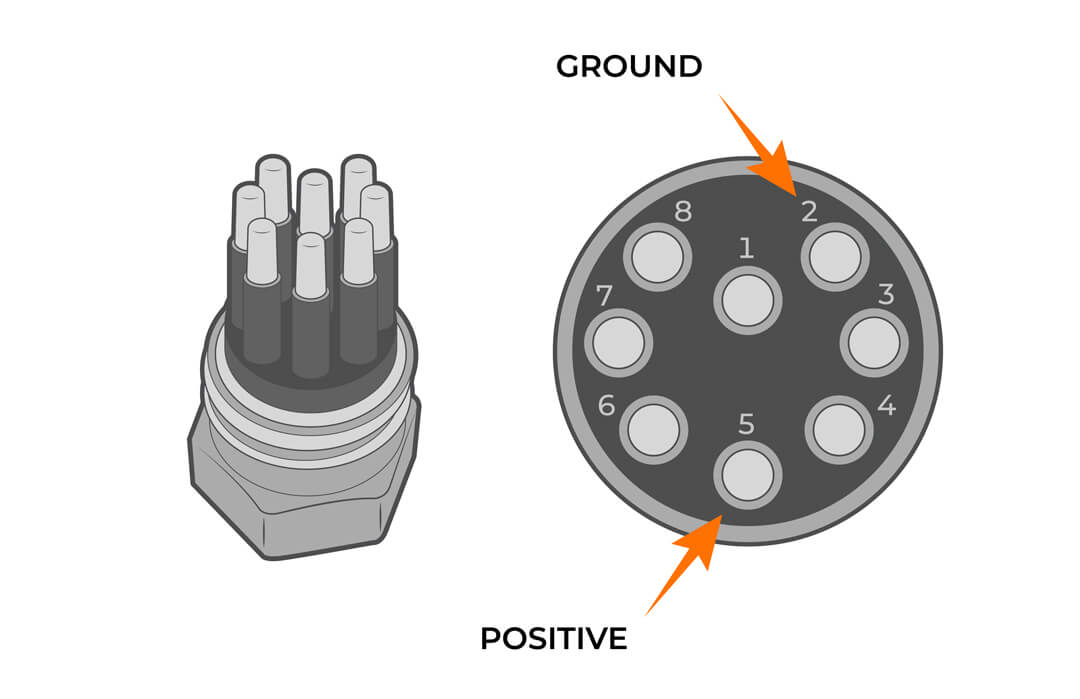
Before and after deployments, use a voltmeter to confirm the battery voltage is adequate to power the connected device. New battery packs will measure at ~16V and will need to be replaced when it drops below 10V. Long deployments may require replacing a partially spent pack. See the Battery Replacement section for directions.
1. Measure the voltage across pin 5 and pin 2.
Saltwater Deployment
Sacrificial zinc anodes should be used whenever the MC-BAT is deployed in a saltwater environment to prevent corrosion. Cage anodes are ordered separately and should be inspected and replaced as needed.
When paired with a NexSens stainless steel instrument cage, ensure there is good metal-to-metal contact between the MC-BAT and the cage so that the anode offers protection.
1. Attach the zinc anode to the instrument cage.
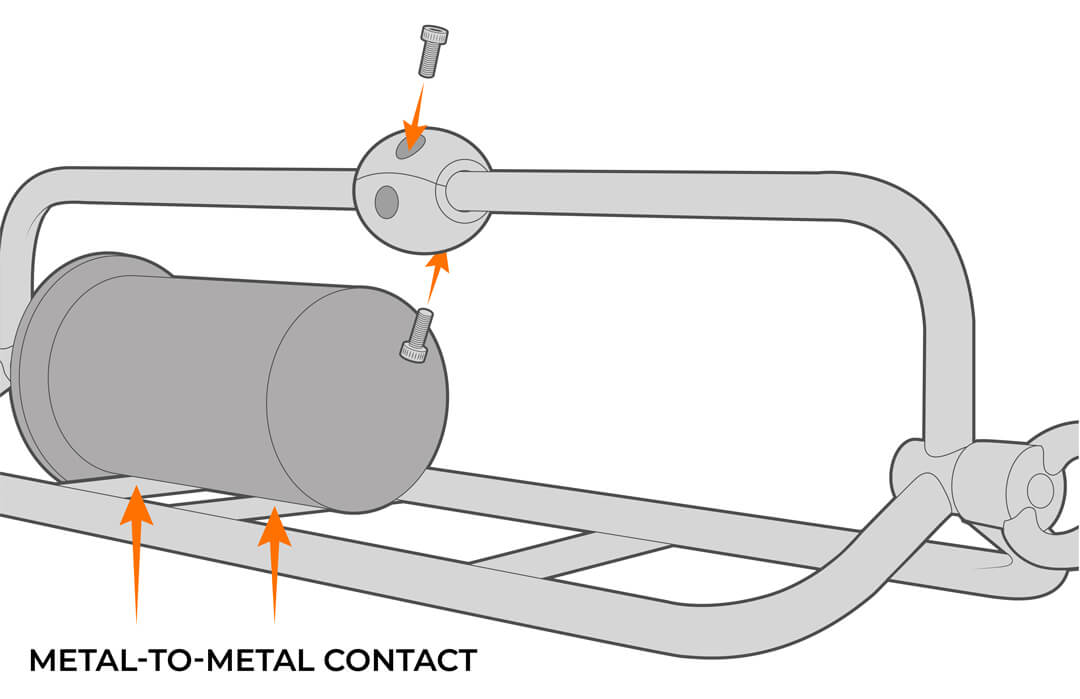
If deploying an MC-BAT without a cage, source the appropriate anode for your application.
Desiccant Replacement
Desiccant is used to absorb moisture and should be replaced annually or anytime the well is opened.
1. Remove the logger lid with care and disconnect the power cable.
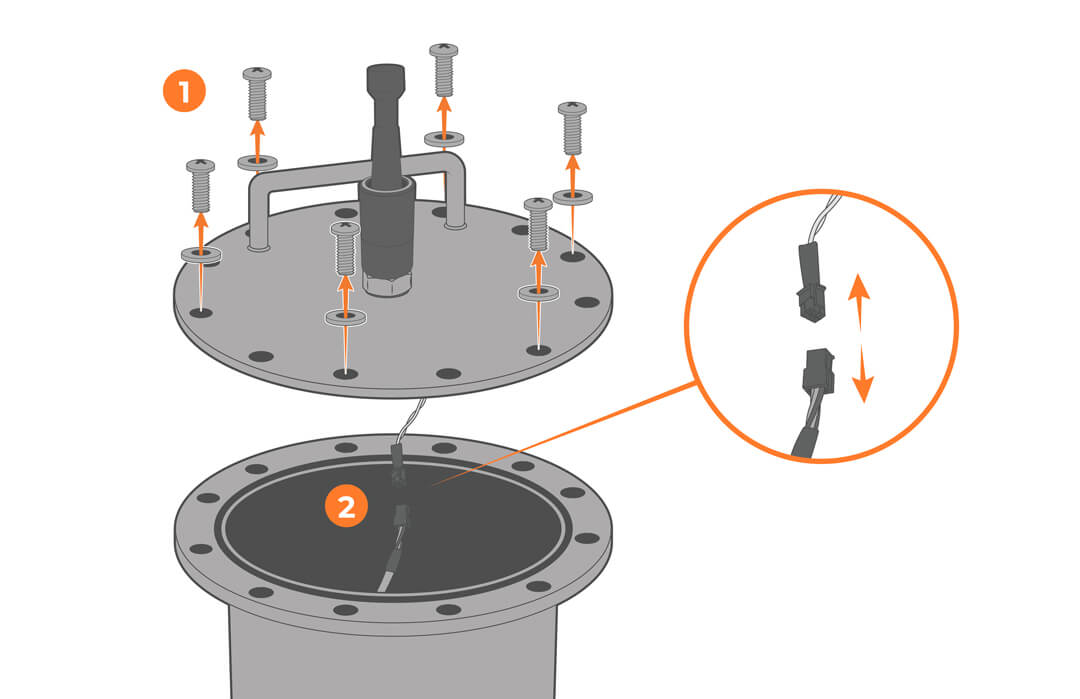
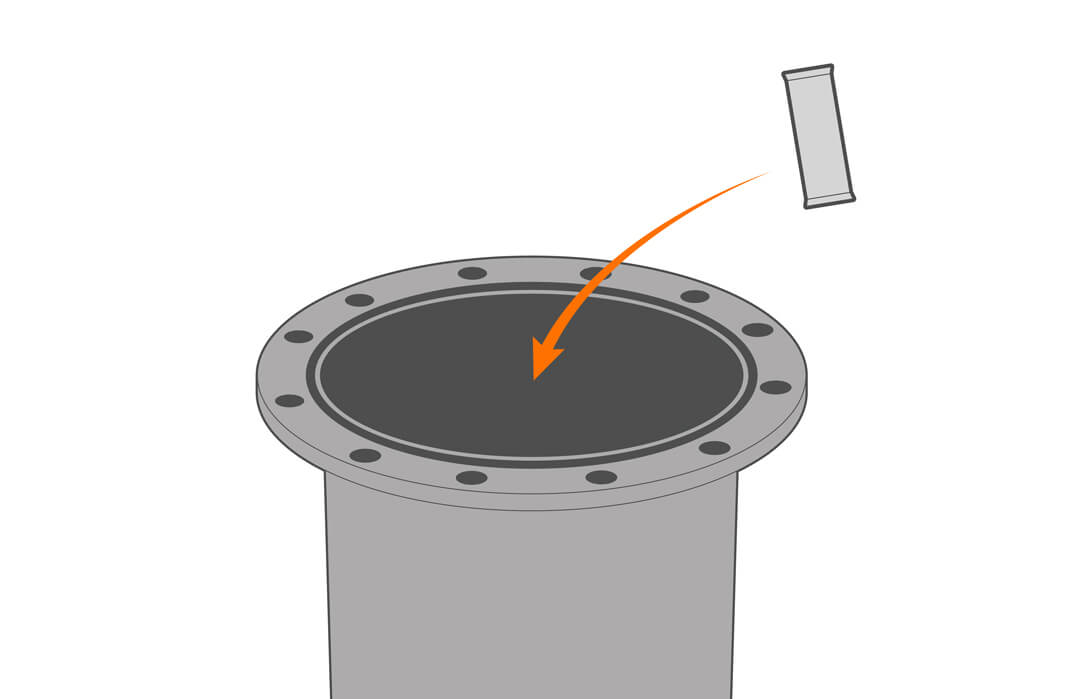
2. Replace the desiccant.
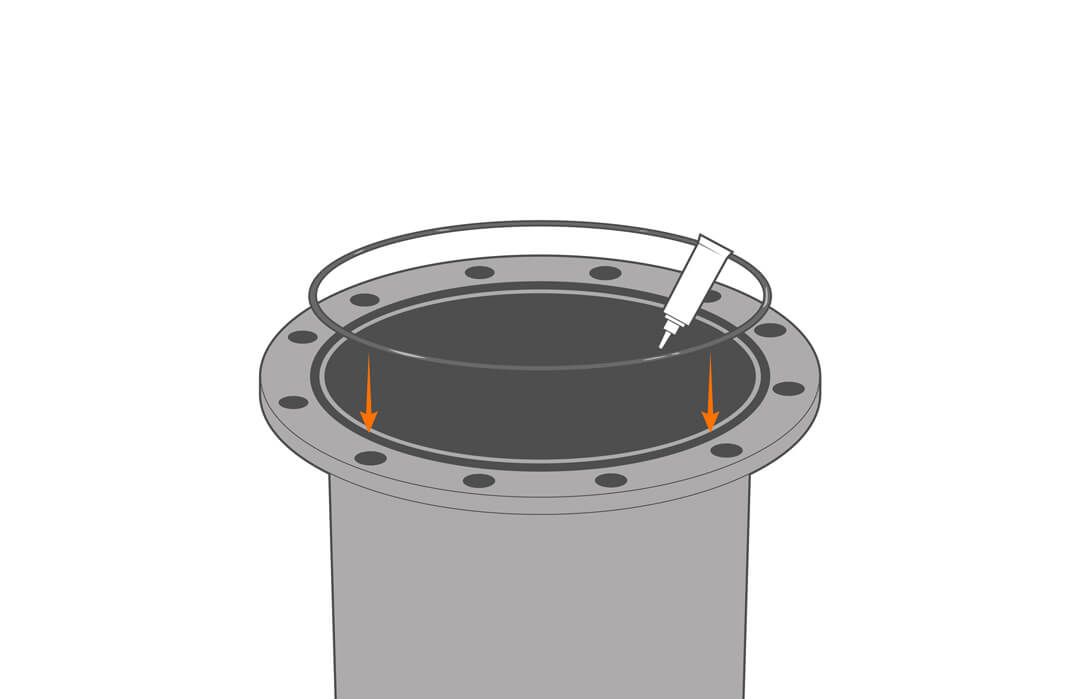
3. Check that the gasket is clean and undamaged, and reconnect the battery.
4. Reinstall the lid, being careful to avoid trapping the cable under. If the o-ring lubricant is no longer in place, apply a thin film.
Battery Replacement
The battery pack should be replaced whenever voltage falls below 10V or when a partially spent pack is inadequate for a long deployment. Alkaline batteries are not rechargeable.
1. Remove the logger lid with care and disconnect the power cable.
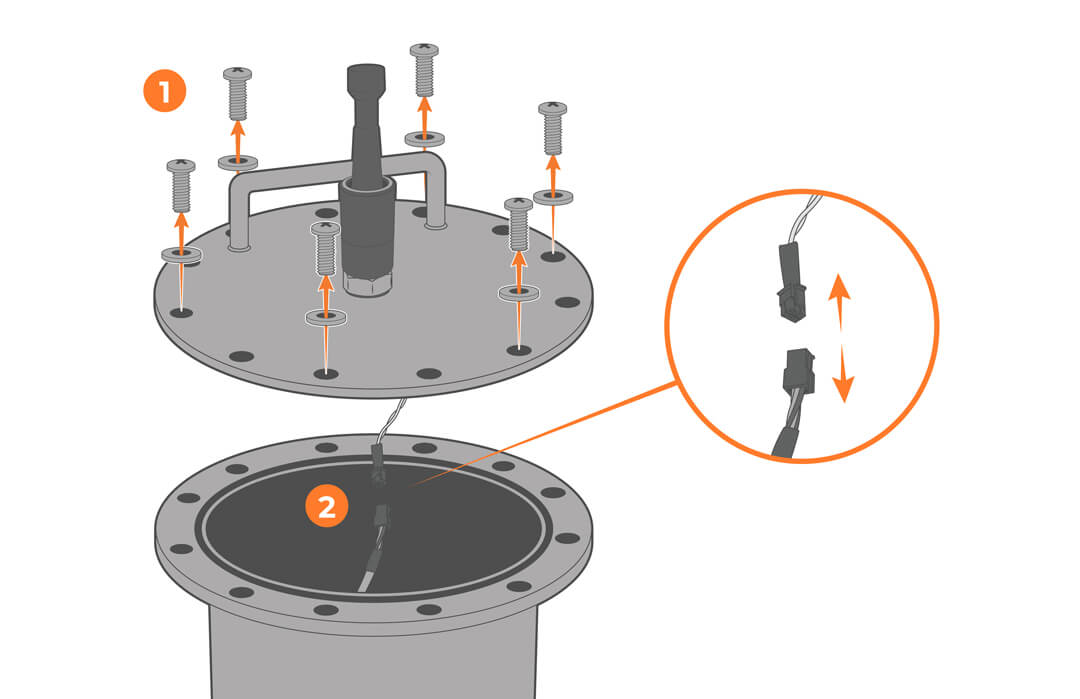
2. Unscrew the bracket holding the battery pack in place.
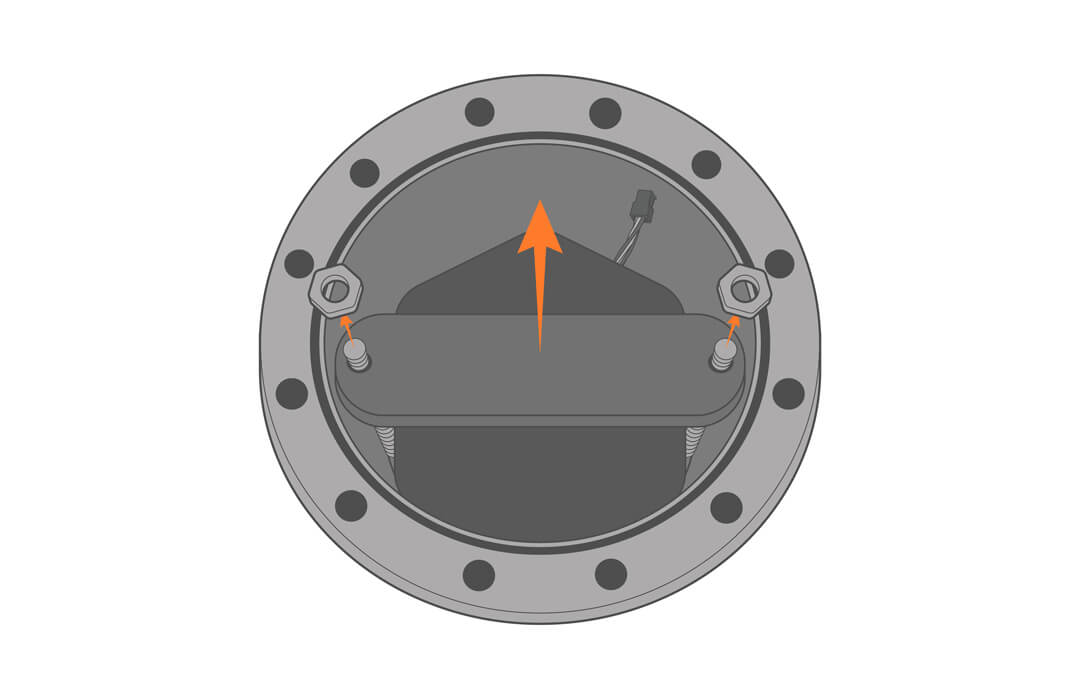
3. Remove the old batteries.
4. Lower the new batteries into the well and secure with the previously removed hardware.
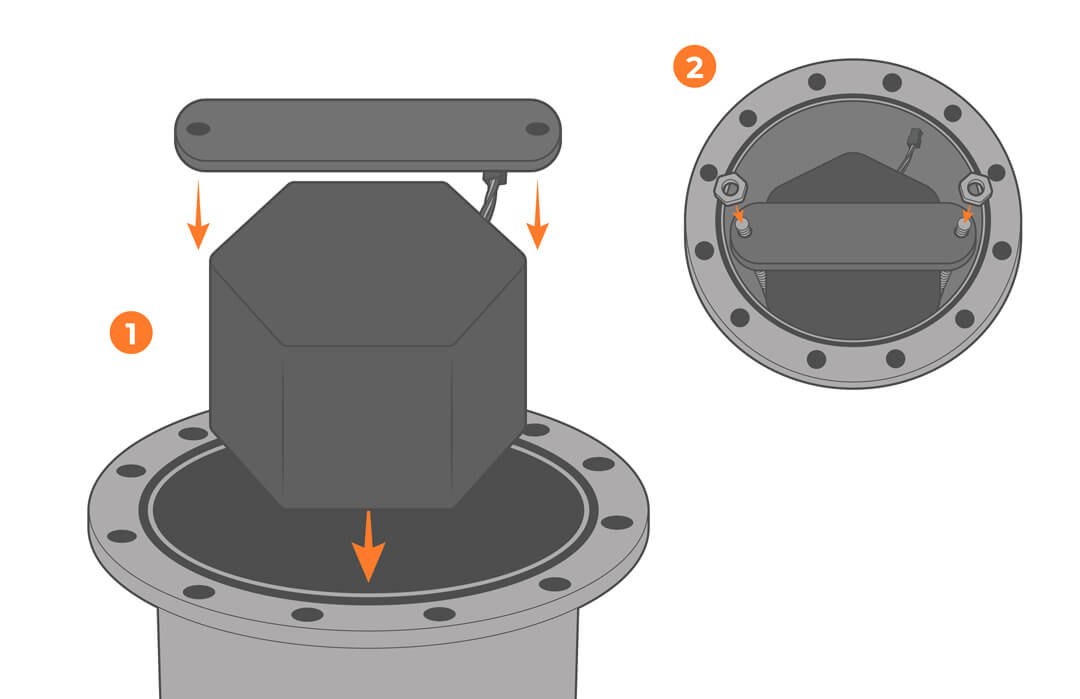
5. Reinstall the lid.